



NX4832F035 – Nextion 3.5″ Discovery Series HMI Touch Display
USD$29.90
Nextion New Year Deal: $15 OFF $199+ (Code: NENY15), $30 OFF $299+ (Code: NENY30). Until Jan 20.
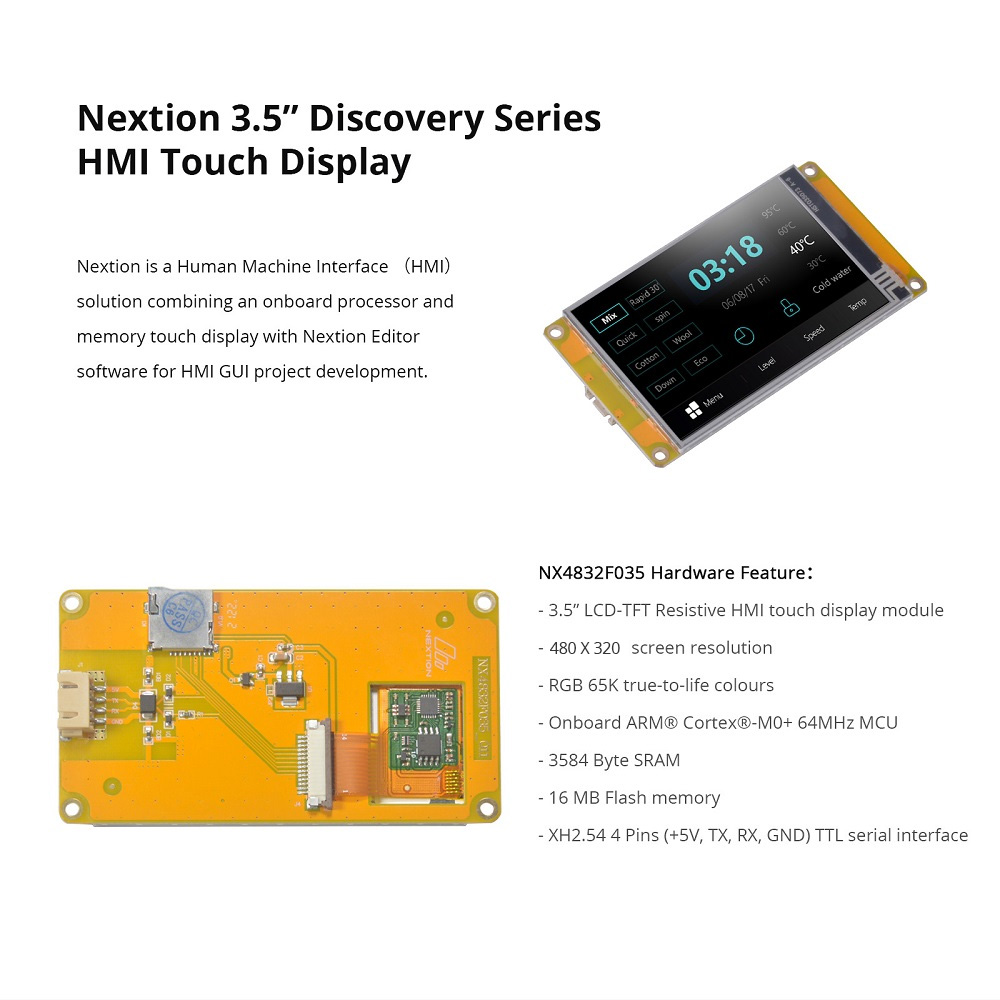
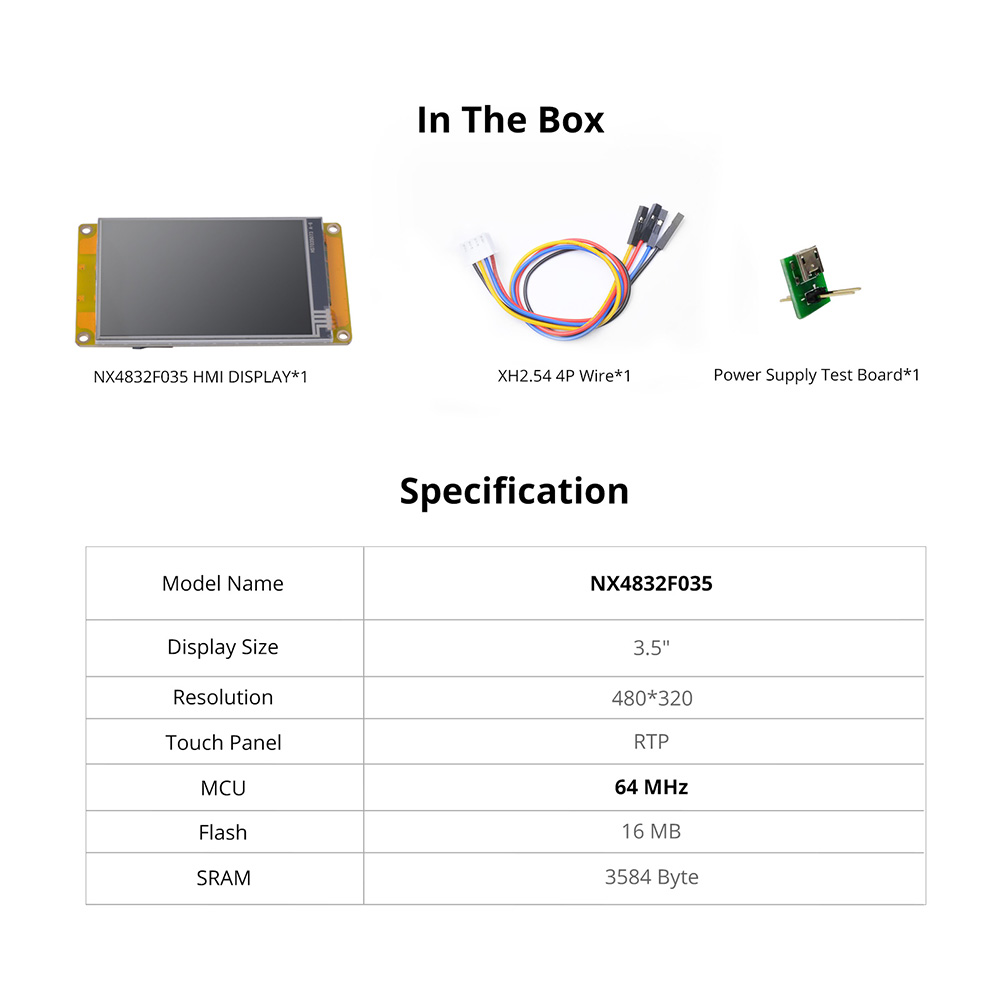
NX4832F035 is a Nextion Discovery series 3.5” Resistive HMI touchscreen without enclosure and SKU is 6920075776812
• 3.5″ LCD-TFT HMI Display
• STM32GO ARM® Cortex®-M0+ 64MHz Onboard MCU Processor
• Fonts Creator with Versatile Character Encodings
• Low Learning Curve Text-based Instruction Set
• Support 15+ Amazing WYSIWYG Components
• New Nextion Cost-effective HMI Solution
Fast & reliable shipping from our EU warehouse in Germany. Delivery usually takes 3-9 business days.


Nextion Editor Overview
Nextion Editor is a free human-machine interface (HMI) GUI development software for Nextion Basic Series, Enhanced Series, and Intelligent Series. The software offers an easy way to create an intuitive and superb touch user interface even for beginners. Add a static picture as a background, define functions by components, you can make a simple GUI in minutes. The easy Drag-and-Drop components and simple ASCII text-based instructions will dramatically reduce your HMI project development workloads and develop projects rapidly in a cost-effective way. The Nextion product is the best balance HMI solution between cost and benefit with a low and decreased learning curve.

Nextion Editor Features
Versatile Character Encoding
With several character encoding, you are able to create the HMI project in your language characters and strings.
Fonts and Text Styling
The font creator allows you to generate the specific fonts applied in each component value or text attribute. e.g.Generate the font of "Arial" with Height "24" and Encoding "UTF-8"
 25+Amazing WYSIWYG Components
Easy-to-use components to customized GUI at screen side allow you to develop projects rapidly in a cost-effective way
Component Attribute Setting
The component attribute setting gives you the options to design all the aspects of the component that you need.

Free Simulator Debug
Debug the HMI project at any time even without the Nextion Display.The instruction input area allows you to send any Nextion commands to check the feedback and interactions.
Nextion Operational Commands
The operational commands allow users to program the HMI interactions by coding in Events windows

Text-based Instruction Set
Simple ASCll text based instructions will dramatically reduce your HMI project development workloads
Support Simple Assignment Operators
To handle the calculation and assignment for the text and Numeric data, the simple assignment operators help.


NX4832F035 VS NX4832T035
 Compared with Basic Series, the Discovery Series has a better MCU performance, with the new image compression technique, the Discovery Series allows more pictures in the same amount of flash compared to Basic and Enhanced models. The operating current of deep sleep mode is as low as 0.25mA which makes the Discovery Series displays more suitable for battery-powered projects.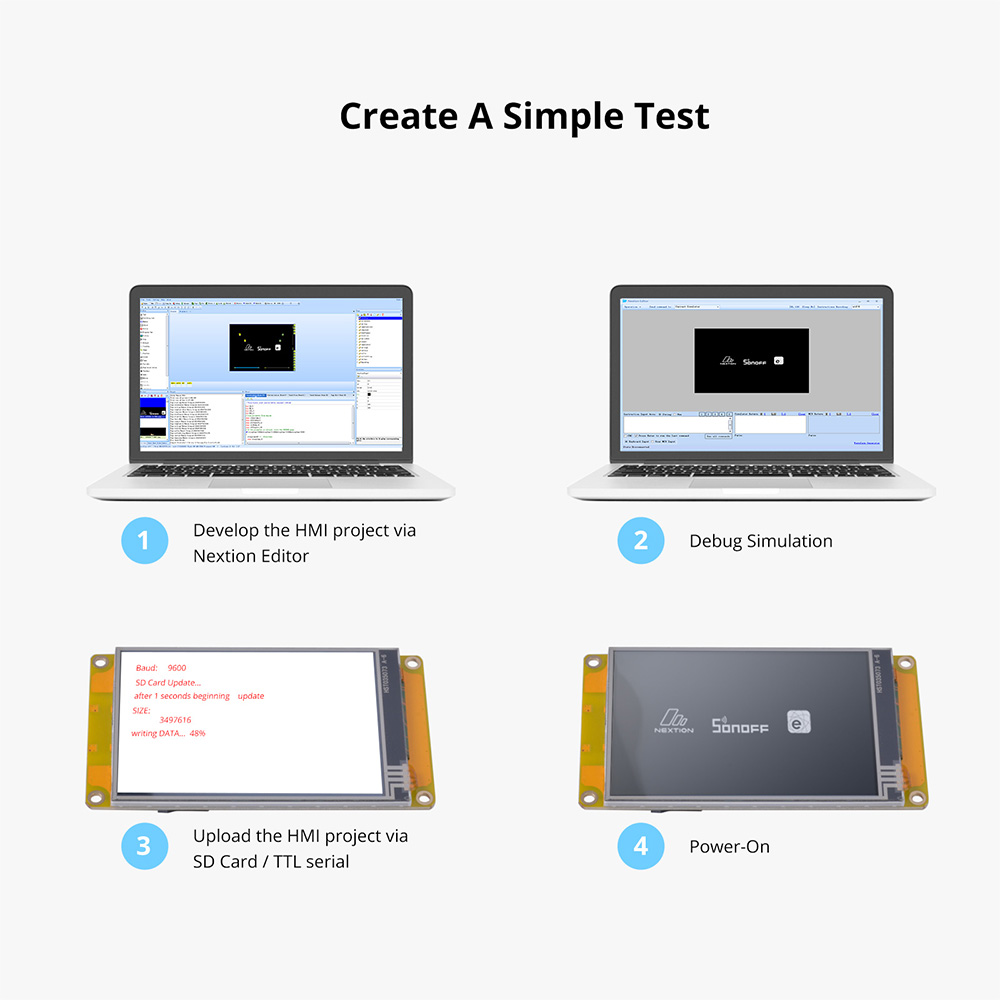

NX4832F035 Certification and Documents
- - Datasheet
- - Dimension
- - Instruction Set
- - Editor Guide
- - LTA Announcement
- - CE
- - ROHS
Nextion Technical Support
Additional information
| Weight | 83.8 g |
|---|---|
| Dimensions | 101 × 55 × 12 mm |
| Brand | |
| Model | NX4832F035 |
| Display Size | 3.5″ |
| Resolution | 480*320 |
| Touch Panel | RTP |
| MCU | 64 MHz |
| Flash | 16 MB |
| SRAM | 3584 Byte |
| Input Power | DC 5V 500mA |
| USART Port | XH2.54 4P |
| Storage Temperature | -30 ~ 85 °C |
| Working Temperature | -20 ~ 70 °C |
| Nextion Editor Components | Text, Scrolling Text, Number, Xfloat, Button, Progress Bar, Picture, Crop, Hotspot, TouchCap, Gauge, Waveform, Slider, Timer, Variable, Dual-state Button, Checkbox, Radio, QRcode |
| Character Encoding | ascii, utf-8, iso-8859-1~15, gb2312, ks_c_5601-1987, big5, windows-874/1255/1256/1257/1258, koi8-r, shift-jis |
| Anti-aliasing font | Yes |
| Product Dimensions | https://cdn.nextion.tech/wp-content/uploads/2021/07/NX4832F035_011R.pdf |
New Arrival

-
 New
NewSONOFF ZBMINI Extreme Zigbee Smart Switch (Neutral Wire Required) | ZBMINIR2
USD$12.90 Add to cart -
Sale!
 New-25%
SONOFF NSPanel Pro Smart Home Control Panel-120 Type
Original price was: USD$119.90.USD$89.90Current price is: USD$89.90. Select options This product has multiple variants. The options may be chosen on the product page -

SONOFF Zigbee Smart Water Valve
USD$26.90 Select options This product has multiple variants. The options may be chosen on the product page -
 New
NewSONOFF iPlug Zigbee Smart Plug | S60 Series
USD$13.50 Select options This product has multiple variants. The options may be chosen on the product page -
 New
NewSONOFF MINI Dry Wi-Fi Smart Switch | MINI-D
USD$12.90 Add to cart -
 New
NewSONOFF SNZB-02LD IP65 Zigbee LCD Smart Thermometer (Probe Version)
USD$17.90 Add to cart
Related products
-

NX8048K070 – Nextion 7.0” Enhanced Series HMI Touch Display
USD$89.90 Add to cart -

NX4827T043 – Nextion 4.3” Basic Series HMI Touch Display
USD$54.90 Select options This product has multiple variants. The options may be chosen on the product page -

4.3” Nextion Intelligent Series HMI Touch Display with enclosure
Price range: USD$52.90 through USD$59.90 Select options This product has multiple variants. The options may be chosen on the product page -

7.0” Nextion Intelligent Series HMI Touch Display with enclosure
Price range: USD$89.90 through USD$102.40 Select options This product has multiple variants. The options may be chosen on the product page
