SONOFF iHost Smart Home Hub

Special Offer for iHost Smart Home Hub
Buy iHost Get Other SONOFF Items 10% OFF with code: IHOST10
Free Standard Shipping on Orders over $89

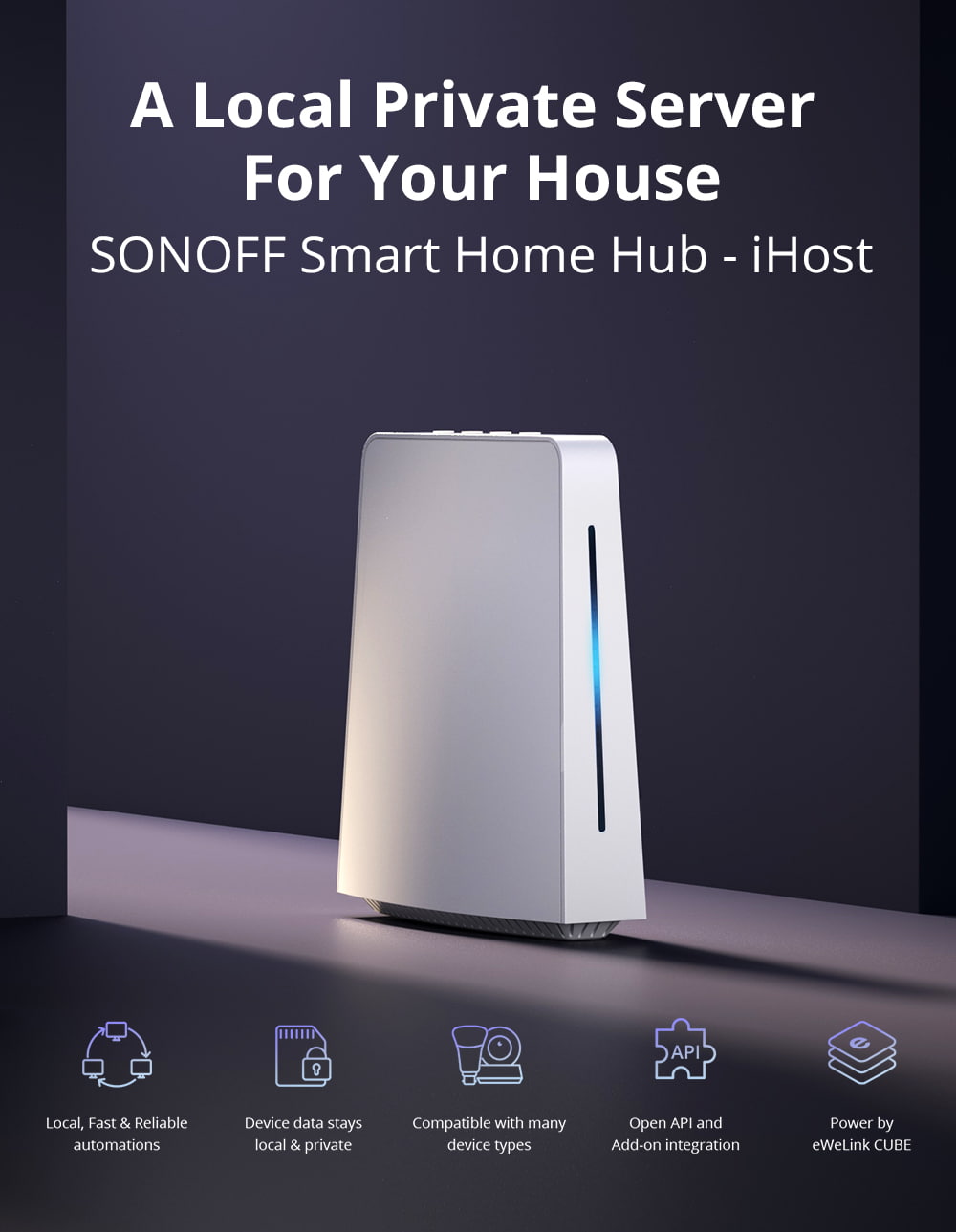
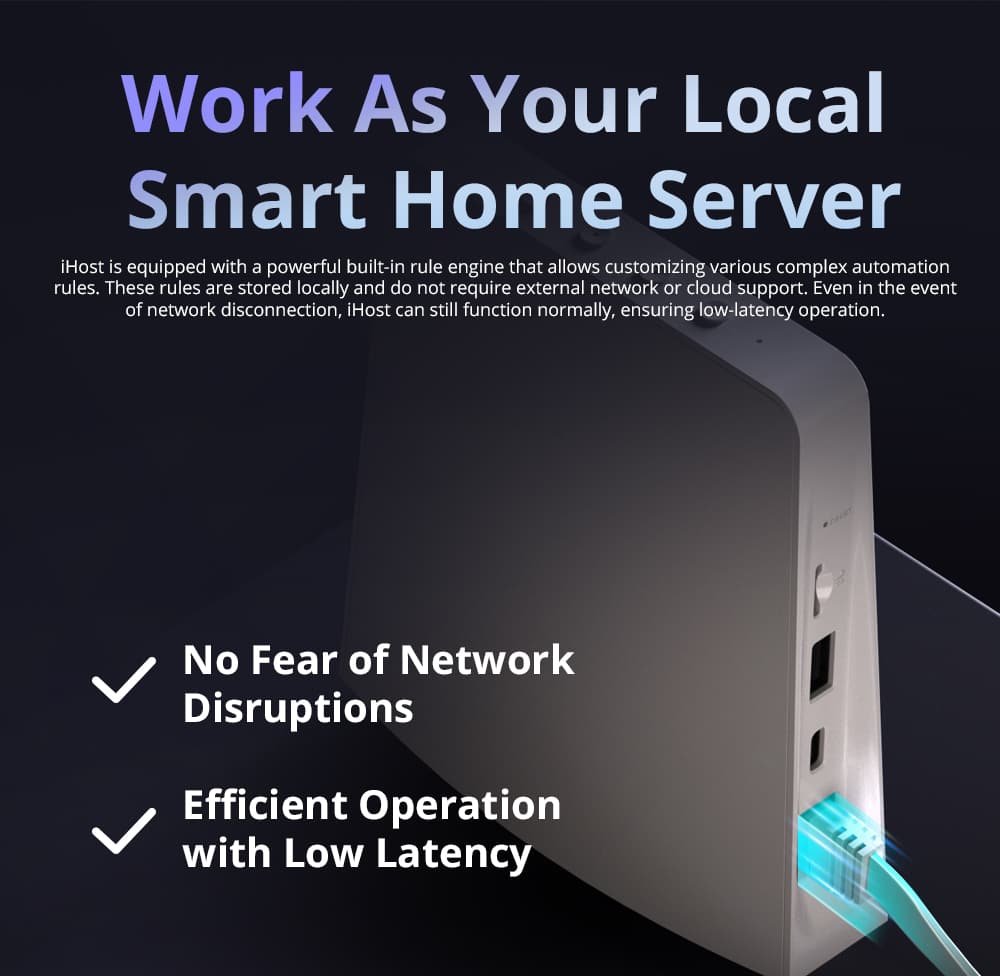
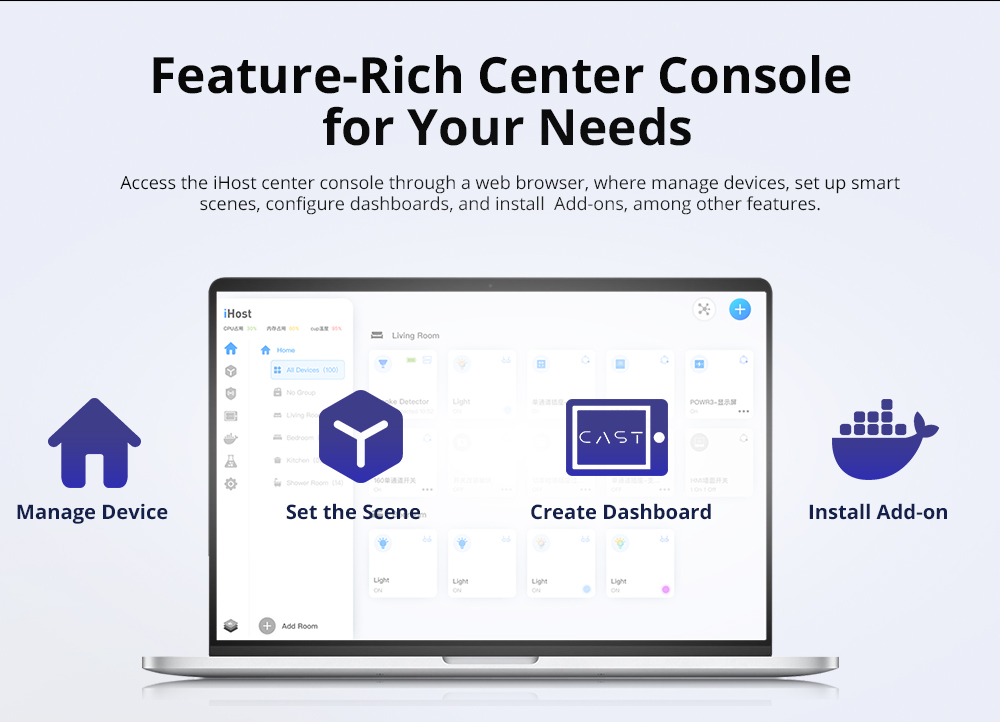
【Local Control Center】The iHost Smart Home Hub serves as your local control center, elevating your home automation experience to be faster, more reliable, and more secure.
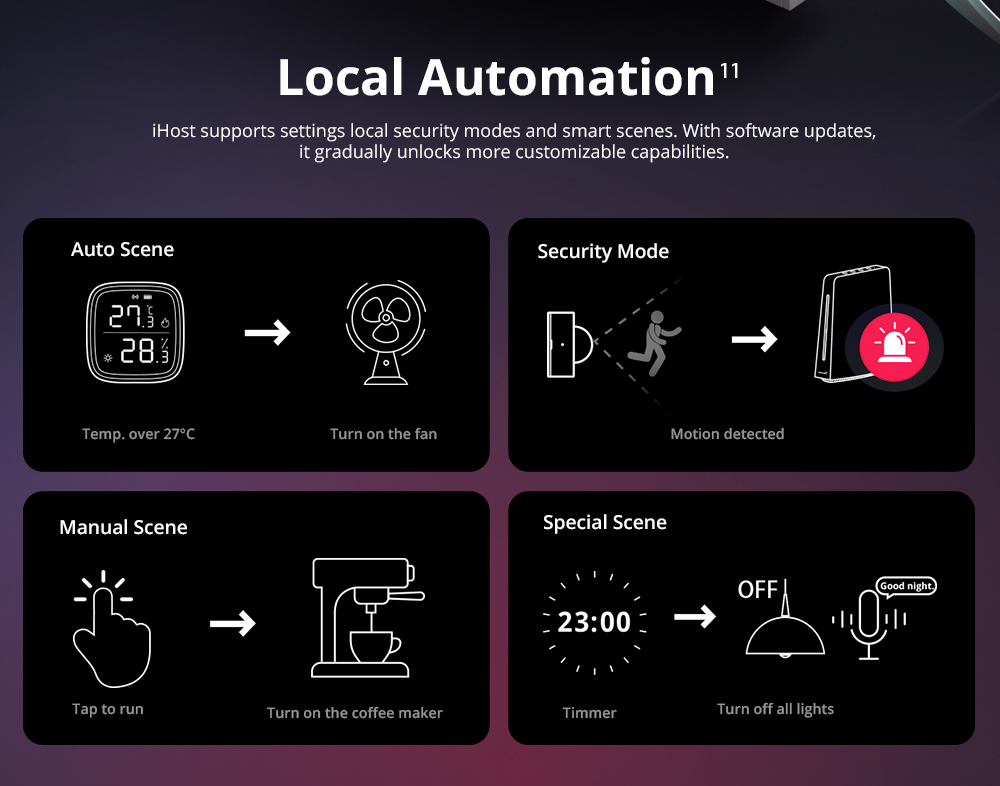
【Local Automation】iHost supports settings local security modes and smart scenes. With software updates, it gradually unlocks more customizable capabilities.
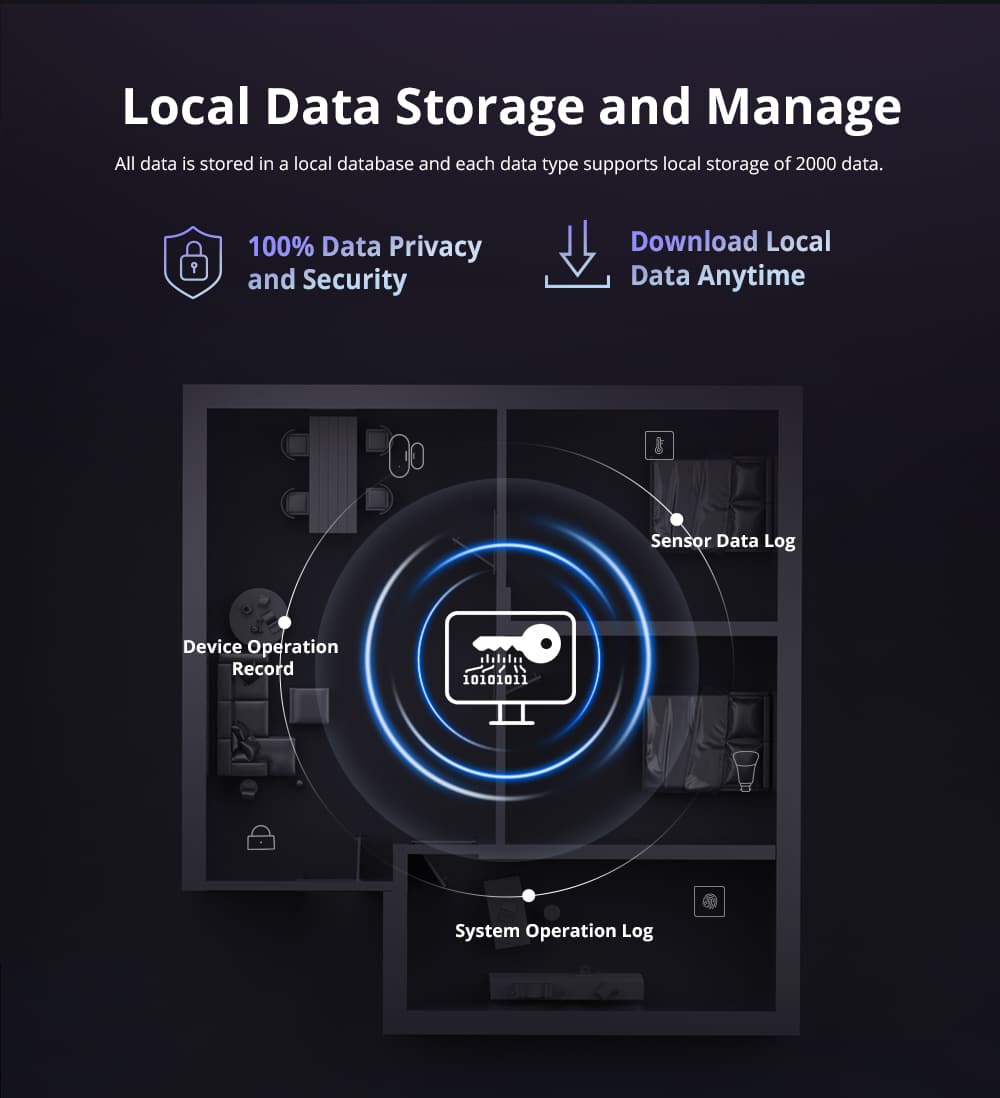
Local Data Storage & Manage】iHost is dedicated to delivering a swift and seamless home automation experience. With local data storage and management, rest assured your information remains local and private, safeguarding your data security.
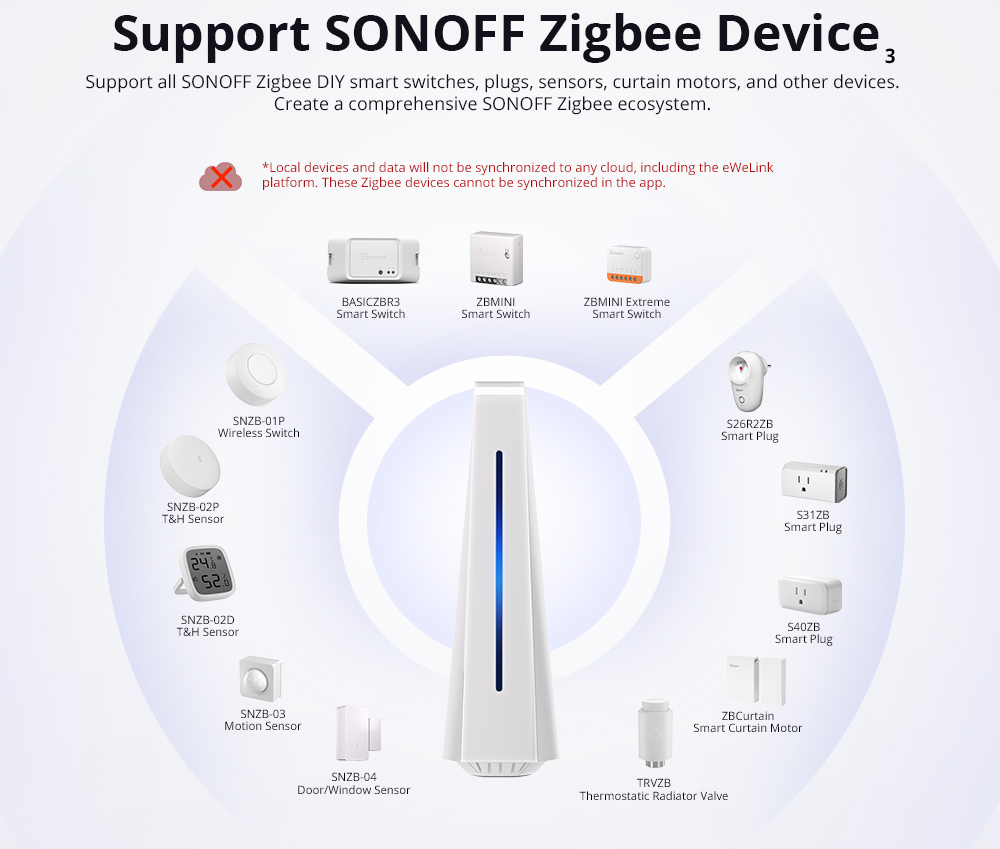
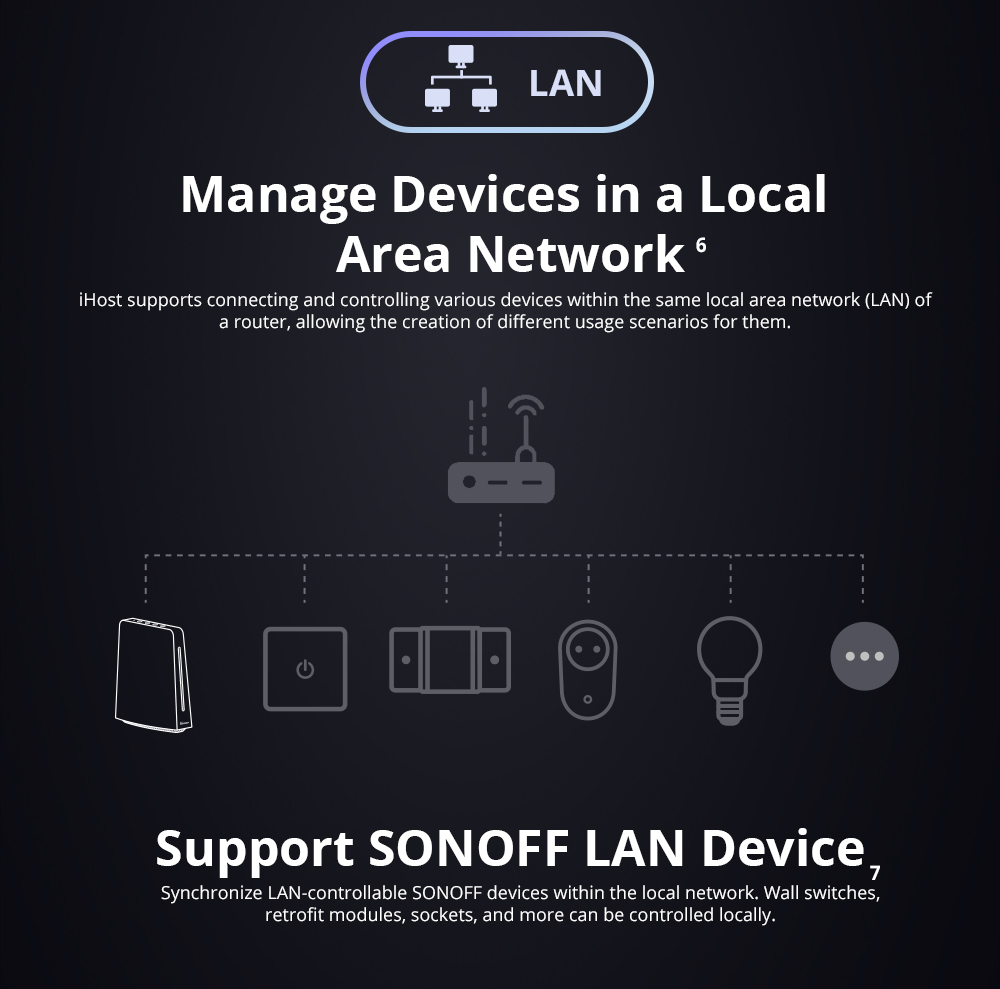
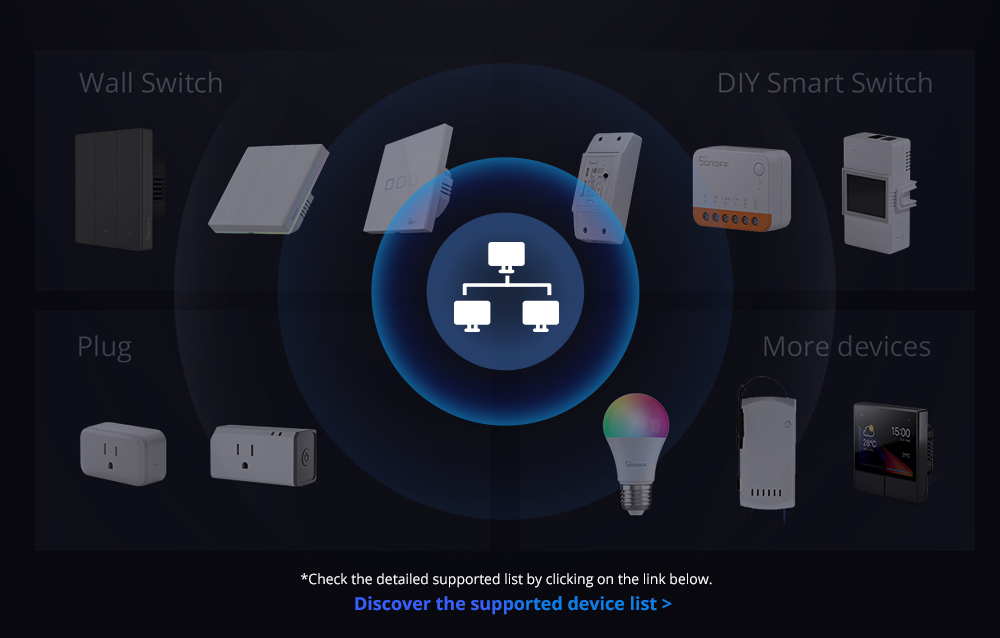
Strong Compatibility】Fully compatible with Zigbee standard protocol devices and Wi-Fi LAN devices. Manage up to 128 sub-devices and, with a Zigbee router, extend the Zigbee network range for whole-home control. Through the eWeLink Smart Home Add-on, you can integrate Wi-Fi devices that support LAN control from SONOFF.
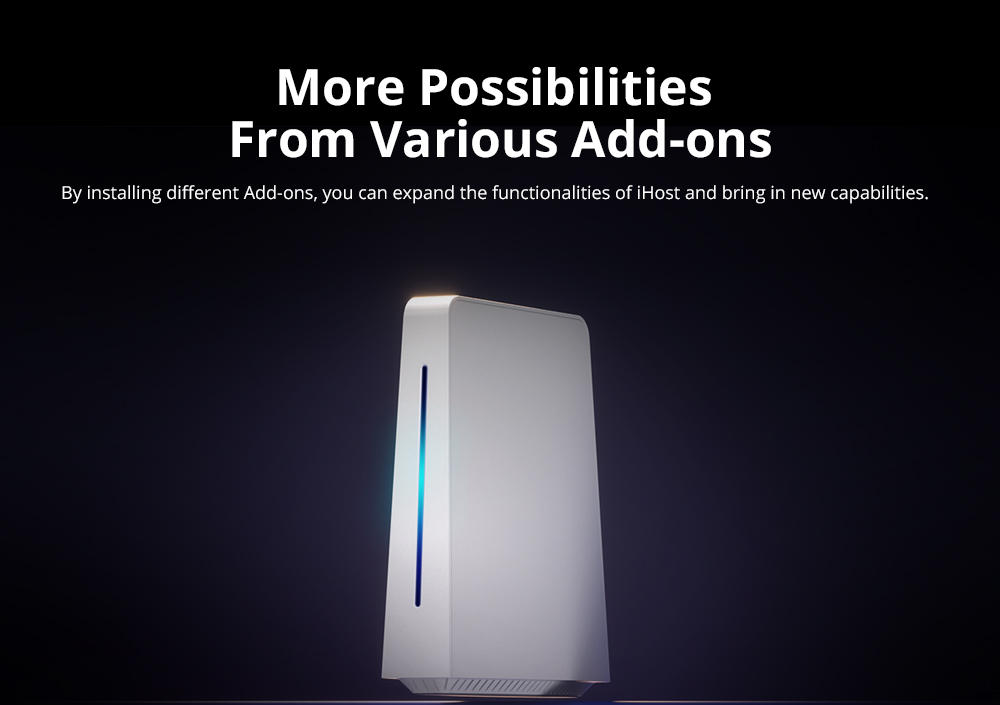
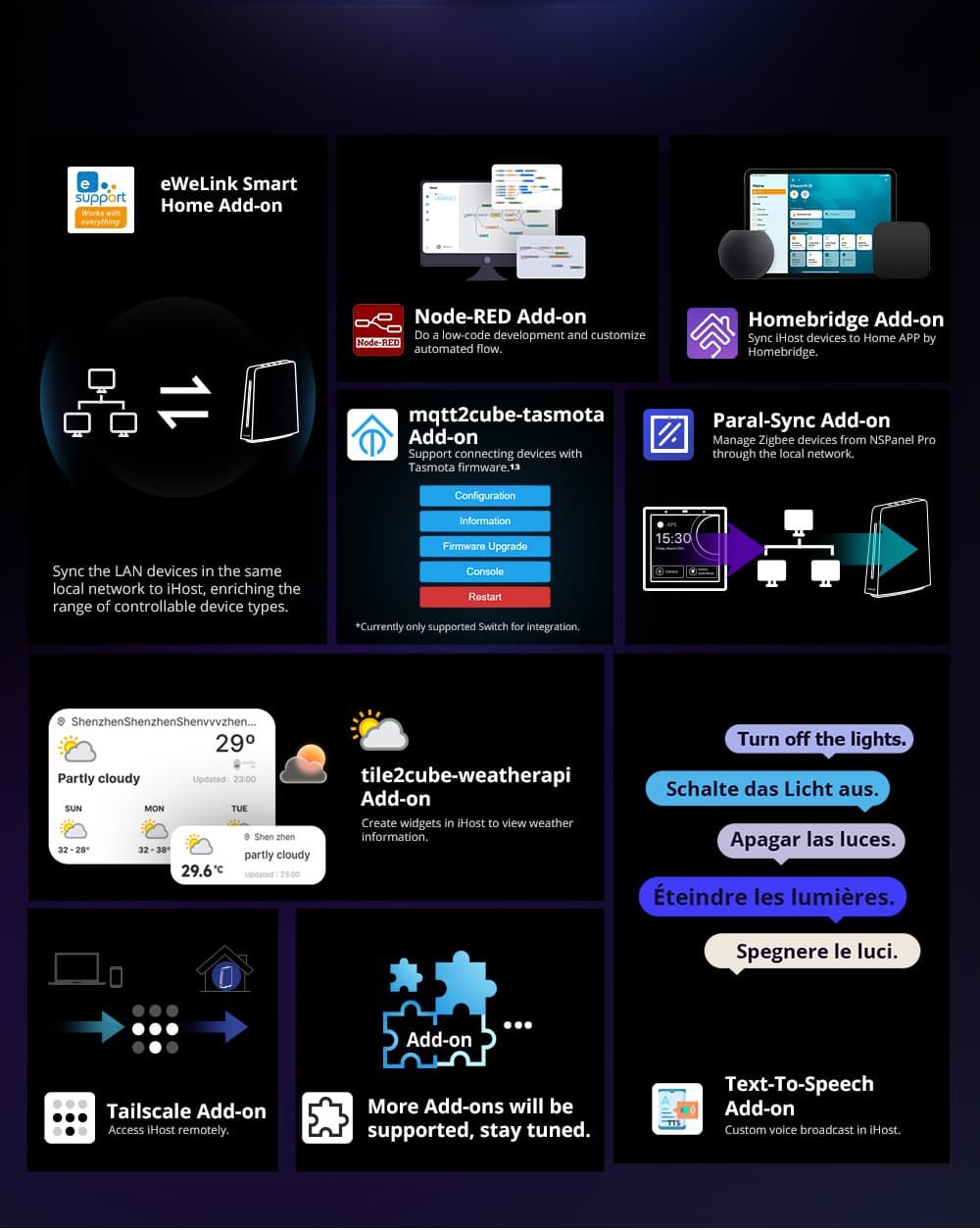
【Expandable Add-Ons】Accommodate a range of add-ons to unlock more possibilities, ensuring all your needs are met.

Frequently Bought Together
USD$12.99
SONOFF ZBMINI Extreme Zigbee Smart Switch ZBMINIL2 (No Neutral Required)
ZBMINIL2 Bundle
Price range: USD$13.99 through USD$24.90

Secure Payment:

Customer Service Guarantee

Features

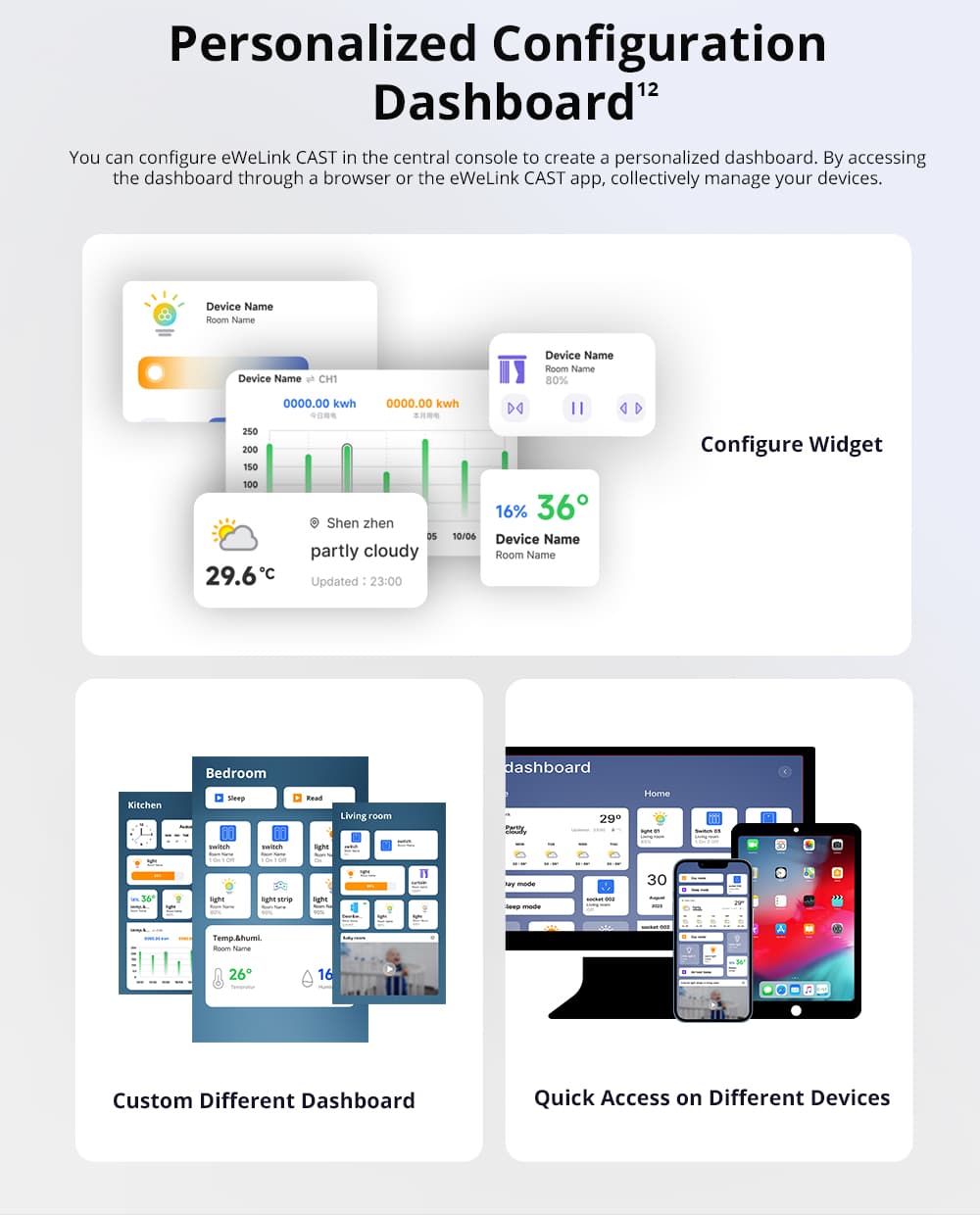
iHost Smart Home Hub is a private local server for your smart home system, It can not only realize the local connection and control of the devices and scene linkage, but also set smart security according to different scenes, and device data stays local & private.

Compatible with Wi-Fi LAN devices and Zigbee standard protocol devices
It supports connecting and controlling LAN devices. Run the device even if the Internet is down and manage up to 128 sub-devices, work with Zigbee router devices can extend the Zigbee network range and realize the control of the whole house.

Local Data Storage and Manage stays local & private
All data including scene logs, operation logs, security logs, etc is stored in a local database to protect your data security and each data type supports local storage of 2000 data

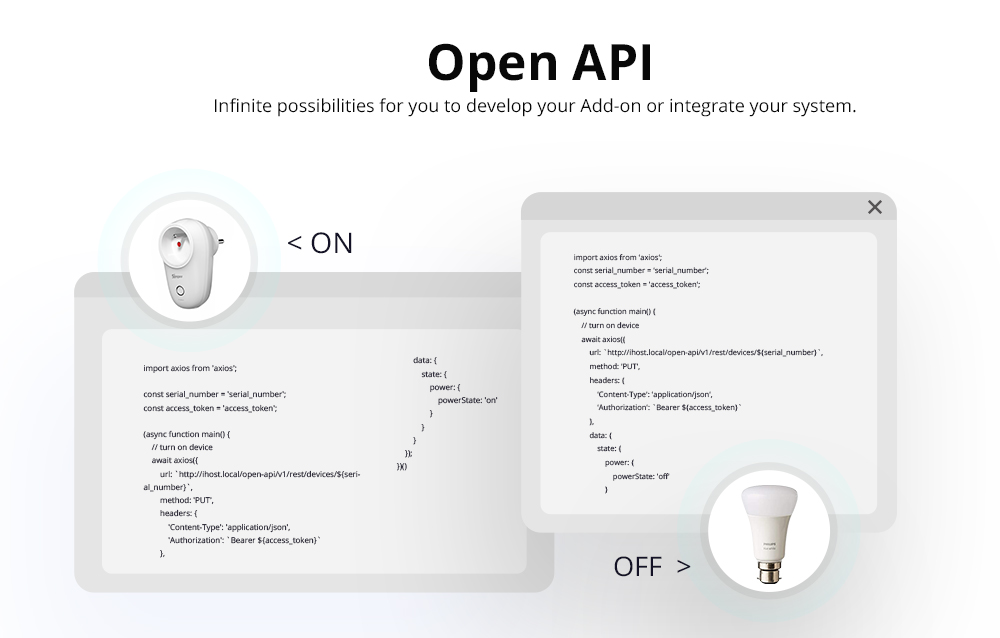
Open API and Addon integration
iHost supports open API and Docker containerization. You can install or develop more Add-on to make your smart life more convenient.

Documents

iHost Local Control Guide

Zigbee Devices iHost Supports

Add-ons iHost Supports

iHost API Documents

Video

Language: English

Language: Spanish

Language:Portuguese

Language:Italian

Additional information

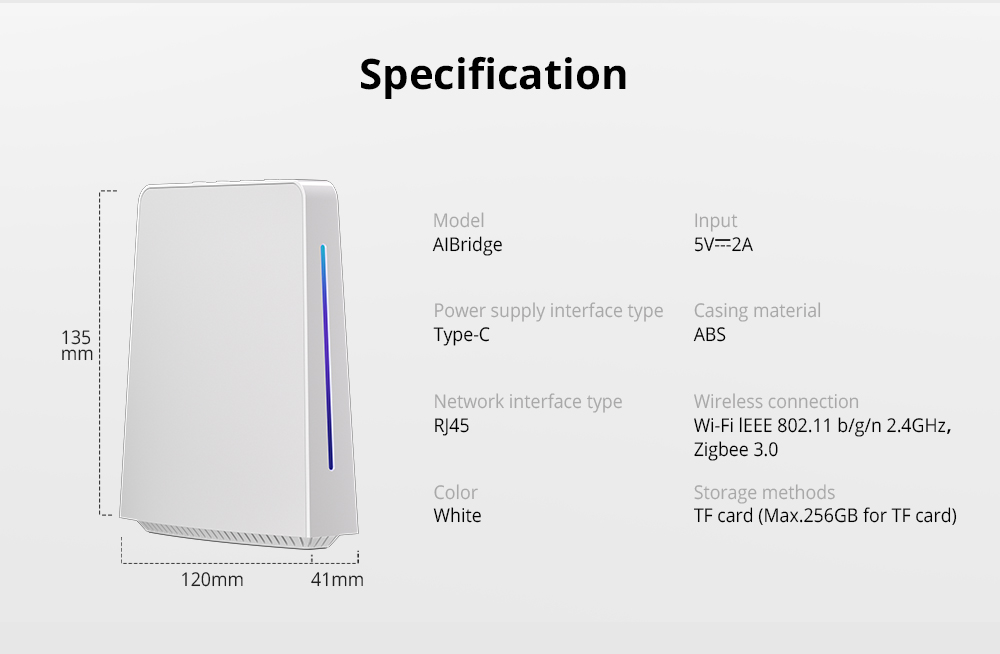
Weight 360 g
Dimensions 160 × 156 × 46.5 mm
Model

Albridge

Product

RV1109 DDR4 2GB, RV1126 DDR4 4GB

Zigbee Module

Silicon Labs EFR32MG21 SoC

Wi-Fi Module

2.4G Wi-Fi&BLE RTL8723 Wireless Module

Storage methods

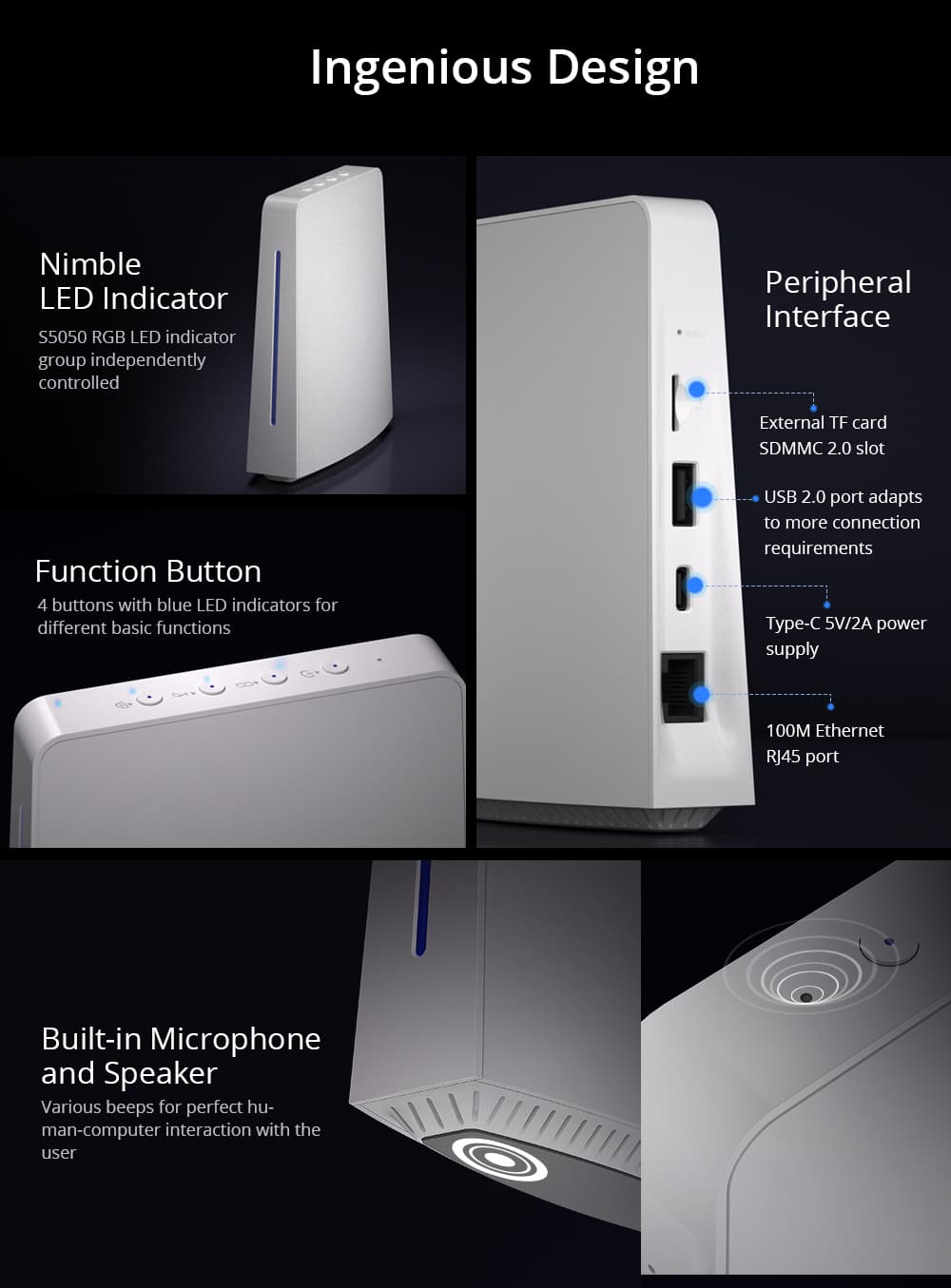
USB and TF card(Max. 256GB for TF card)

Input

5V 2A

Power supply interface type

Type-C

Casing material

ABS

Network interface type

RJ45

Wireless connection

Wi-Fi IEEE 802.11 b/g/n 2.4GHZ, Zigbee 3.0

Color

White

Size

120mm X 41mm X135mm

FAQ

1. How to reset the iHost?

Long press the Reset button by the reset pin until the indicator turns red marquee.

2. How to OTA the iHost?

Link your eWeLink account on the 'Setting', and you can OTA the iHost via the app.

3. How to reset your password?

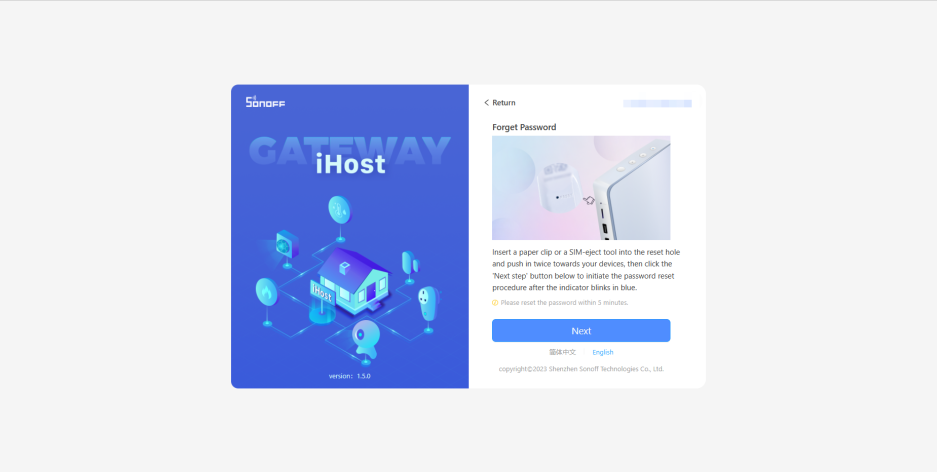
Click the 'Forgot Password' on the login page, and press the reset button on the device 2 times in 5 seconds until the indicator light blinks twice quickly, that is, you can reset your password within 5 minutes. In addition, you can change the password in the settings of the Web center admin console.

4. How to submit your feedback?

Click the button, fill in your name, Email address, and the problem detail (including firmware version and device ID), and maybe provide the related uploading pictures, videos, or log files.

5. How many Zigbee sub-device does the Hub support?

Can add up to 128 sub-devices, the max number of direct children is 32.

6. How many cameras does the Hub support?

No restrictions.

7. How many rooms, groups or scenes can be added in the iHost Web center admin console?

Can add up to 100 rooms, 50 groups and 300 scenes.

8. How many trigger conditions and actions does the scene support?

The upper limit number of the "If" conditions and the "then" actions is all 10.

9. Failed to access the URL after switching the network?

Find out the iHost IP address by visiting the backend of the router, and then enter the corresponding IP address on your browser to access it. ( iHost and the PC side are required to connect to the same LAN. )

10. How to access the Web center admin console when the router connects with several iHost?

Find out the iHost IP address by visiting the backend of the router, and then enter the corresponding IP address on your browser to access it. ( iHost and the PC side are required to connect to the same LAN. )

11. If I reboot the device, does the setting will be cleaned?

Rebooting the device on the Web center admin console won't clean the settings while resetting the device with the Reset button will clear all settings.

12. Why should link the eWeLink account to perform OTA upgrade?

Because we reuse the original OTA service and firmware version management system at present, iHost must be linked to the eWeLink account and connected to the eWeLink server to query and download the latest firmware version.

After linking the eWeLink account, the device will not synchronize any local device information and data to the eWeLink cloud except for querying and downloading the firmware. If you are worried about the data security of connecting to the cloud, you can download and update the firmware, then unlink the eWeLink account so that the device will disconnect from the server. Unlinking the eWeLink account will not affect any existing functions of the device.

13. What kinds of TF Card is supported or recommended to install Addon?

iHost supports TF cards with formats such as ext2, ext3, ext4, fat, msdos, and vfat (fat32).  and with storage capacity of Max.256GB, you can go to frequently bought together area of iHost to choose suitable TF card.

14. What external devices can the USB port support?

We have reserved the USB 2.0 interface for subsequent hanging on mobile storage and external accessories. In the future version, the USB port will support external mobile storage devices for storing audio and video content and backing up/exporting local storage data. In addition, various external accessories will be launched successively to expand the capabilities of iHost, such as external IR receiving and transmitting modules to realize the ability of infrared remote control; External Thread dongles to realize access to Thread and Thread-matter devices, etc.

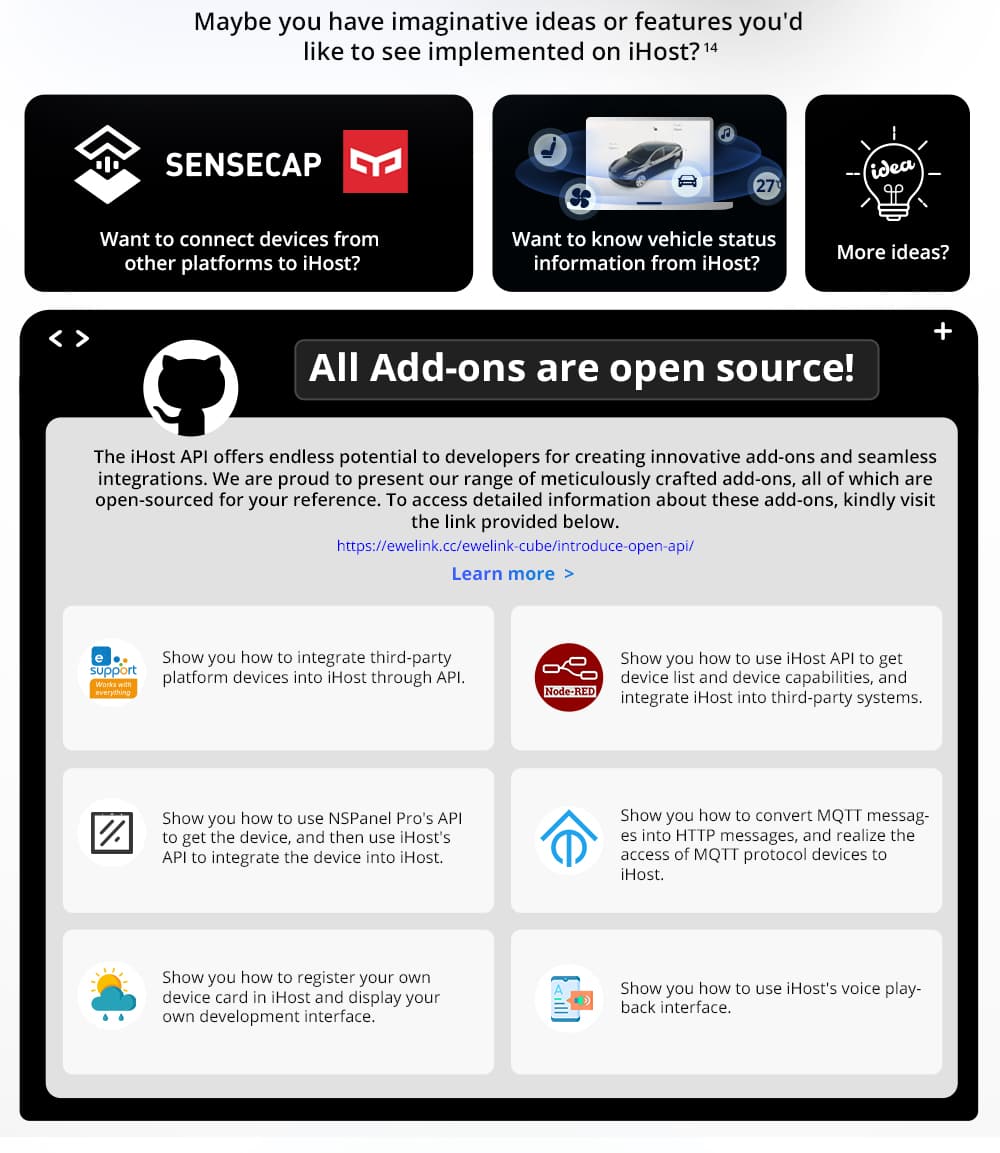
15. Is the eWeLink CUBE system used by iHost open source?

eWeLinkCUBE is a localized device connection management system, which is an open but not open-source system. We choose not to open source, because this system involves a large number of outsourced development partners during the development process, and also purchases and uses some commercial functional components, and these codes are also closed source to us or copyright restrictions do not allow open source. Although the system code is not open source, we have always adhered to an open attitude and will continue to provide open interfaces of various capabilities for developers who want to carry out secondary development based on the system to meet the needs of various application scenarios. If the current interface capabilities cannot meet your scenario requirements, please feel free to contact us.

We will open source most of the Add-ons developed based on these interfaces.

16. Can the hardware such as button, LED indicator group, speaker and microphone be used in Add-on?

You can use the speaker in Add-on now, but the interfaces of the microphone, buttons and LED indicators are not provided yet. We consider packaging the hardware capabilities and open to developers in subsequent continuous updates.

17. How can I check and control the devices if I am not at home?

You need to configure your home router to bind and map iHost to your external network IP address, so that you can access the iHost host by accessing the IP address, and view and control the device through the console or Cast. Later, we will publish a more detailed operation guide to demonstrate how to realize remote access by binding route mapping.

18. Does iHost support MQTT? How to integrate with Tasmota firmware devices?

The iHost does not support MQTT, however, there is an open API available, the iHost open API is based on HTTP rather than MQTT as the MQTT interface can not meet the requirement of some iHost feature development. so we currently have no plans to develop an MQTT interface. Based on the open API, it is not that difficult for users to develop their own HTTP to MQTT Add-on. We will also release the Addon for Tasmota integration, which is an MQTT service that connects to the MQTT protocol Tasmota device, then integrate devices into the system through the HTTP interface of iHost.
iHost open API link: https://sonoff.tech/ihost-user-guides/api/

19. How to install Add-on to expand more features of iHost? Which Add-ons are currently supported by iHost?

Please check the tutorial link for the Add-on introduction and installation guide.
https://sonoff.tech/ihost-user-guides/add-on/#Add-on
We have developed 3 add-ons and more will be launched in the future.
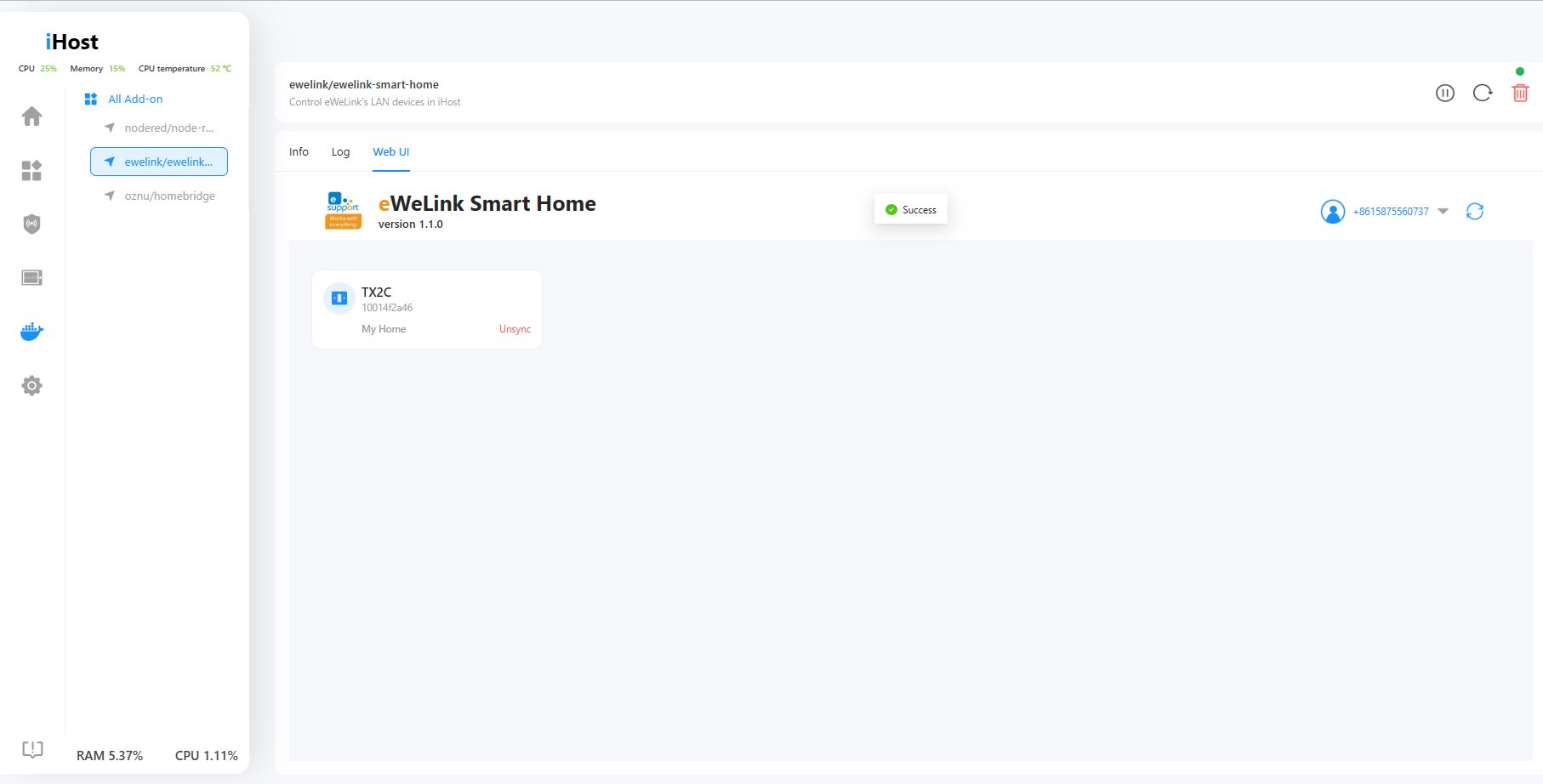
eWeLink Smart Home add-on add-on allows you to synchronize your SONOFF WiFi devices to iHost for local control and local scene trigger.
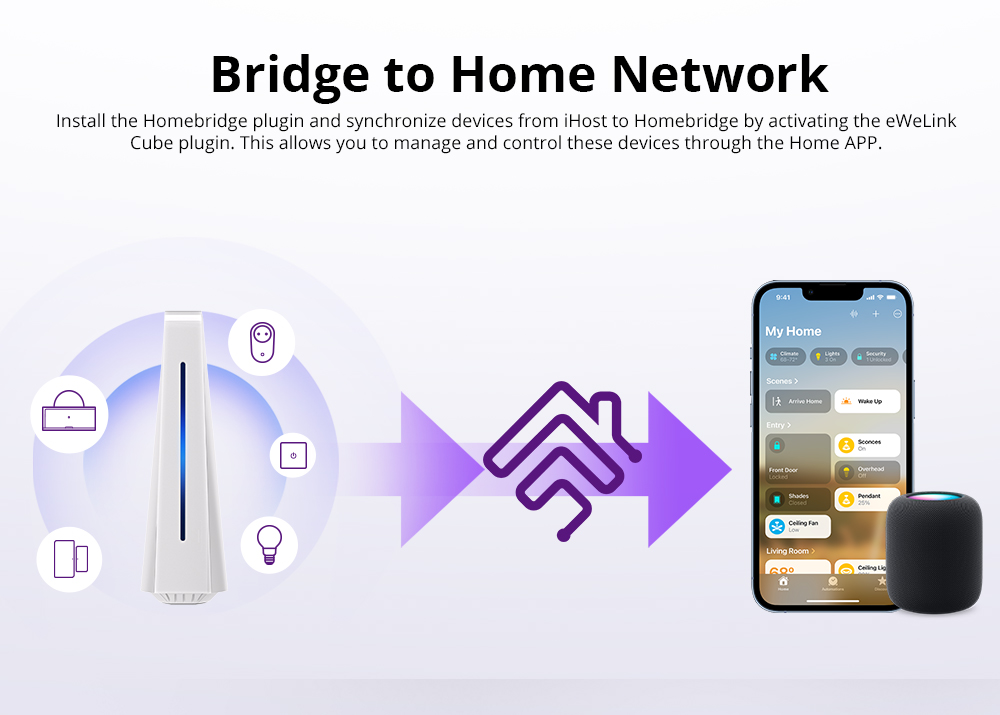
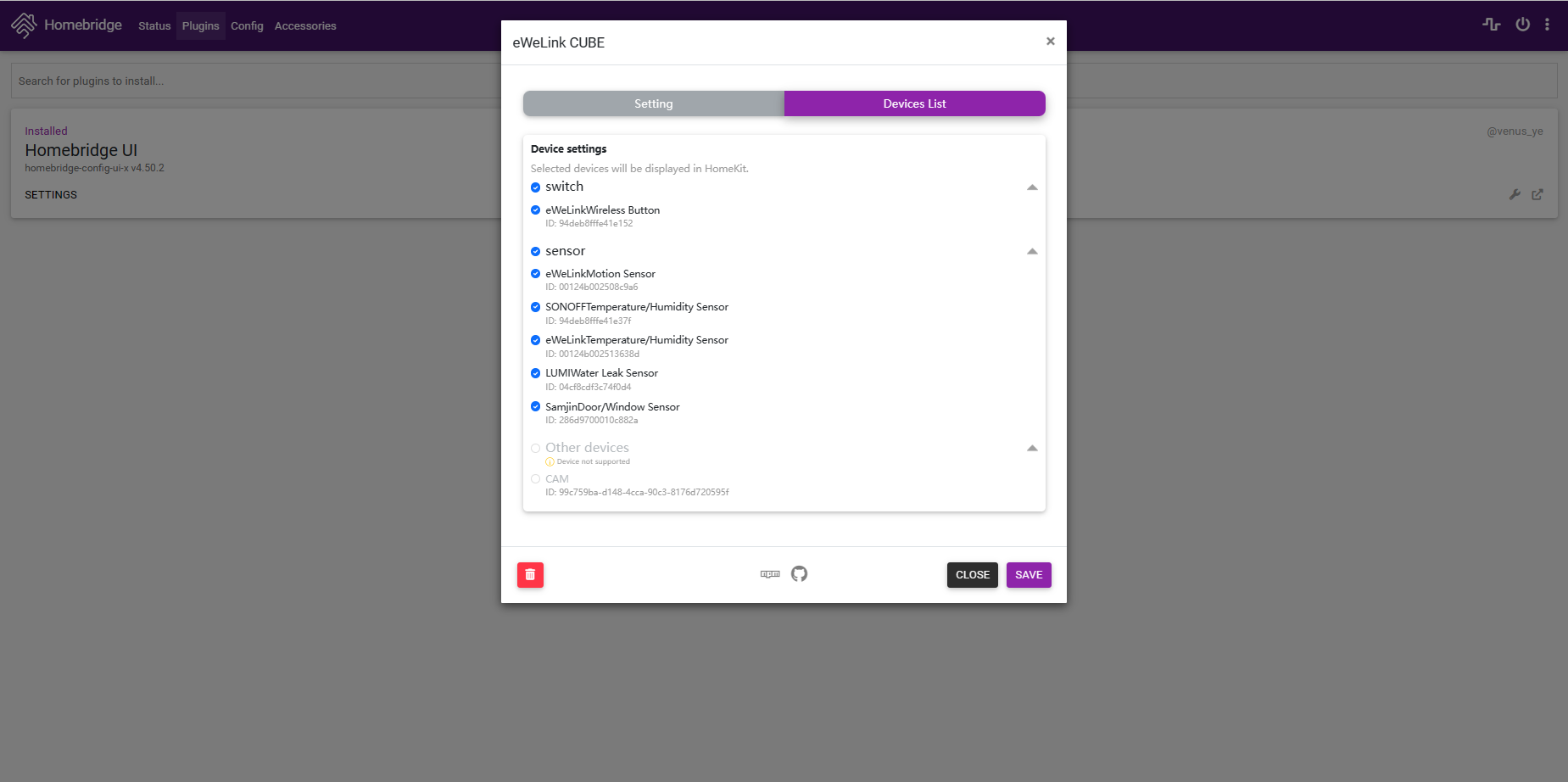
HomeBridge add-on add-on to synchronize your iHost child devices to HomeBridge so you can control the devices from Apple Home application.
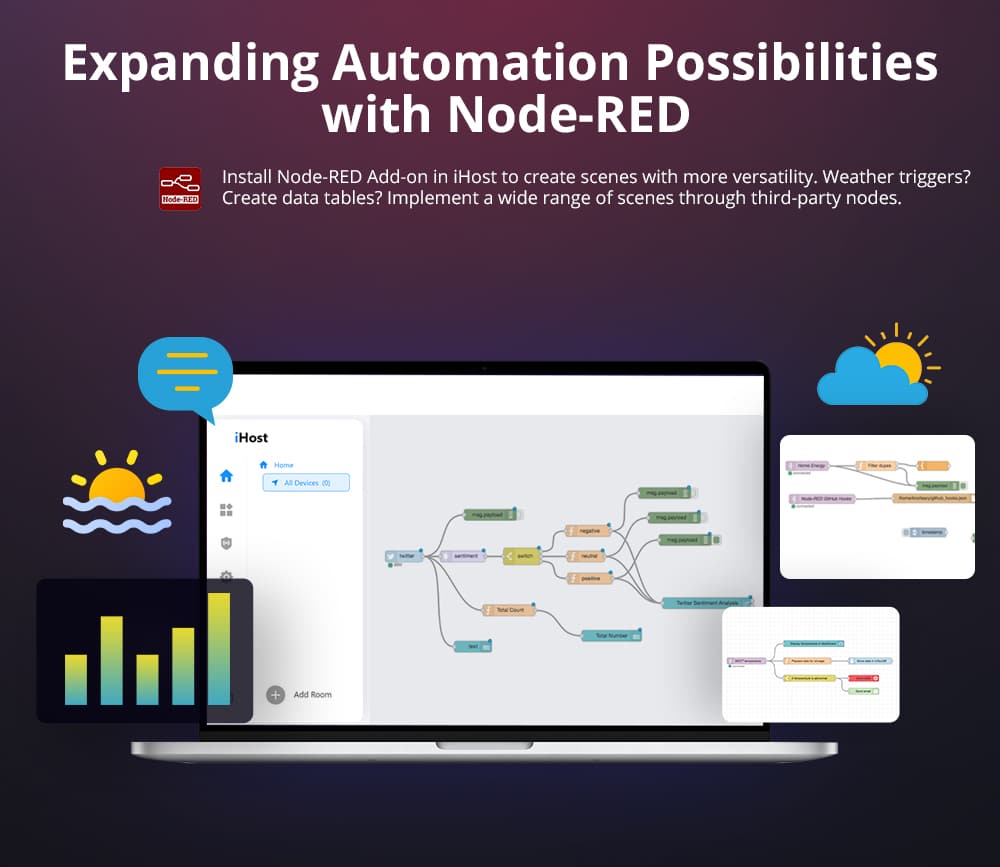
Node-RED add-on to create the flow for device integrations and events-driven with endless possibilities.
Please follow our iHost update for more information about add-on development.

20. Does iHost support synchronizing the SONOFF WiFi device of the eWeLink account to iHost? Which SONOFF WiFi devices are currently supported?

Yes, you are able to sync the SONOFF WiFi device of the eWeLink account to iHost via the official add-on of eWeLink Smart Home. Please check it out from this link for the eWeLink Smart Home add-on introduction as well as the supported device list.
https://sonoff.tech/ihost-user-guides/add-on/#eWeLink-Smart-Home-Add-on

21. Will iHost support Alexa and Google Assistant in the future?

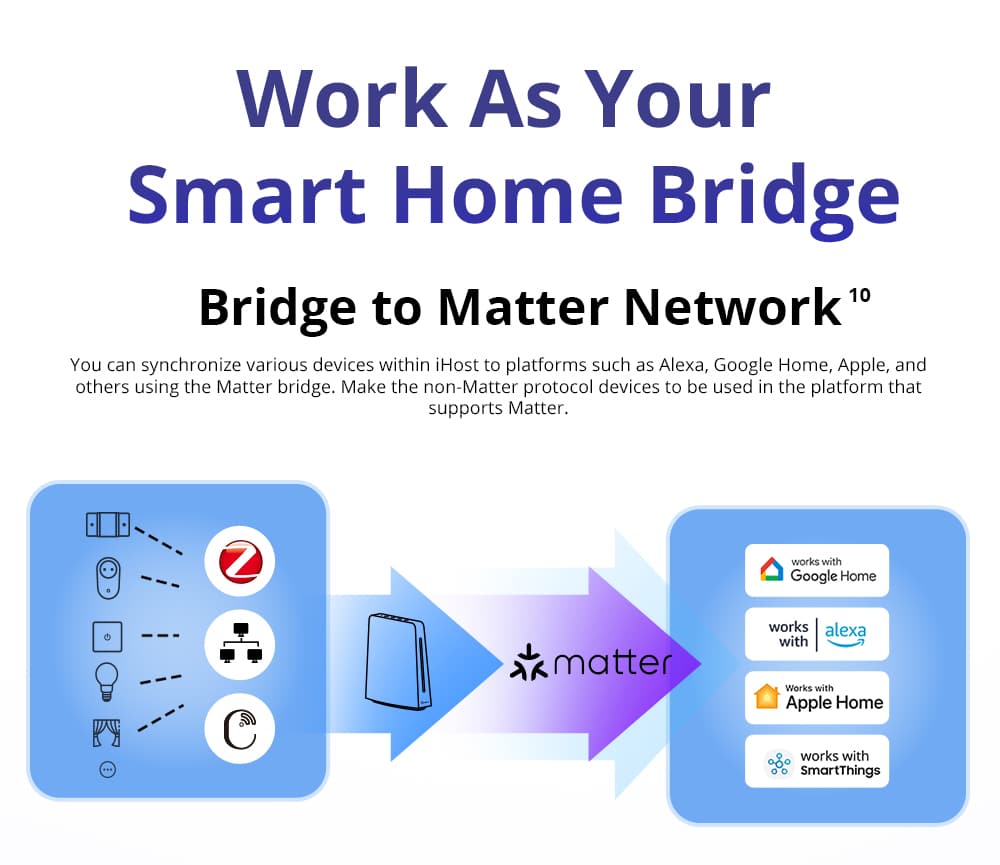
iHost will support matter in a future update, then Alexa and Google Assistant can be local supported via the Matter protocol.

Updates

iHost V2.5.0 Release!

In this update, we've enhanced Zigbee device compatibility by optimizing Zigbee2CUBE. Additionally, improvements have been made to Node-RED and the Matter Bridge for better performance.

New Features:

  • Users can check Zigbee devices' compatibility with Zigbee2CUBE via iHost's Settings or Home tab
  • Delayed arming/disarming is available now to add convenience and prevent false alarms.
  • Expanded supported list for eligible devices in eWeLink Smart Home add-on, including :
    Micro
    RF BridgeR2
    SONOFF NSPanel
    SONOFF THR3 series
    SONOFF S40TPB/S40TPA
    SONOFF B02 Bulb
    SONOFF B05 Bulb
    SONOFF B05-BL Bulb
    SONOFF DUALR3 Lite
    SONOFF M5 Switch Series
    SONOFF POWR316D/POWR320D/POWR316/POWCT

Optimizations:

  • Expanded Zigbee device compatibility with Zigbee2CUBE.
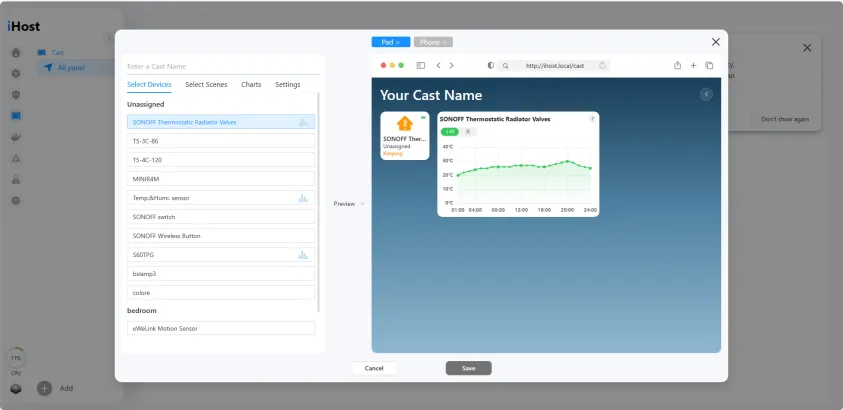
  • Display current temperature of SONOFF SNZB-TRV on CAST.
  • Syncing the selected devices only to other Matter platforms is now available in the Matter Bridge feature.
  • eWeLink Smart Home add-on now runs on OpenAPI V2.
  • Passing custom parameters is supported for “control-device” nodes in Node-RED.
  • Y-axis scale in humidity graphs on CAST now adjusts based on the detected humidity range.

Bug Fixes:

  • Resolved an inconsistency in power meter readings between the iHost web interface and CAST.
  • Fixed some readings missing in graphs on the iHost web interface and CAST due to devices failing to report data after environmental changes.
  • Fixed an issue where the unit conversion on Temperature and Humidity Sensors could occasionally be applied without requiring the physical button press for confirmation.
  • Fixed a bug where the effective periods would reset after disabling and re-enabling a scene.
  • Fixed a bug with the Aqara Light Sensor T1 GZCGQ11LM reporting two illuminance (in lux) values.
iHost V2.4.2 Release!

This version, V2.4.2, extends data graphics support for more devices on CAST and adds compatibility for some new devices.
Please take a moment to read through the notes before upgrading your device.

New Features:

  • SPM-4Relay now supports LAN control synced to iHost via the eWeLink Smart Home Add-on.
  • CAST adds data graphics for more sensors, including:
    Temperature
    Humidity
    CO concentration
    PM2.5
    Gas concentration
    Illuminance
    Smoke concentration
    VOC (Volatile Organic Compound) index
    AQI (Air Quality Index)
  • A new card for scene logs is configurable on CAST, displaying up to 30 recent records.
  • Added an option to toggle ON/OFF the network indicator for SONOFF ZBMINIR2.
iHost V2.4.1 Release!

This version, V2.4.1, enhanced experience for Matter Bridge, Node-RED, and Zigbee features.

New Features:

  • Matter Hub added support for adding devices via a Matter Bridge, bridging connected switches/plugs and lights to iHost, including:
    Switches and plugs: ON/OFF Plug-in Unit
    Lights:
    Dimmable Light
    On/Off Light
    Temperature Light
    Extended Color Light
  • Added support for Node-RED Add-on to specify RGB value from the color panel for precise light control.
  • Added offset options for SNZB-02D temperature and humidity readings.
  • Added more abilities to Zigbee, you can now bring sirens and more sensors to your local home setup, including:
    Alarm
    Volume
    Air Quality
    CO Concentration
    Smoke Concentration
    Gas Concentration
iHost V2.4.0 Release!

This version, 2.4.0, introduces external thermometer support for SONOFF TRVZB, Matter light compatibility, and other exciting updates!
Please take a moment to read through the notes before upgrading your device.

New Features:

  • You can now bind external sensors to SONOFF TRVZB for more accurate room temperature, including:
    SNZB-02
    SNZB-02P
    SNZB-02D
  • Matter Hub now supports discovering nearby Matter devices via Bluetooth.
  • Matter Hub adds support for Matter-enabled lights, including:
    Dimmable Light
    On/Off Light
    Temperature Light
    Extended Color Light
  • MatterBridge now runs on Matter spec V1.3 for better experience.

Optimization:

  • Enhanced device search with case-insensitive matching.
iHost V2.3.0 Release!

This version, 2.3.0, brings some breaking changes, long-awaited features, and improvements. Please take a moment to read through the notes before upgrading your device.

New Features:

  • You can now back up and restore iHost settings, including added devices, smart scenes, Smart Security settings, CAST configurations, Docker add-ons, Matter hub, and other data.

Note: Firmware rollback is not supported!

  • iHost can now act as a Matter Hub, allowing you to add Matter-supported devices, including switches and plugs (ON/OFF Plug-in Unit in Matter specs). More device types will be supported in future updates.

Optimizations:

  • Zigbee2CUBE Exits Beta: The Zigbee2CUBE pilot feature has successfully exited its beta phase and is now officially integrated. This feature has been refined for enhanced performance and capability. Users can now easily add Zigbee devices through the “Add Device” option on the Home page.
  • Unified Entry To Add Devices: The “Add Device” entry now allows you to add Zigbee devices, ONVIF cameras, and Matter devices on the same tab.
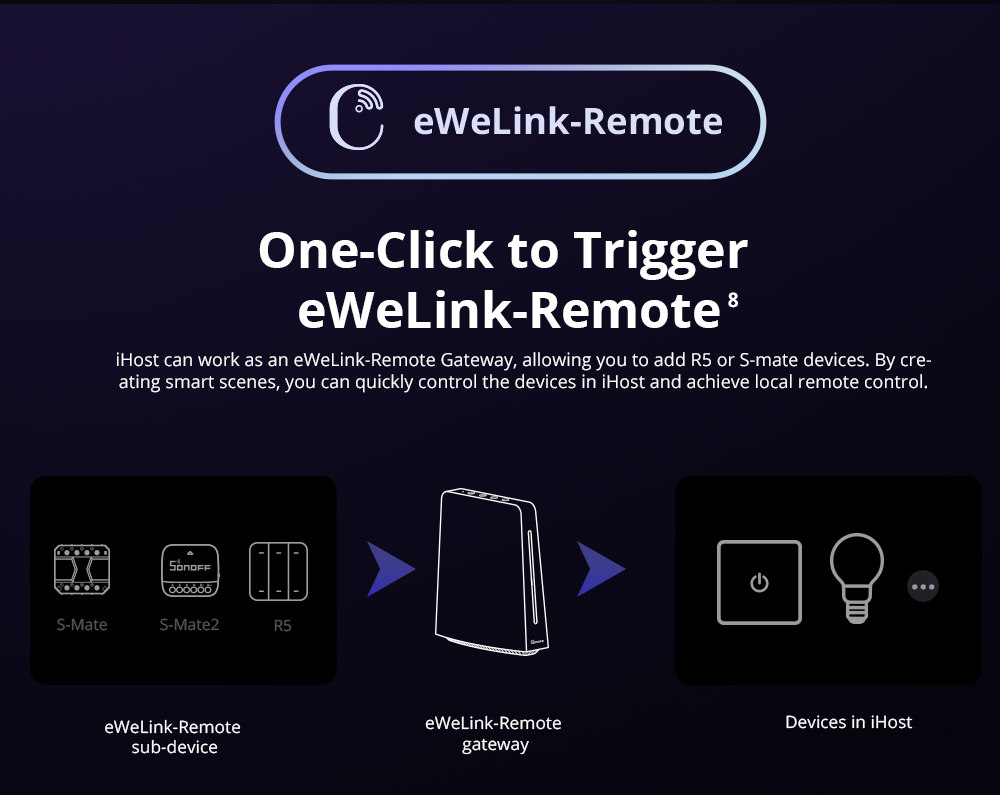
  • eWeLink-Remote devices, including SONOFF R5, S-MATE, and S-MATE2, can now sync to other Matter platforms via Matter Bridge.
  • Smart Security can now be triggered by more wireless switches with customized actions in addition to the standard actions - single, double, and long press.
  • Homebridge now works with iHost OpenAPI V2 features.
iHost V2.2.0 Release!

We are excited to announce the official release of iHost V2.2.0!

This version brings some breaking changes along with new features and improvements, including the Wi-Fi connection feature. Please take a moment to read through the notes before upgrading your device.

New Features:

  • Added support for percentage control for SONOFF TRV.
  • Added a new entry in the top right of the Scene List tab, allowing you to view all scene logs.
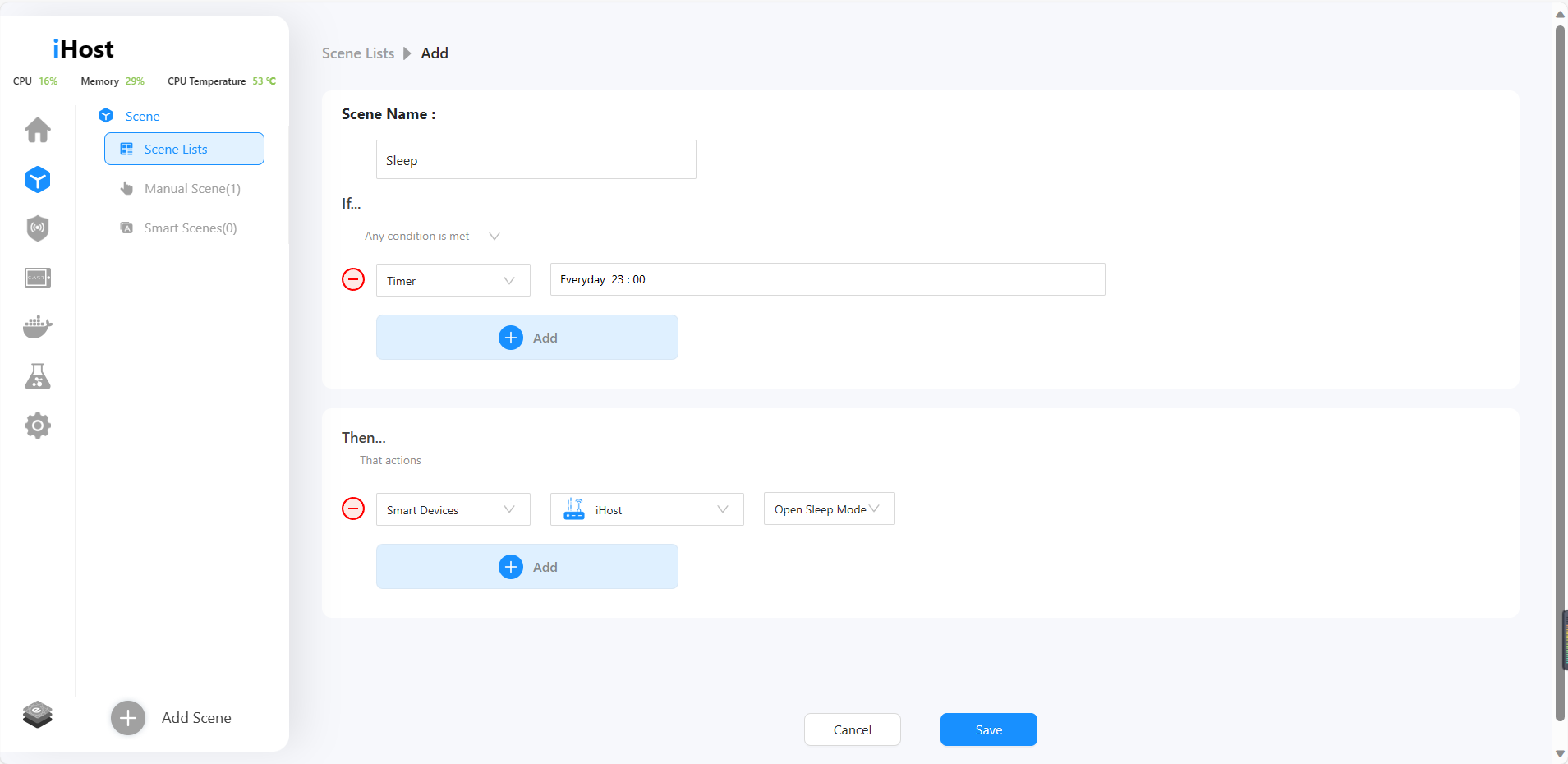
  • You can now duplicate scenes with a click to save time when creating similar automation.
  • New scene trigger - Customizable Timer with schedule.
  • New scene trigger - Sunrise/Sunset (Location information required. Please set iHost’s location in the Settings tab)
  • Added Day/Night options as Effective Period in scenes. (Location information required)
  • Added Wi-Fi connection option in Pilot Features, allowing access to iHost web interface via W-Fi.*
    *Please Note:
  • Avoid frequent Wi-Fi network switches to prevent disconnections.
  • Update the IP and re-issue token for add-ons if necessary.
  • Please avoid using them simultaneously or switching between them frequently.

Optimizations:

  • Device tiles on the Home page now display both temperature and humidity readings.
  • Clock widget on CAST now supports switching between 12h and 24h formats.
  • Add support for setting custom background and blur effects for CAST dashboards.
  • Improved device display on the CAST configuration dashboard.
  • Support multiple tile sizes for various device types on CAST, including:
    Light
    Light Strip
    Fan-light
    Curtain motor/controller
    Thermostat
    Smart Water Valve
    Remote Switch
    eWeLink-Remote Controllers.
  • Scenes with device triggers won’t execute now when the devices go offline.
  • Improved Node-RED compatibility with iHost OpenAPI V2.
iHost V2.1.0 Release!

New Features:

  • Added support for Sonoff Smart Water Valve. (Remove and re-add the Sonoff Smart Valve after upgrading eWeLink CUBE for new features.)

  • Initial support for OTA updates for Zigbee devices.
  • Support multiple tile sizes for switches/plugs and sensors displayed on CAST.
  • CAST now adds dynamic UI display based on device features, including:
    • Turn On/Off
    • Brightness
    • Color
    • ColorTemp
    • Percentage Control
    • Detection
    • Temperature
    • Humidity
    • Illumination
    • Smoke
    • Contact
    • Motion
    • Leakage
    • Press Action
    • Battery Level
  • Now you can add custom Docker repositories by entering using URLs on the Docker page.

Optimizations:

  • Enhanced iHost Zigbee2CUBE device features, adding support for:
    • Illuminantion (illuminance_lux)
    • Pressure (barometric-pressure)
    • Gas (gas)
    • PM2.5 (particulate matter 2.5)
    • Voc_index (Volatile Organic Compound Index)
  • Pairing Zigbee devices is now faster.
  • Optimized Open API

Bug Fixes:

  • Fixed a bug potentially preventing Zigbee2CUBE-added switches/plugs from syncing to Matter Bridge.
  • Resolved the page lag issue caused by overwhelming device reports.
  • Fixed an issue where some devices won’t display default device images.
iHost V2.0.0 Release!

New Features:

  • Device pages now display card components based on device capabilities.
  • Added “Display As” feature, now you can choose default icons or upload images to customize unique icons.

  • iHost groups now support capability-based device control. Devices with the same capability can be combined into a single control component, and a group can support multiple capability control components.

Optimizations:

  • Optimized the process of adding Zigbee sub-devices, reducing the pairing time.
  • Optimized the default device icons.
  • Single-click, double-click, or long-press now can be set as triggers for wireless switches in smart security.
  • Zigbee2CUBE now supports window detection and child-lock capabilities. Detect capability has been split into contact, motion, water-leak, and smoke capabilities.
    (Due to detect capability changes, devices with these new capabilities are incompatible with Cast, Node-RED, or Homebridge.)
  • Due to the official discontinuation of “oznu/homebridge” add-on maintenance, it has been replaced with “homebridge/homebridge” in the iHost docker add-on list. Users can manually uninstall it and then run the “homebridge/homebridge” add-on to ensure continued maintenance. Please kindly note that data from the “oznu/homebridge” add-on cannot be migrated to “homebridge/homebridge” add-on.

Bug Fixes:

  • Fixed the issue where the Internet could not be accessed after re-plugging the Ethernet cable.
  • Resolved the problem where the reconnection audio played repeatly after re-plugging the Ethernet cable.
iHost V1.13.7 Release!

New Features:
● Matter Bridge now supports SONOFF TRV.

● eWeLink add-on now supports SONOFF Smart Stackable Power Meter.

Optimizations:
● Optimized the detection duration of SNZB-06P, which can be set to a minimum of 15 seconds.
● Further optimized and improved iHost performance.

Bug Fixes:
● Fixed the issue where SONOFF TRV smart schedules failed to revert to defaults after device reset.
● Resolved the offline issue with MINIR4.
● Resolved an issue where the status of multiple SONOFF TRVs could not be saved as scene triggers.

iHost V1.13.4 Release!

New Features:
● SONOFF TRV can now be set as a scene trigger.

● SONOFF TRV is supported in CAST, Node-red, and Homebridge.

Optimizations:
● Optimized the firmware update interaction.
● Optimized the reconnection process of iHost console page.
● Added 2 new standard time zones to the time zone list (MST & EEST).
● iHost performance improved.

Bug Fixes:
● Fixed the add-on loading issue when access iHost via tailscale.
● Fixed the problem that the Zigbee map could not be loaded.
● Resolved the issue that Zigbee devices can not be deleted.

Custom Your Language for iHost!

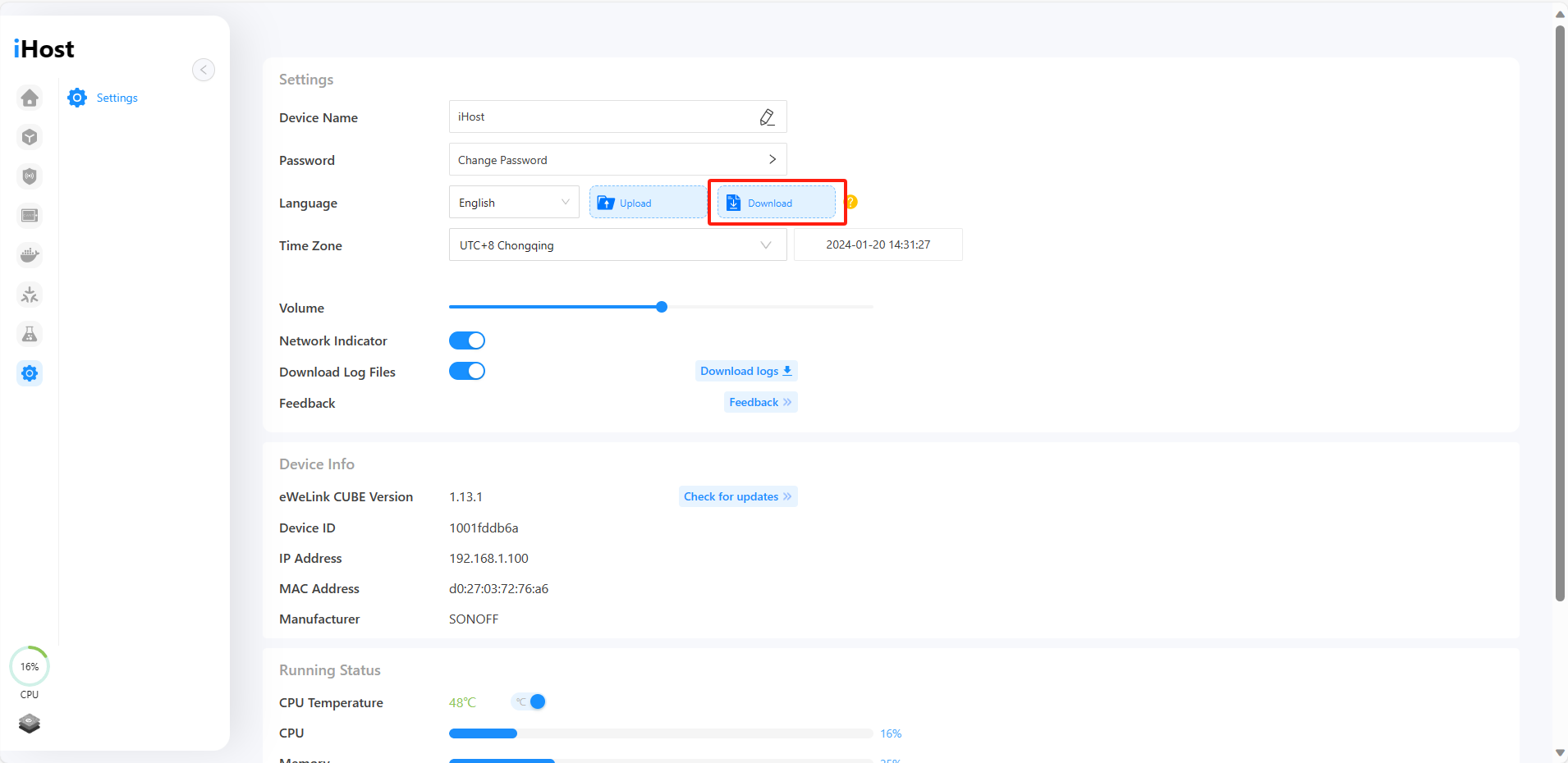
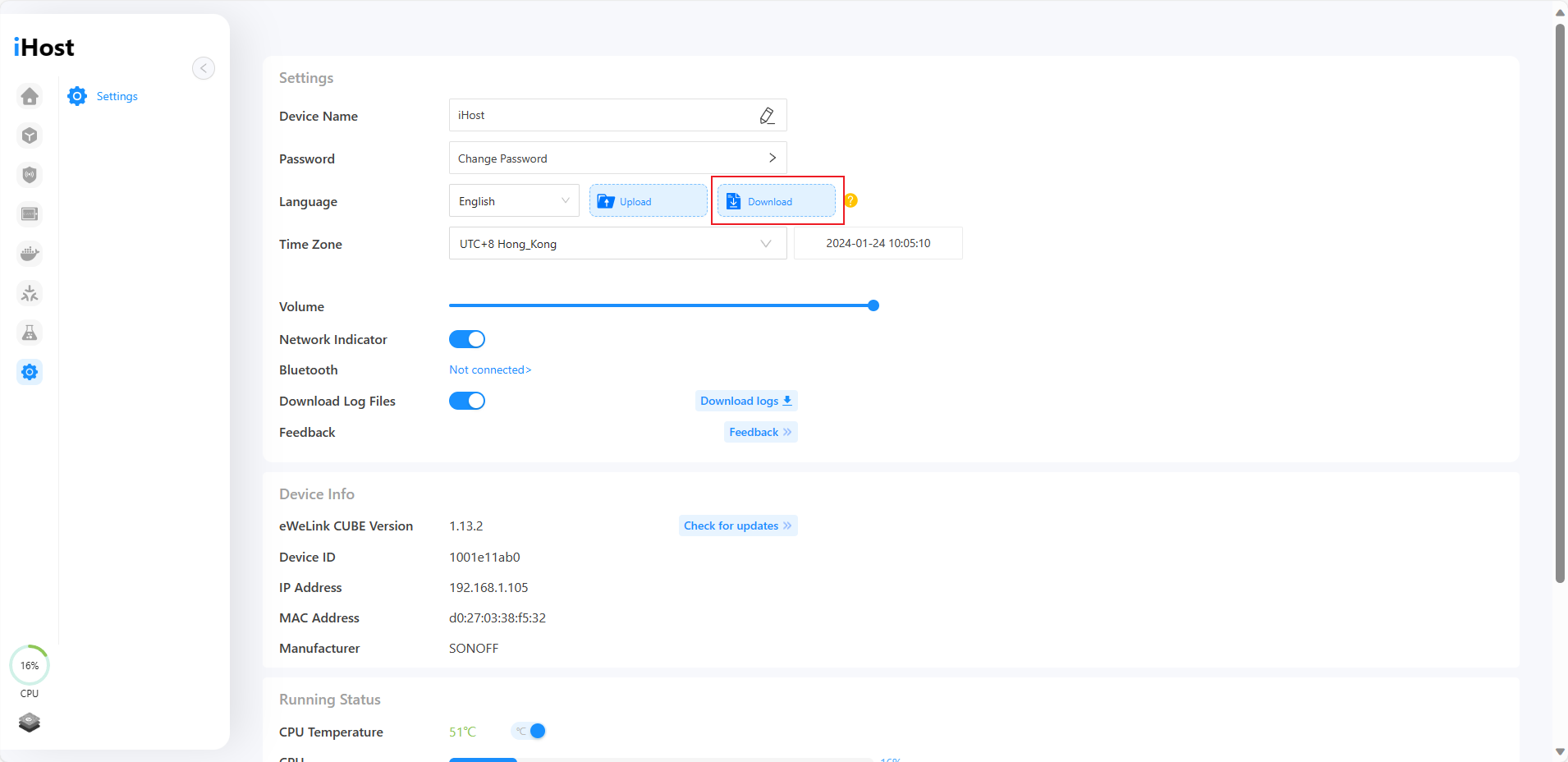
In V1.13.2, iHost introduces support for custom languages. After downloading the iHost language file in the settings, you can freely edit the names and descriptions of various functions, thus translating them into your languages. Let's explore how to edit them together!

Download File
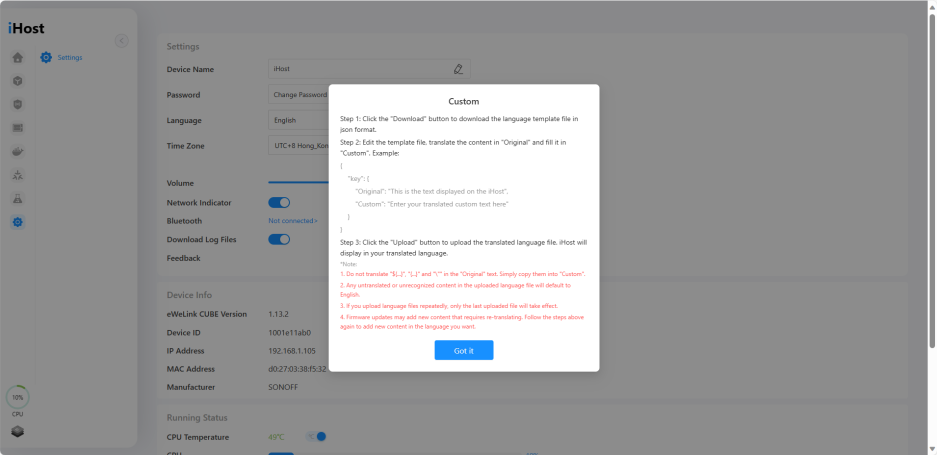
After upgrading to V1.13.2, you can find the "Download" button in the device settings of iHost. Clicking on it will provide you with a language template file in .json format. This file contains all the text information for the current version of iHost, allowing you to customize iHost in different languages by editing it.
Translate & Edit
Open the language template file, its contents follow the following pattern:


"key": {
"Original": "This is the text displayed on the iHost",
"Custom": "Enter your translated custom text here"
}


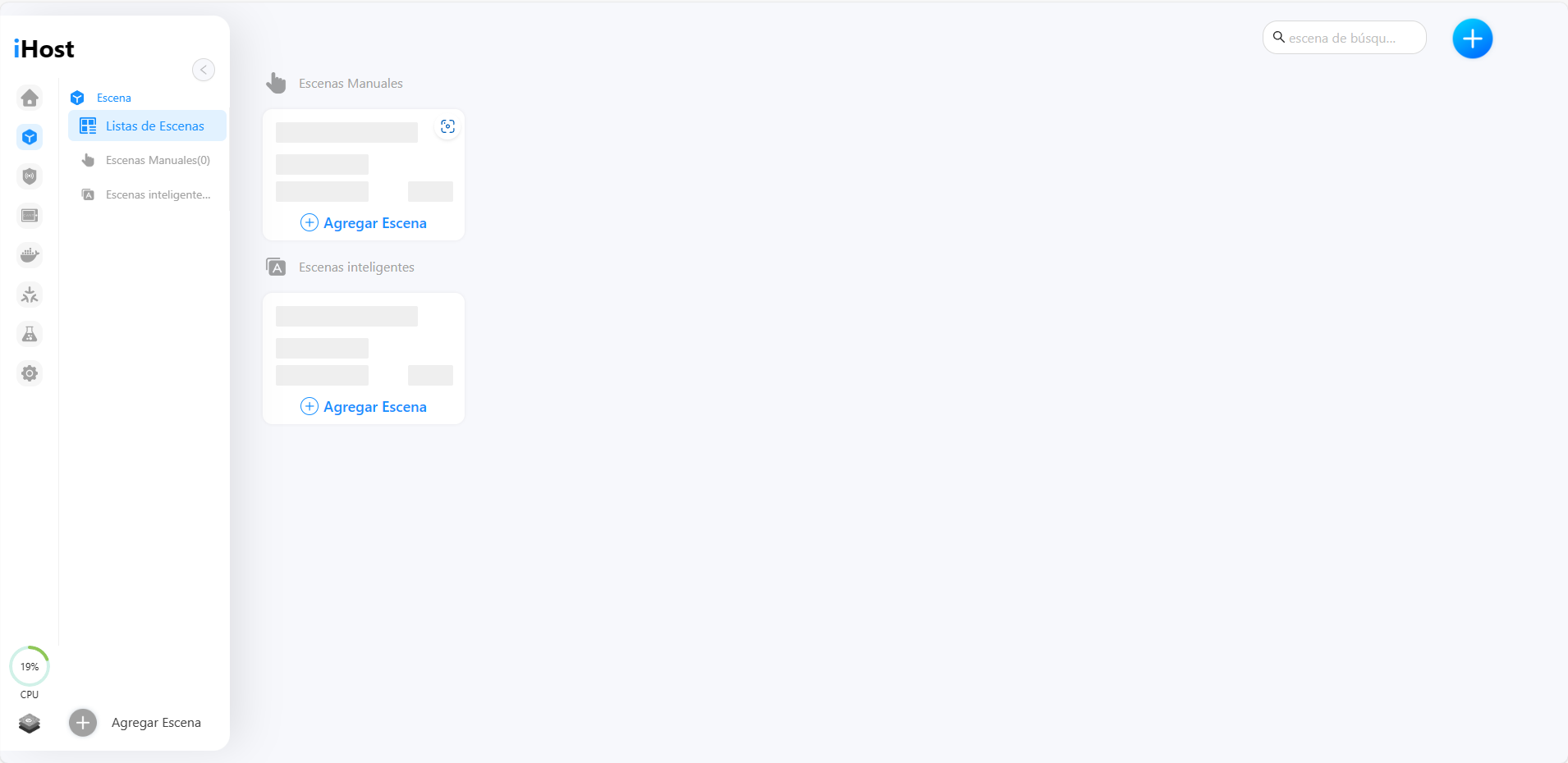
You can translate the text corresponding to "Original" into different languages, then fill it in the "Custom" field to complete the translation of a single piece of text. Take Spanish as an example:


: {
"Original": "Scene",
"Custom": "Escena"
},
"SCENE.ADD_SCENE": {
"Original": "Add Scene",
"Custom": "Agregar Escena"
},
"SCENE.MANUAL_SCENE": {
"Original": "Manual Scenes",
"Custom": "Escenas Manuales"
},
"SCENE.SCENE_LISTS": {
"Original": "Scene Lists",
"Custom": "Listas de Escenas"
},
"SCENE.ADD_OPERATOR": {
"Original": "Add",
"Custom": "Agregar"
},


Upload to iHost
Go back to iHost settings and click "Upload" button to upload your translated file.

iHost will display in your translated language after uploading success.

*Please note that:
1. Any untranslated or unrecognized content in the uploaded language file will default to English.
2. If you upload language files repeatedly, only the last uploaded file will take effect.
3. Firmware updates may add new content that requires re-translating. Follow the steps above again to add new content in the language you want.

iHost V1.13.2 Release!

In the V1.13.2 update, we release a new feature for iHost – custom language. This allows you to edit the text in different languages for iHost. Additionally, we have optimized the Smart Security setting UI and added introductions for some Add-ons. Let's take a look at the details of this update.

New Features:
● Custom language is available. Now your iHost can display in the language you want by uploading language files, check it under Settings menu.
Optimizations:
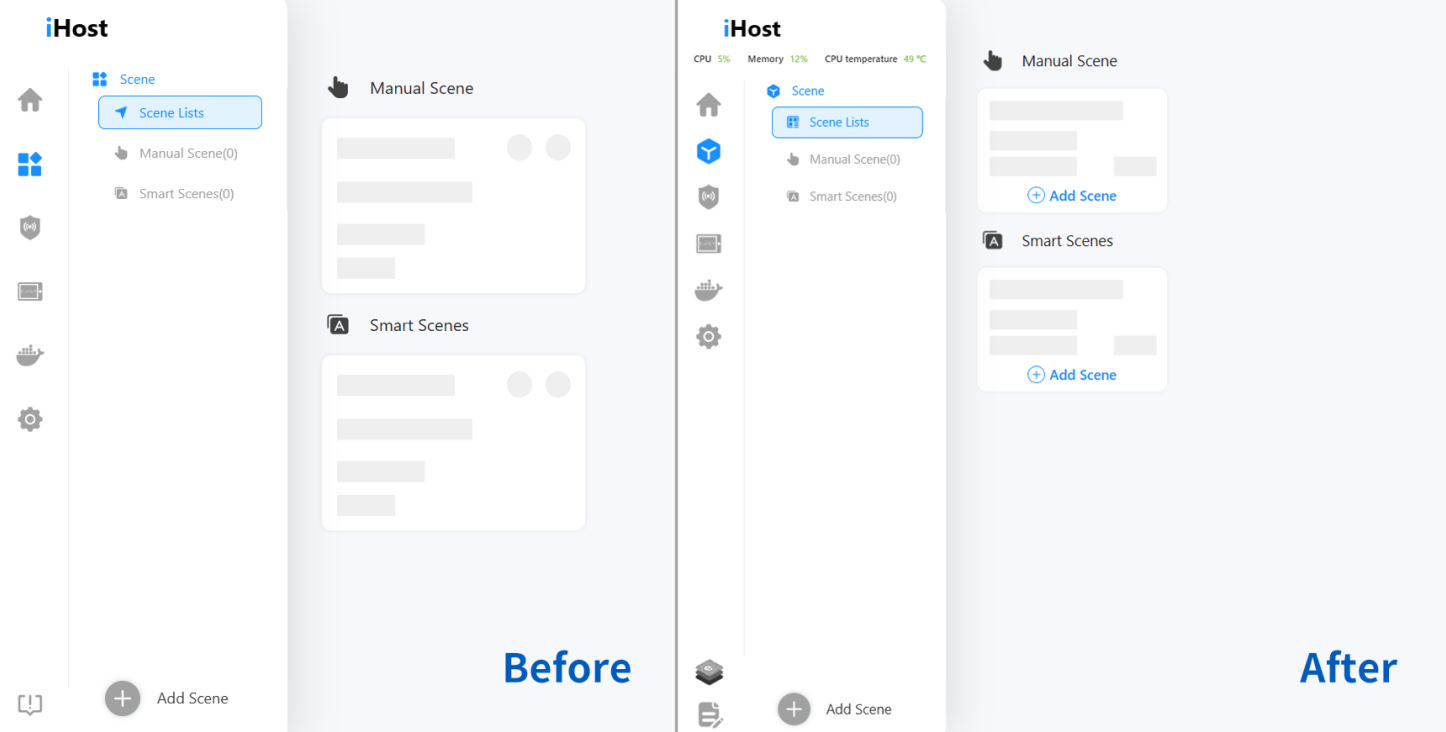
● Optimized the UI of the Smart Security page.
● Optimized the firmware update process.
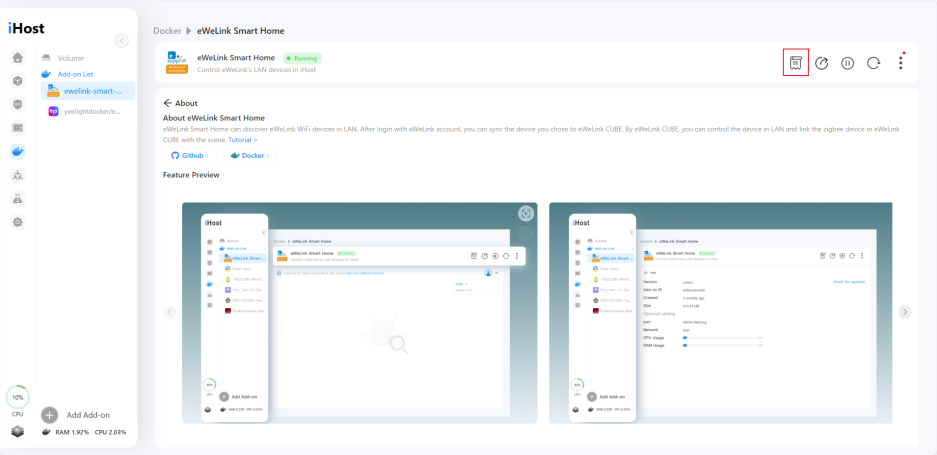
● Added "About" menu to installed add-ons page.
Bug Fixes:
● Fixed the issue where add-ons couldn't load the Web UI.
● Fixed the bug that Matter Bridge could not initialize after restarting iHost in muted state.
● Fixed an issue where the names of devices synchronized via Matter Bridge changed after iHost was restarted.

iHost V1.13.0 Release!

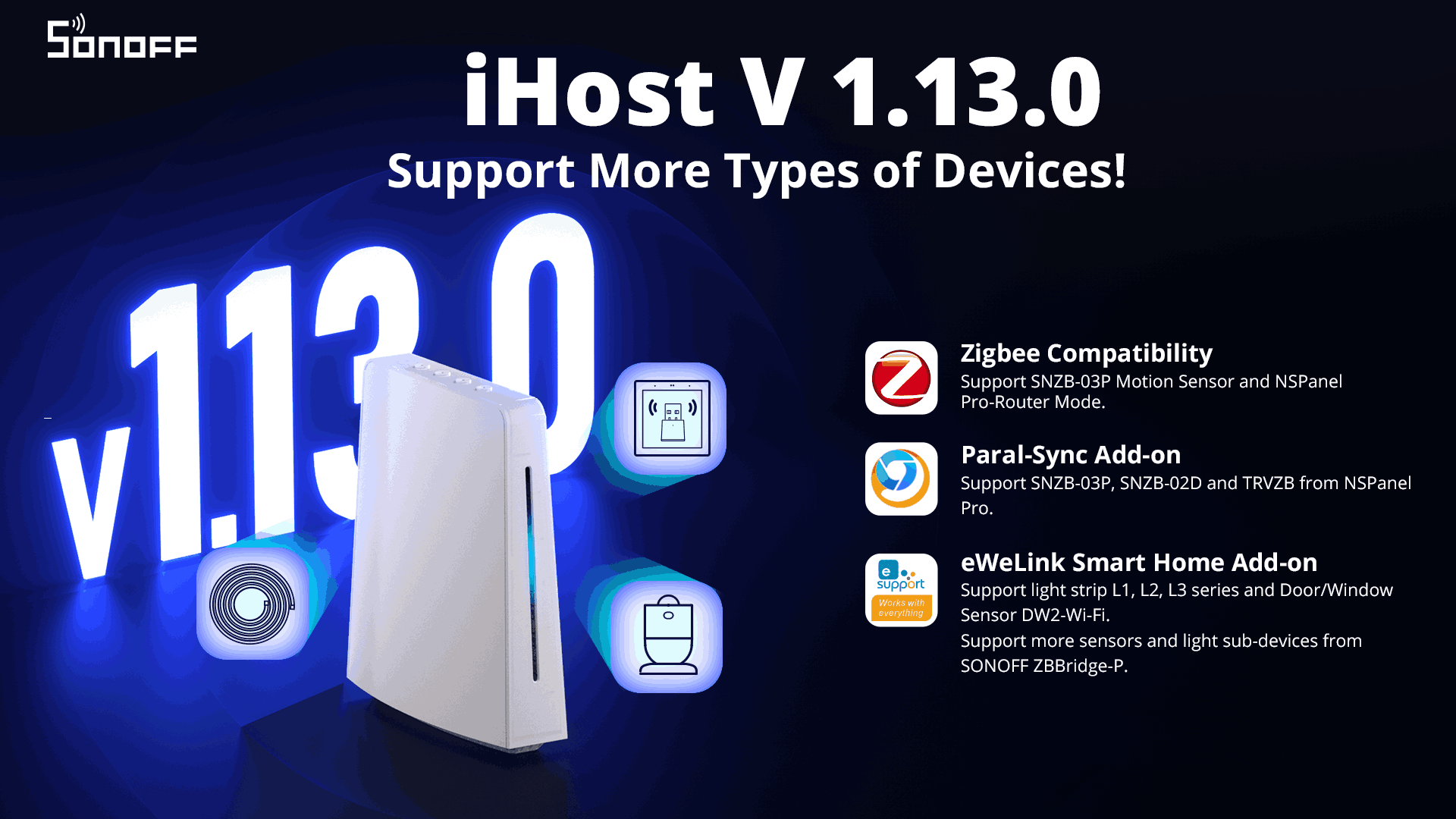
In this update, the experience of iHost local scene has been optimized and supports more devices. At the same time, new versions of eWeLink Smart Home Add-on and Paral-Sync Add-on have been updated to support synchronizing more types of devices to iHost. Let’s take a look at the contents of this update.
New Features:
● You can drag and drop the scene actions to rearrange their order.
●Added support for SNZB-03P Motion Sensor, and NSPanel Pro-Router.●Paral-sync Add-on now supports SNZB-03P Motion Sensor, SNZB-02D Temp.&Humi. Sensor, and TRVZB Thermostatic Remote Valve (please update Paral-sync add-on to the latest version on its detail page).
● eWeLink Smart Home Add-on now supports cloud control of some devices and LAN control of more sensor and light sub-devices of SONOFF Zigbee Bridge Pro. (please update eWeLink Smart Home add-on to the latest version on its detail page).
Optimizations:
● Increased the limit of CAST dashboards to 10.
● Optimized logic for adding, deleting, and synchronizing RF remote controllers in eWeLink Smart Home add-on.
● Sidebar UI design optimized. Added an entry to open add-on page in a new window.
Bug Fixes:
● Resolved the issue where the same device couldn't repeatedly be used as scene actions in a scene.
● Fixed the bug where Temp.&Humi. sensors couldn't save 1 decimal place as scene triggers.
● Fixed the occasional pairing issue with Matter Bridge.
● Resolved the problem where device names changed in Matter-supported platforms after iHost was restarted.

iHost V1.12.0 Release!

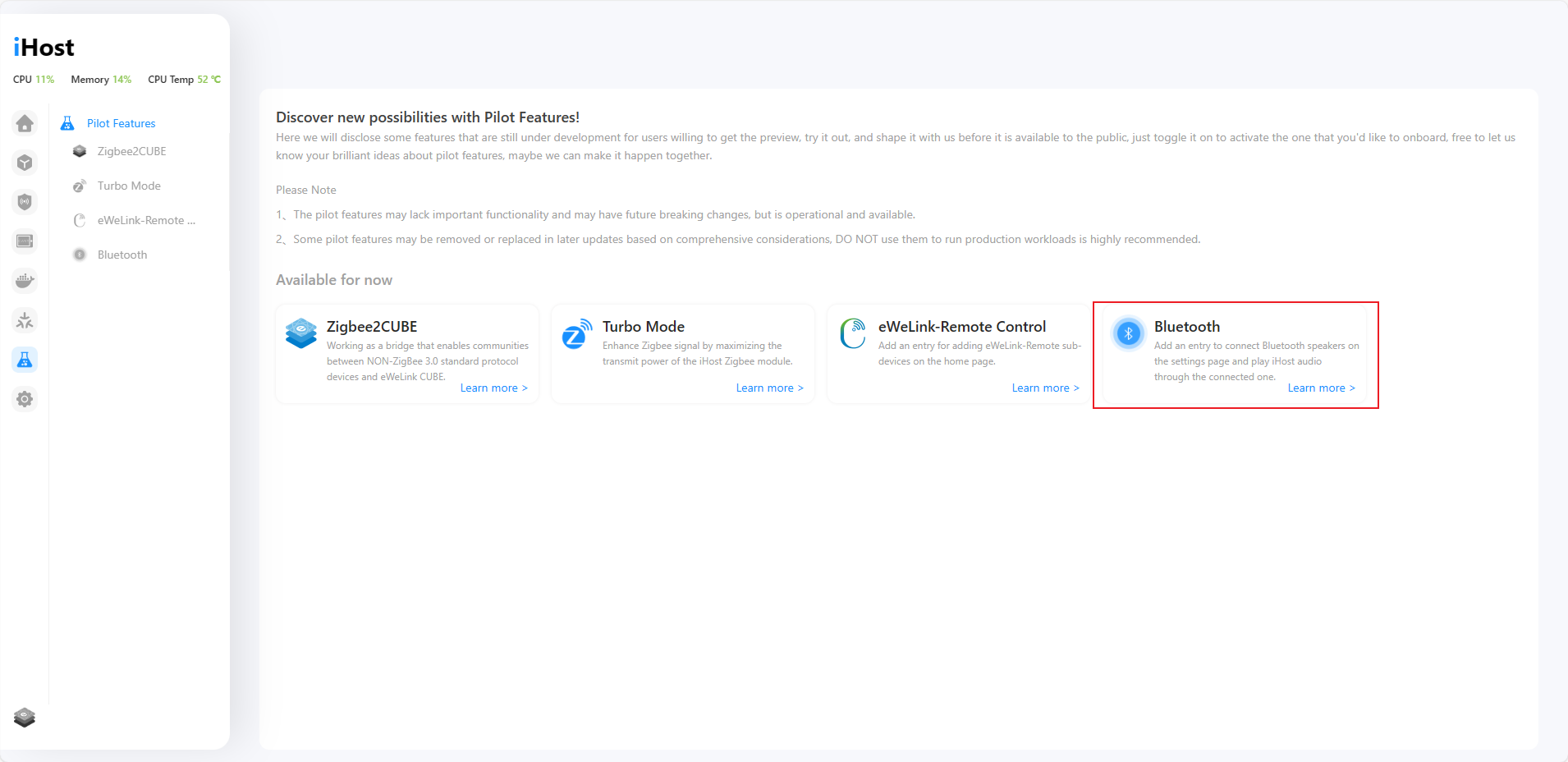
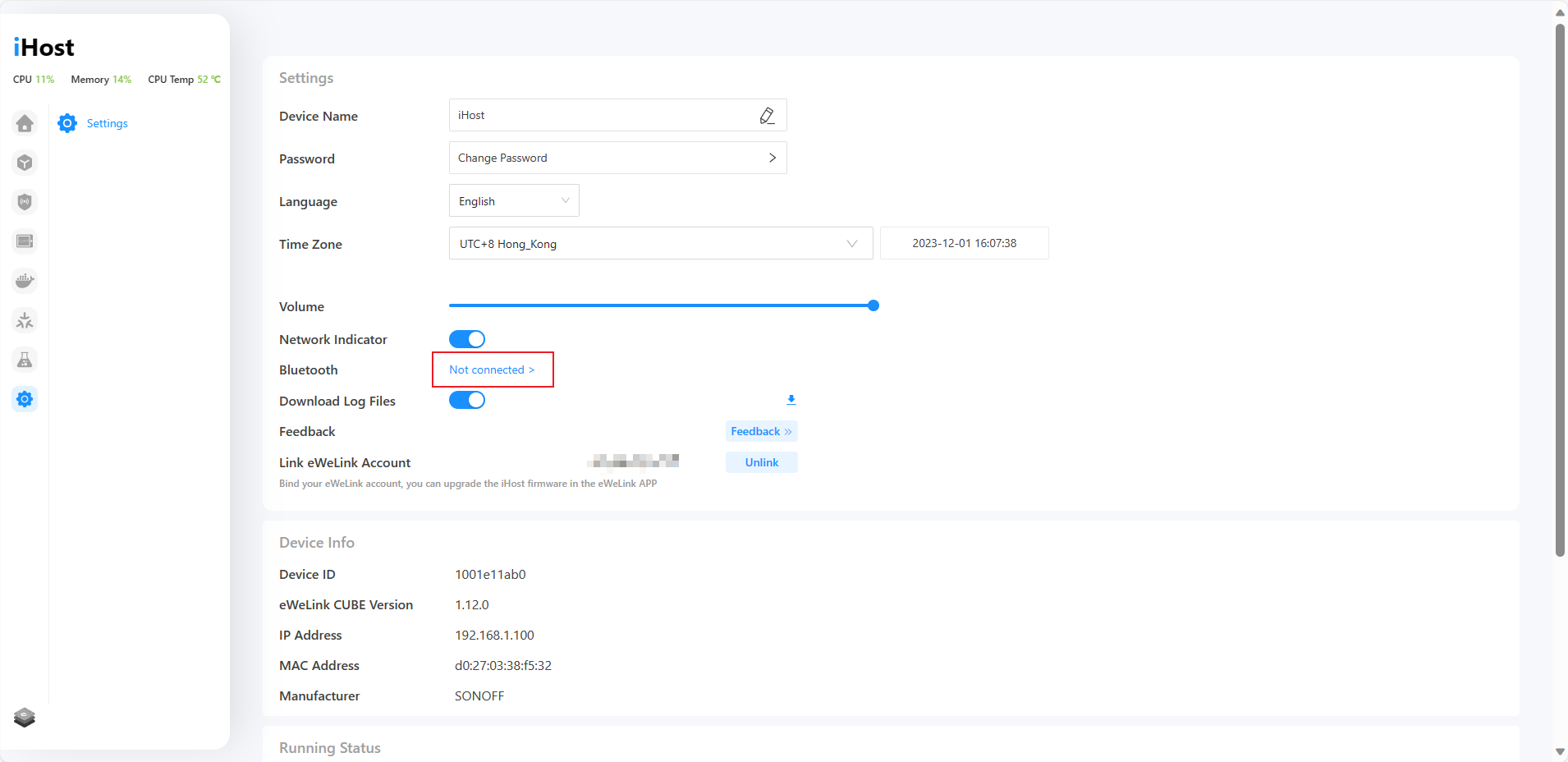
In this latest update, iHost Matter Bridge now supports more device types and you can easily access it from the sidebar menu. Additionally, iHost allows connections to Bluetooth speakers to play sound after enabling in Pilot Features. Let's take a closer look at the detailed updates together.

New Features:
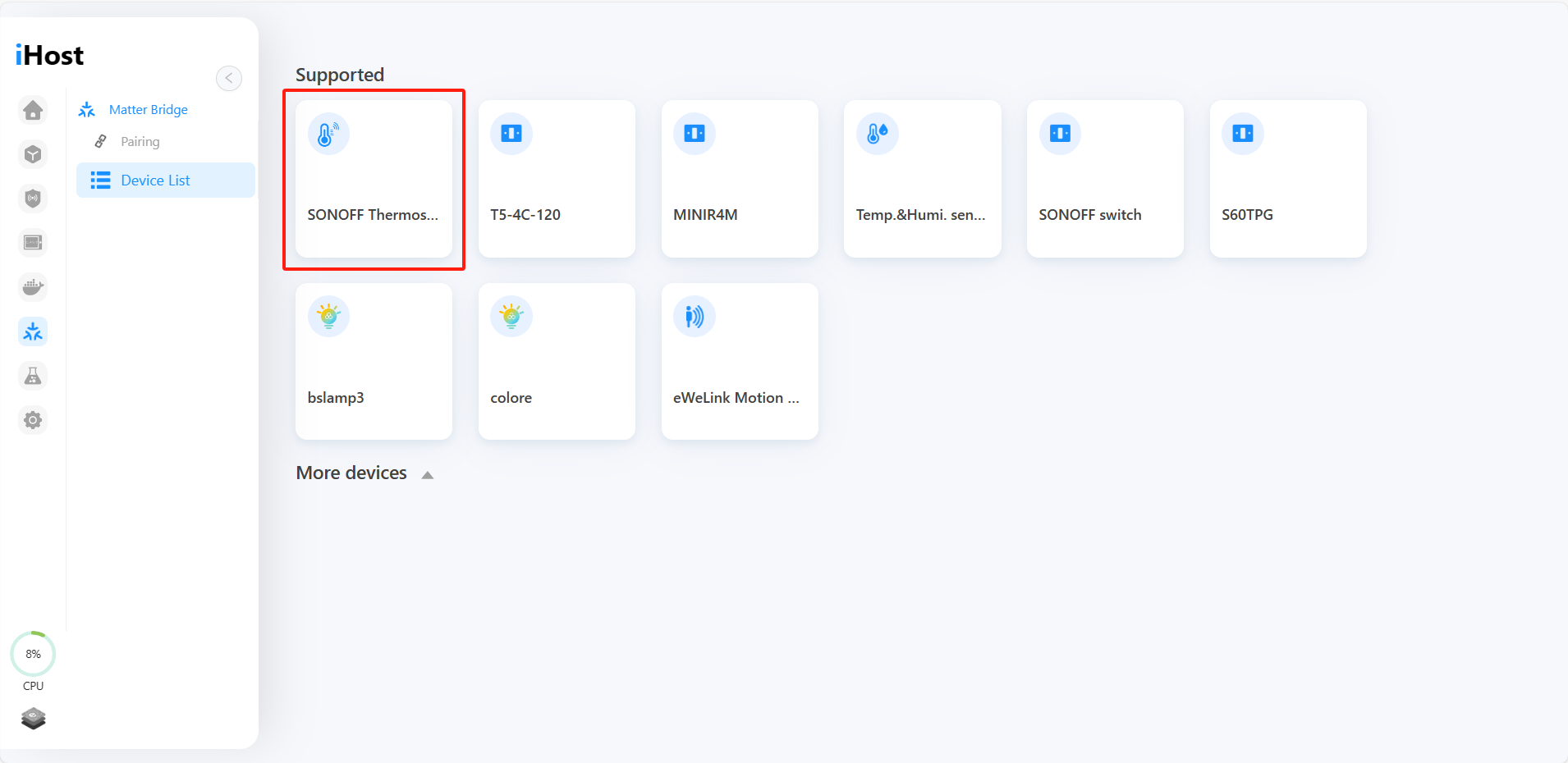
● Added Matter Bridge tab in iHost sidebar menu. Now you can add iHost and iHost-managed devices to Matter-supported platforms and control them seamlessly.

● Matter Bridge now supports more devices, including Temp.&Humi. sensors, human presence sensors, door/window sensors and wireless switches.

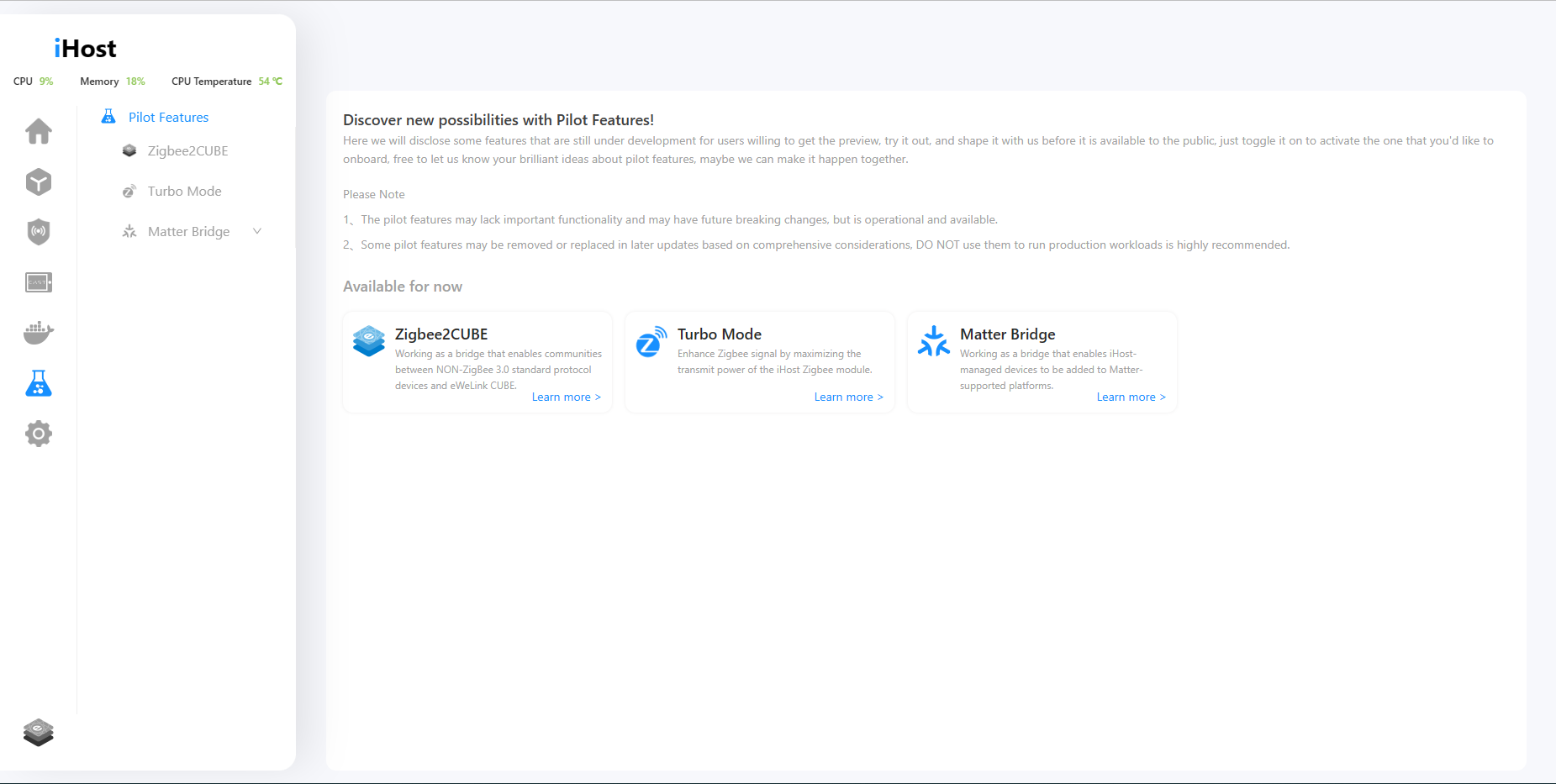
● Pilot Features offer some functionalities still under exploration. In this update, there's support for connecting to Bluetooth speakers within a short range, allowing iHost sounds to be played through the Bluetooth speakers.

Bug Fixes:
● Fixed the bug where scenes occasionally failed to trigger.
● Resolved the issue where scenes occasionally cannot be enabled/disabled.

iHost V1.11.0 Release!

iHost has released its latest version 1.11.0. Let's take a look at what updates are included!
New features:
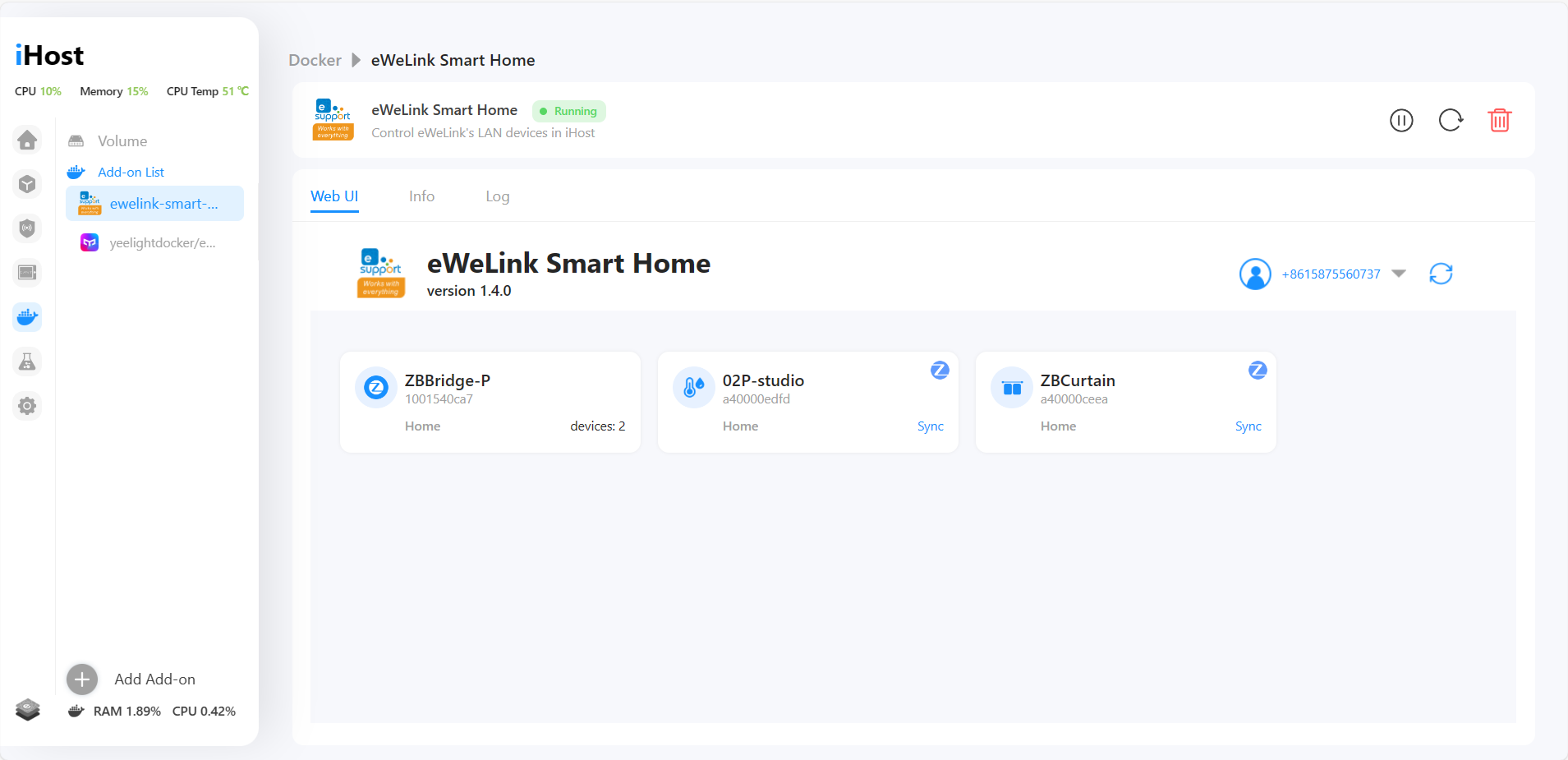
● eWeLink smart home Add-on V1.4.0 now supports to sync sub-devices (including Zigbee switches, plugs, curtains, wireless switches, and T&H sensors) from ZBBridge Pro to iHost.

● Added a new feature eWeLink-Remote Control in Pilot Features. Now you can add SONOFF S-mate, R5 and S-mate2 when you toggle "eWeLink-Remote Control" on. And you can build the local scene with them.

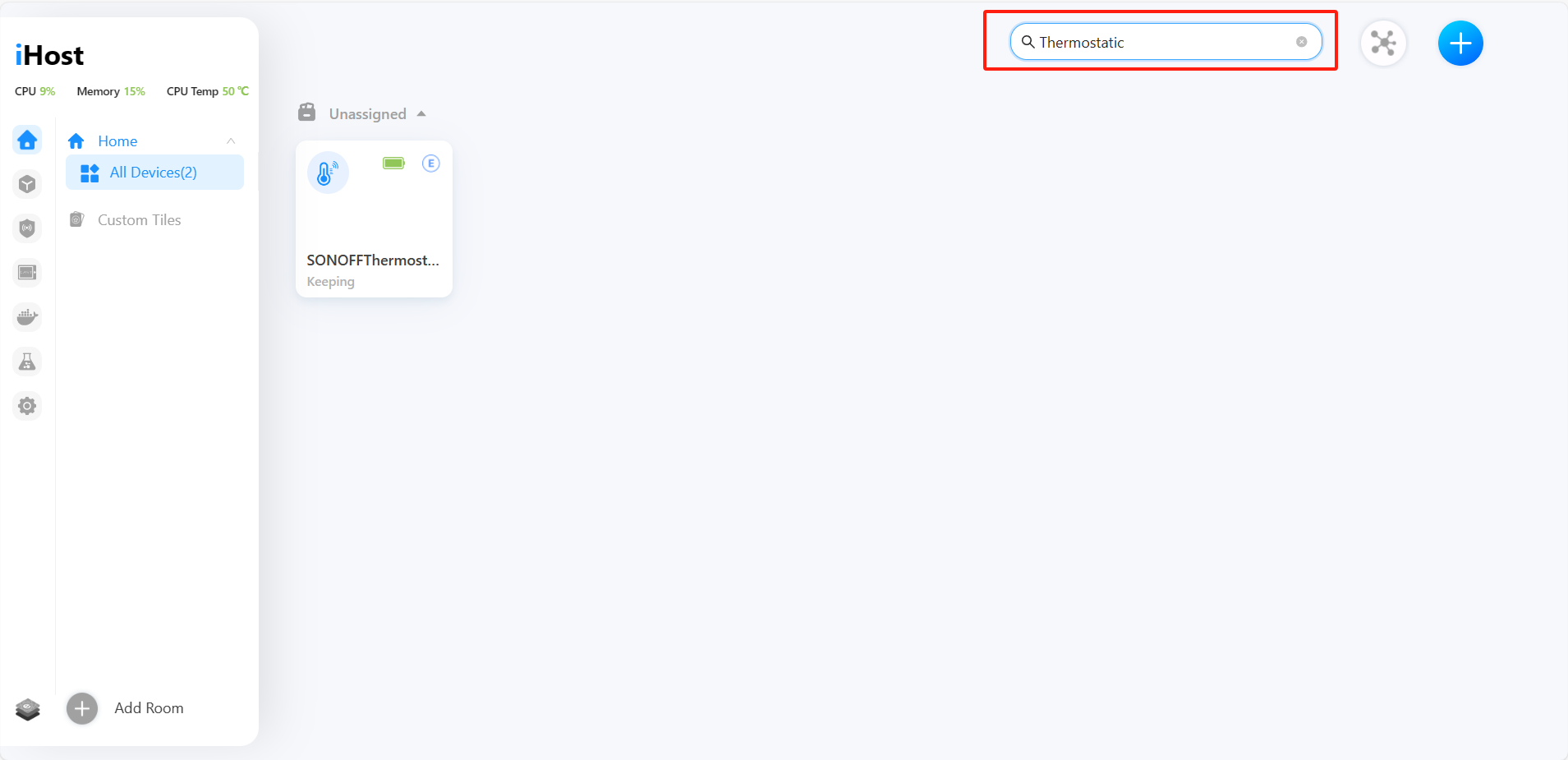
● Now you can search for devices or scenes by the search bar.

● Added support for SONOFF Zigbee Thermostatic Radiator Valve.

OpenAPI now supports the integration of air conditioners and fans.

Optimizations:
Optimized iHost update process. Now you can update iHost to the latest version without binding an eWeLink account.
Improved the display of smart devices in scene, allowing for device search and presenting devices in a categorized order based on room classification.
Homebridge pligin V1.2.0 added support for fan lights and T&H sensors.
Optimized iHost menu bar UI design.
Bug fixes:
Resolved the issue that Aqara Motion Sensor P1 cannot be triggered.
Fixed the bug that Aqara SSM-U01 cannot be controlled.
Fixed the issue where the IKEA TRÅDFRI Motion Sensor E1745 was not triggered as expected.
Fixed the issue with inability to control the IKEA ASKVADER on/off switch E1836.
iHost V1.10.0 Release!

iHost has released its latest version 1.10.0. Let's take a look at what updates are included!

Optimizations:
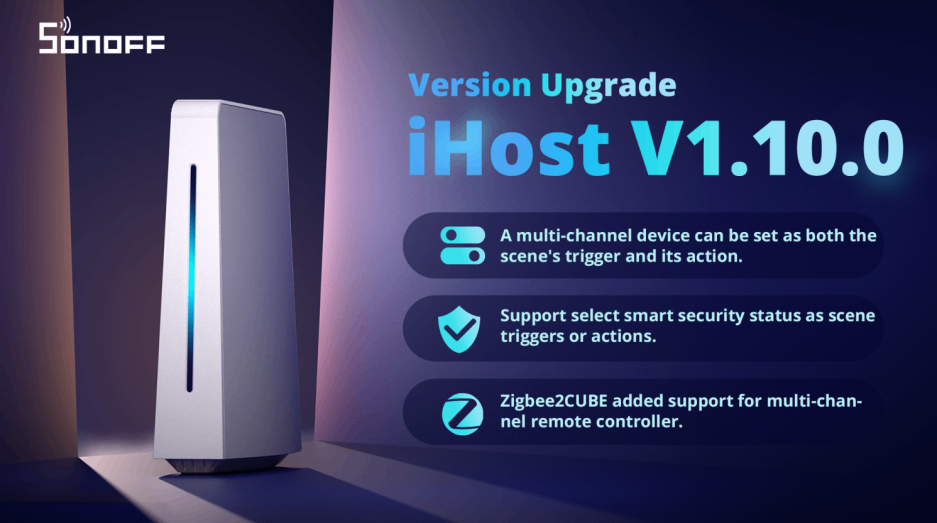
● A multi-channel device can now be set as both the scene's trigger and its action.

● Now you can select smart security status as scene triggers or actions.

● Installation process of add-on can now be terminated.

● Zigbee2CUBE added support for multi-channel remote controller.
● Open API added CPU temperature and micro SD card usage percentage.
Bug fixes:
● Fixed the issue with inability to download large add-on logs.
● Fixed occasional failure to execute all actions when multiple actions were added in a scene.
● Fixed the “login timeout” bug of eWeLink add-on.

Adding and Managing Yeelight Devices in iHost!

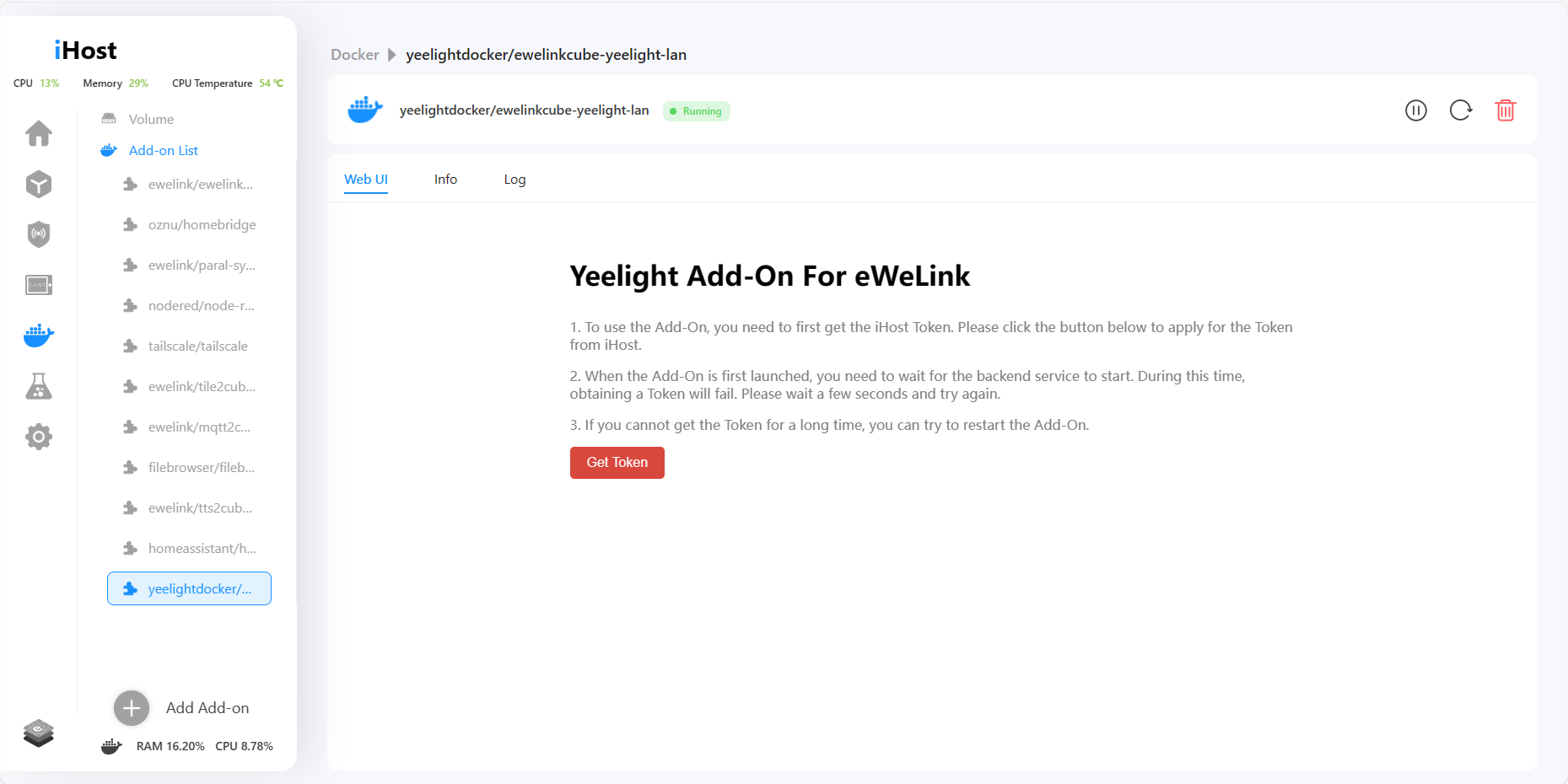
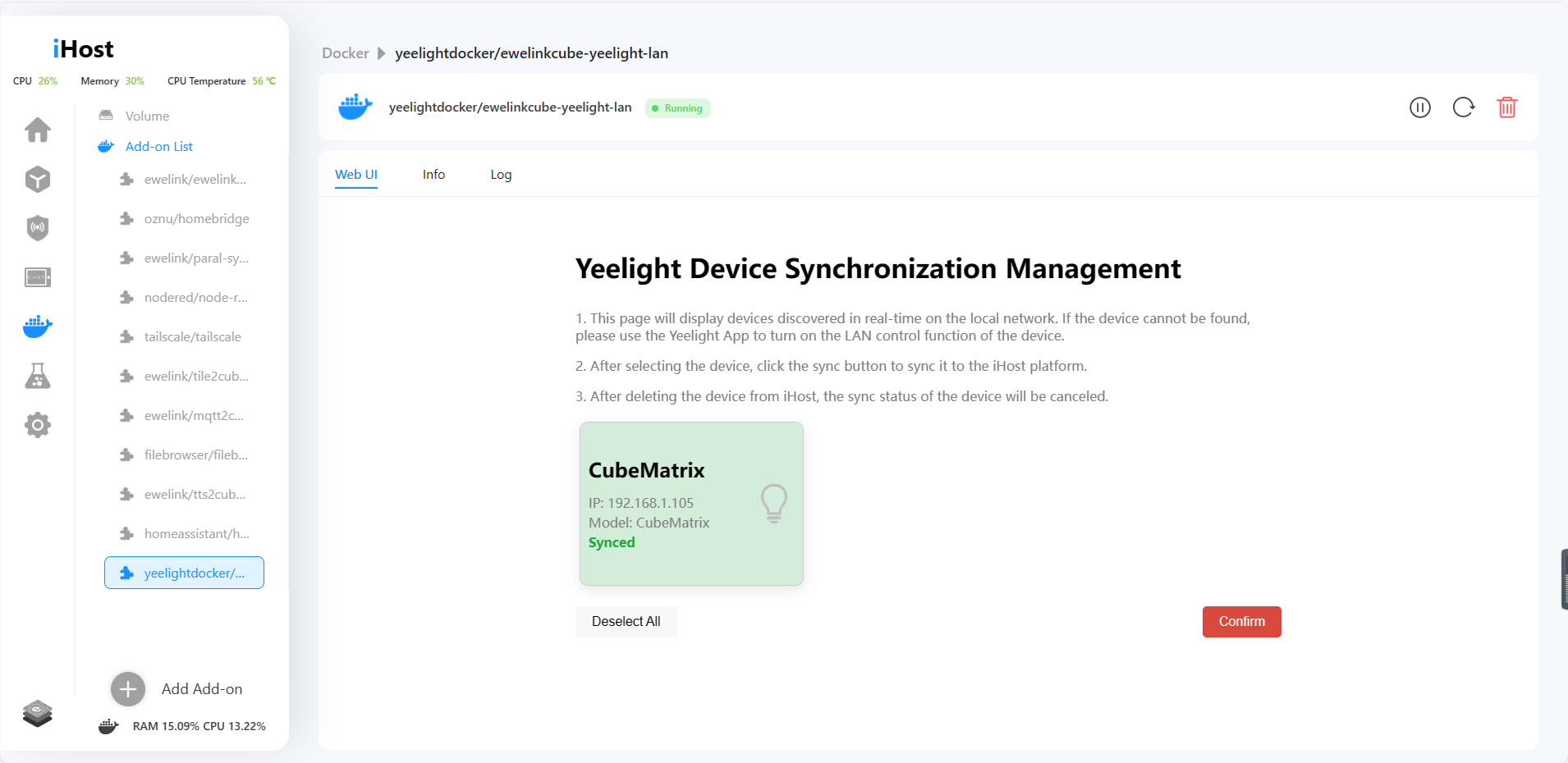
Do you have many Yeelight lights at home and wish to control them through iHost? Now, Yeelight has released an official Add-on that supports synchronizing Yeelight devices on the same local network in iHost and allows you to control the on/off switch, brightness, and color. Let's see how to do it next!

1. On iHost Docker page, search for "yeelightdocker/ewelinkcube-yeelight-lan" and click "Add to list".

2. Install the Add-on. Run it.

3. Click "Get token" on the Web UI page. iHost will scan the Yeelight device in the same local network as iHost.
4. Now you can control the Yeelight device in iHost, and set the local scene!

iHost V1.9.0 Release!

In this version 1.9.0 update, we have added the "tts2cube-pico" Add-on, which can convert input text into audio and be used with smart scenes. We have also made multiple functional optimizations for Cast, improving the overall user experience. Additionally, Matter Bridge has added support for lights. Let's take a closer look at the specific content of this update together!

New features:

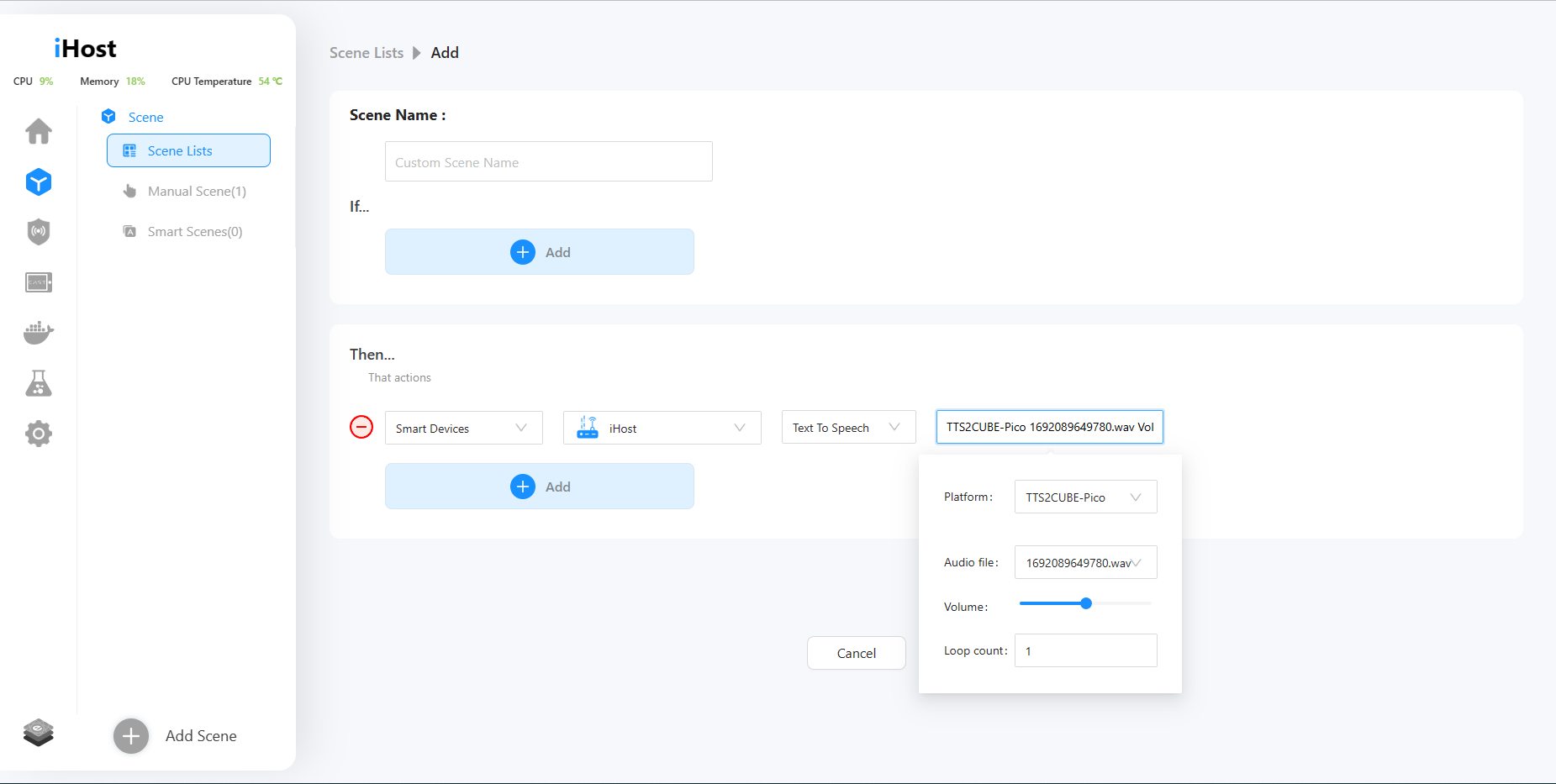
• New add-on tts2cube-pico is available, allowing you to convert text to speech.

Click the link below to view the installation tutorial:
https://forum.ewelink.cc/t/add-on-guide-tts2cube-pico-text-to-speech-add-on

After the installation is completed, you can input text to generate a voice and use it as a trigger condition in the smart scene.

• Added Turbo mode in pilot features, which supports enhancing Zigbee signal by maximizing the transmit power of the iHost Zigbee module.

Optimizations:

• Now you can add Temp. &Hum. data charts, energy consumption charts, calendar widget, clock widget, and text widget in CAST.

• Support for changing CAST dashboard background colors.

• CAST layout optimized.

• Add-on supported mounting and accessing USB serial devices.

• Added support for lights in Matter Bridge.

Bug fixes:

• Resolved the problem that Tuya multi-channel switches could not control individual channels.

• Fixed the issue that devices added via Zigbee2CUBE cannot be controlled.

• Fixed the bug that tailscale add-on could not specify a volume at runtime.

• Resolved the slow loading issue for the Temp. & Hum. data chart due to an excessive amount of historical data.


iHost V1.8.0 Release!

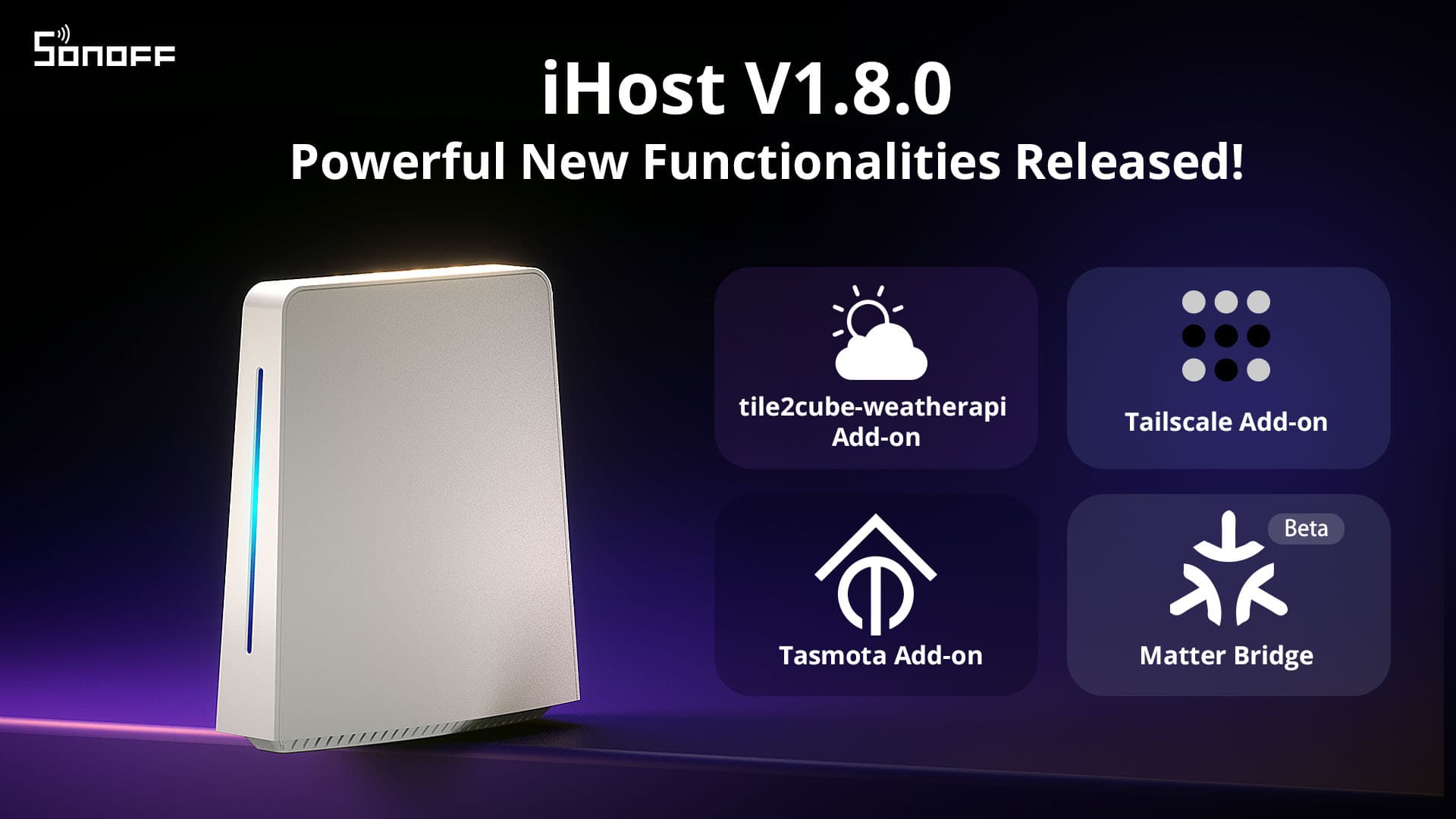
In the latest version 1.8.0 of iHost, we have introduced three new Add-ons (Tile2CUBE-WeatherAPI, MQTT2CUBE-Tasmota, and Tailscale), a Pilot feature for early access (Matter Bridge), and various features optimizations. Let's take a closer look at the specific updates, and we will provide tutorials on how to use these new capabilities in the next few days.

New features:
● New add-on Tile2CUBE-WeatherAPI is available, allowing you to create a weather tile for iHost/CAST.

● New add-on MQTT2CUBE-Tasmota allows you to sync your Tasmota switches and plugs to iHost.

● Now you can access iHost remotely with the Tailscale add-on.

● Added Matter Bridge in Pilot features, which supports adding iHost-managed devices to Matter-supported platforms.

● Now you can create custom tiles with the eWeLink CUBE open API to display them in iHost/CAST.

● Zigbee scene switches are supported now.

Optimizations:

● Added "Run manual scenes" and "Enable/Disable auto scenes" to scene action.

● The upper limit of Scene actions is increased to 50.

● The delay that can be set in scene actions has been increased to 23h 59min 59sec.

● A refresh button is added on the settings page of devices added through Zigbee2CUBE, click to re-acquire device information.

● Optimized icons of routing devices and end devices.

● Added a CUBE logo to devices integrated via Zigbee2CUBE.

● The list of devices in the room can be collapsed or expanded.

Bug fixes:

● Fixed the issue that devices added by Zigbee2CUBE were offline after firmware was updated.

● Resolved Zigbee map display issue when adding unsupported devices via Zigbee2CUBE.

● Fixed the problem that the scene could not be executed when the trigger condition was "all conditions are met" and the trigger device was the sensor.

Learn more about Add-on: https://ewelink.cc/ewelink-cube/add-on/

iHost V1.7.0 Release!

New features in V1.7.0:
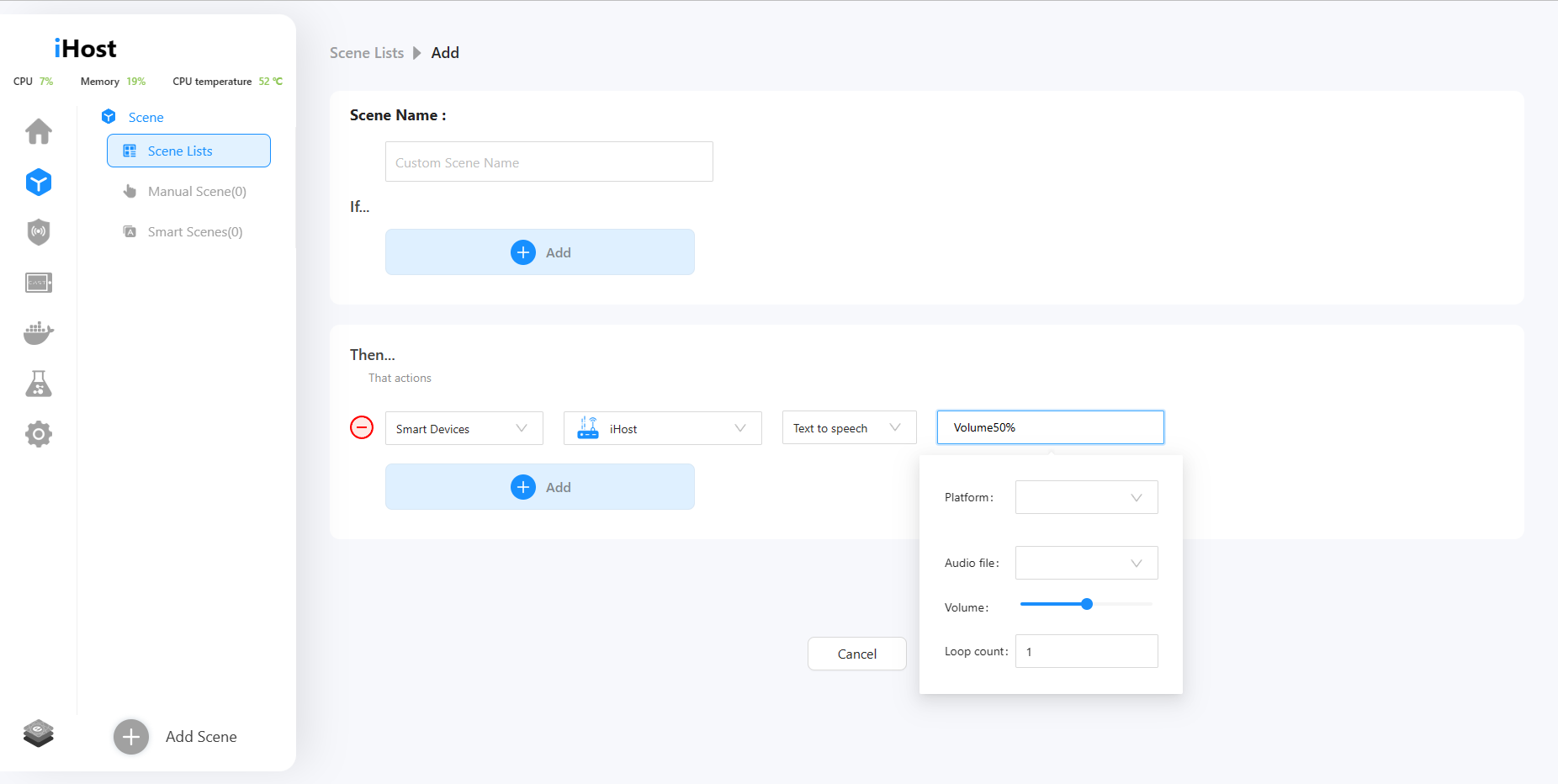
Added support for playing TextToSpeech audio in Scene actions. You can build a scene and trigger TTS(TextToSpeech audio) actions. Create some smart scenes with voice prompts.
*iHost now supports the TTS interface. Refer to the below link and learn more about the TTS engine function: https://sonoff.tech/ihost-open-api-interface/
*We will release a TTS Add-on in the future. More convenient for you to use this function. Please stay tuned.

Optimizations:
Support for configuring multiple ports when running add-on.
Optimized the add-on installation progress indication.
Bug fixes:
Fixed the bug of incorrect display of device operation logs and debug logs.

Paral-Sync Add-on Available! Manage and Control the Local Zigbee devices of NSPanel Pro in iHost!

In order to manage local Zigbee devices of NSPanel Pro more conveniently in iHost, we release Paral-Sync Add-on! You can scan NSPanel Pro in the LAN, and synchronize the local Zigbee sub-device of NSPanel Pro to iHost for control and management. Enable the Paral-Sync Add-on, you can:
● One-click synchronization of local Zigbee devices of NSPanel Pro to iHost, or automatically sync new devices to iHost
● Support device status synchronization
● Synchronize Zigbee devices to iHost for control and local home automation setup

Installation Tutorial
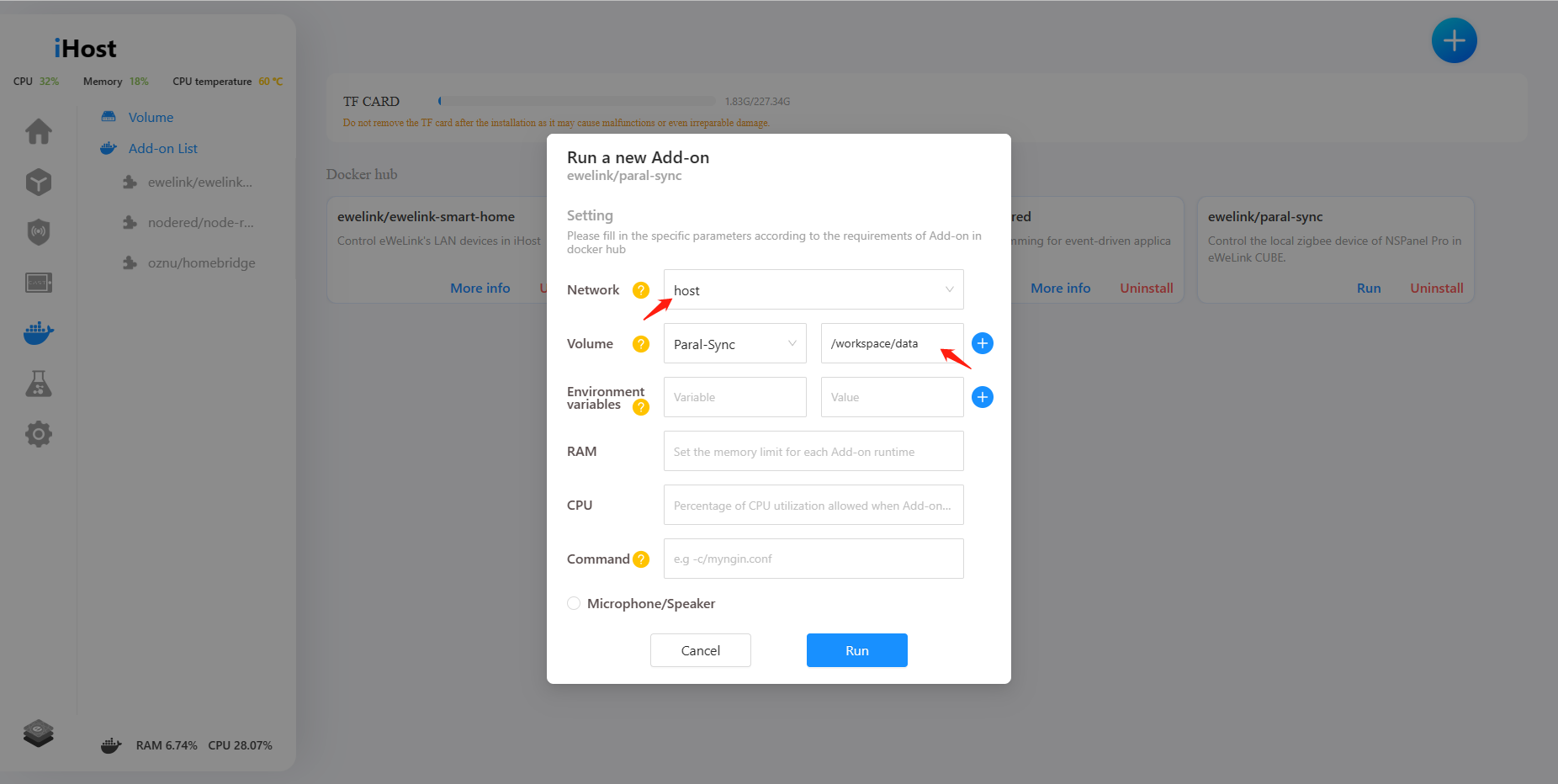
1. Search for Paral-Sync Add-on, add and install it.

2. Run the Paral-Sync Add-on and enter the parameters.
Network: host
Volume: any volume    /workspace/data

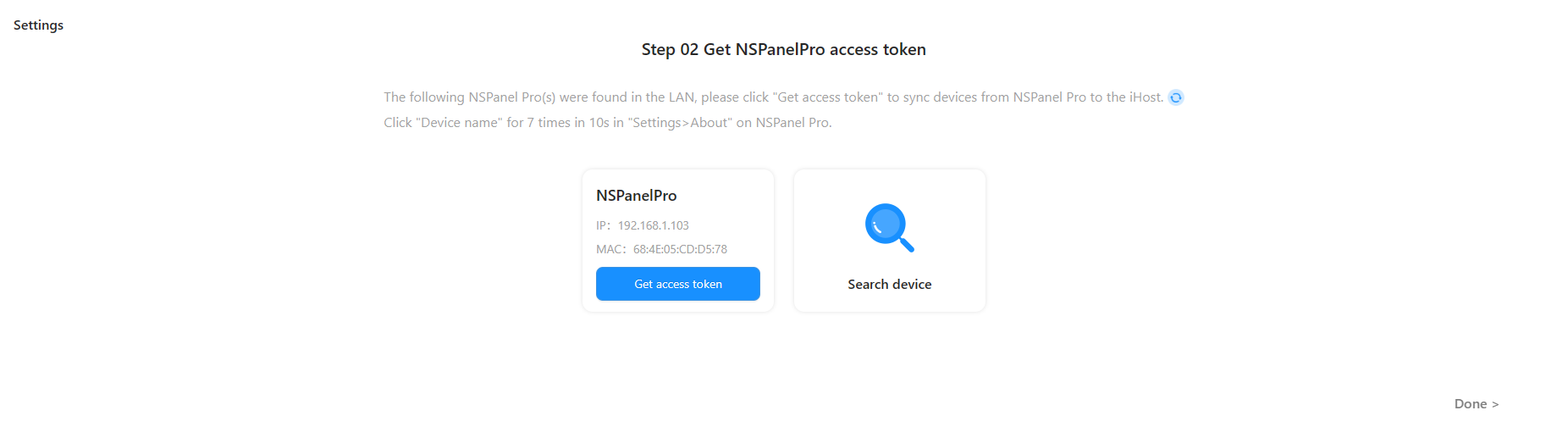
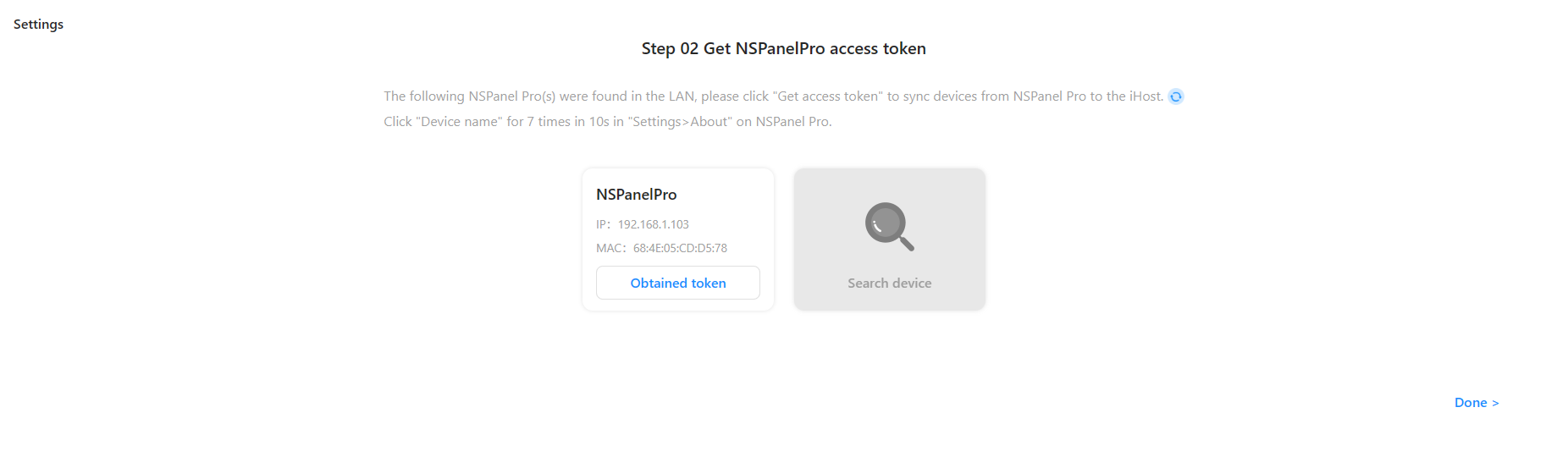
3. Enter the address http://ihost.local:8322 or [iHost IP address]:8322 in your browser to access the Add-on UI page. Click Get access token and go back to iHost page to confirm.

4. Upgrade NSPanel Pro to version 1.9.0 and above. Make sure the NSPanel Pro that needs to be synchronized is connected to the same local network. The Add-on will automatically discover the NSPanel Pro devices.

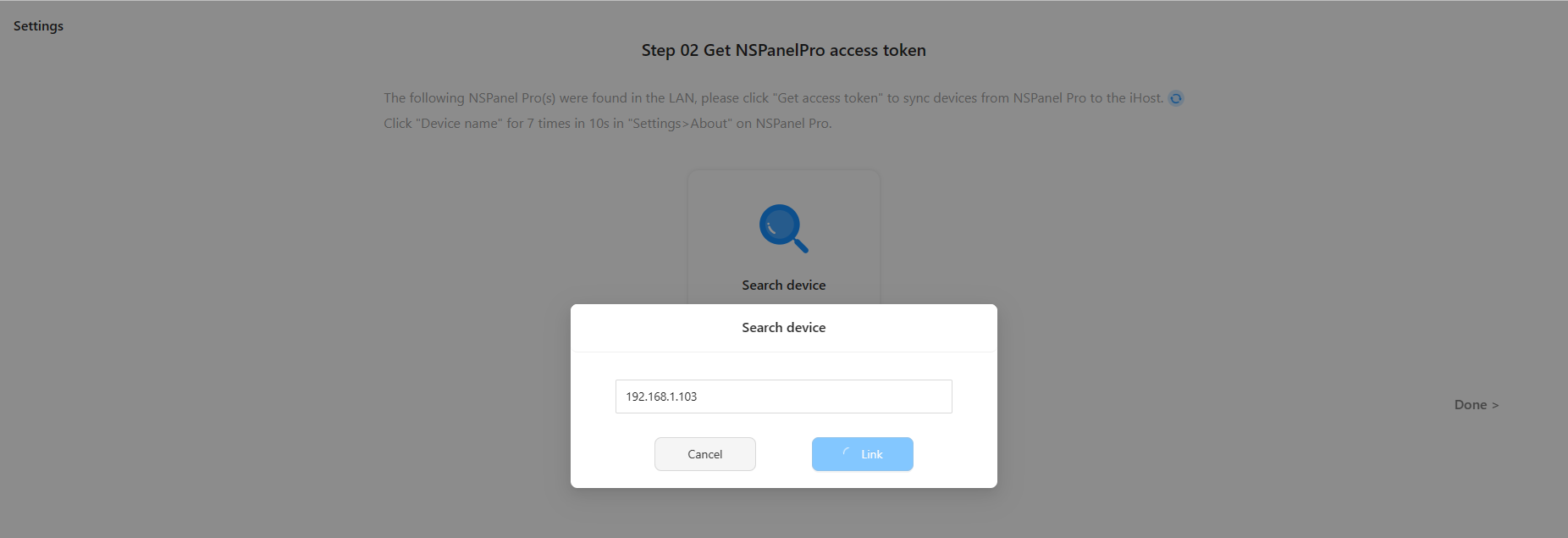
*If NSPanel Pro is not automatically discovered, you can manually enter the IP address of the NSPanel Pro to search.

5. Follow the Guide to operate your NSPanel Pro. Click "Device name" 7 times in 10s in "Settings>About" on NSPanel Pro.

6. Now you can sync the Zigbee sub-device in NSPanel Pro to iHost and control them.

Unmissable iHost's Exciting New Features in May

We released three versions of iHost in May, with the current latest version being 1.6.2. These updates include enhancing Zigbee compatibility and Add-on management to provide an improved user experience. Now, let's explore the new features together!

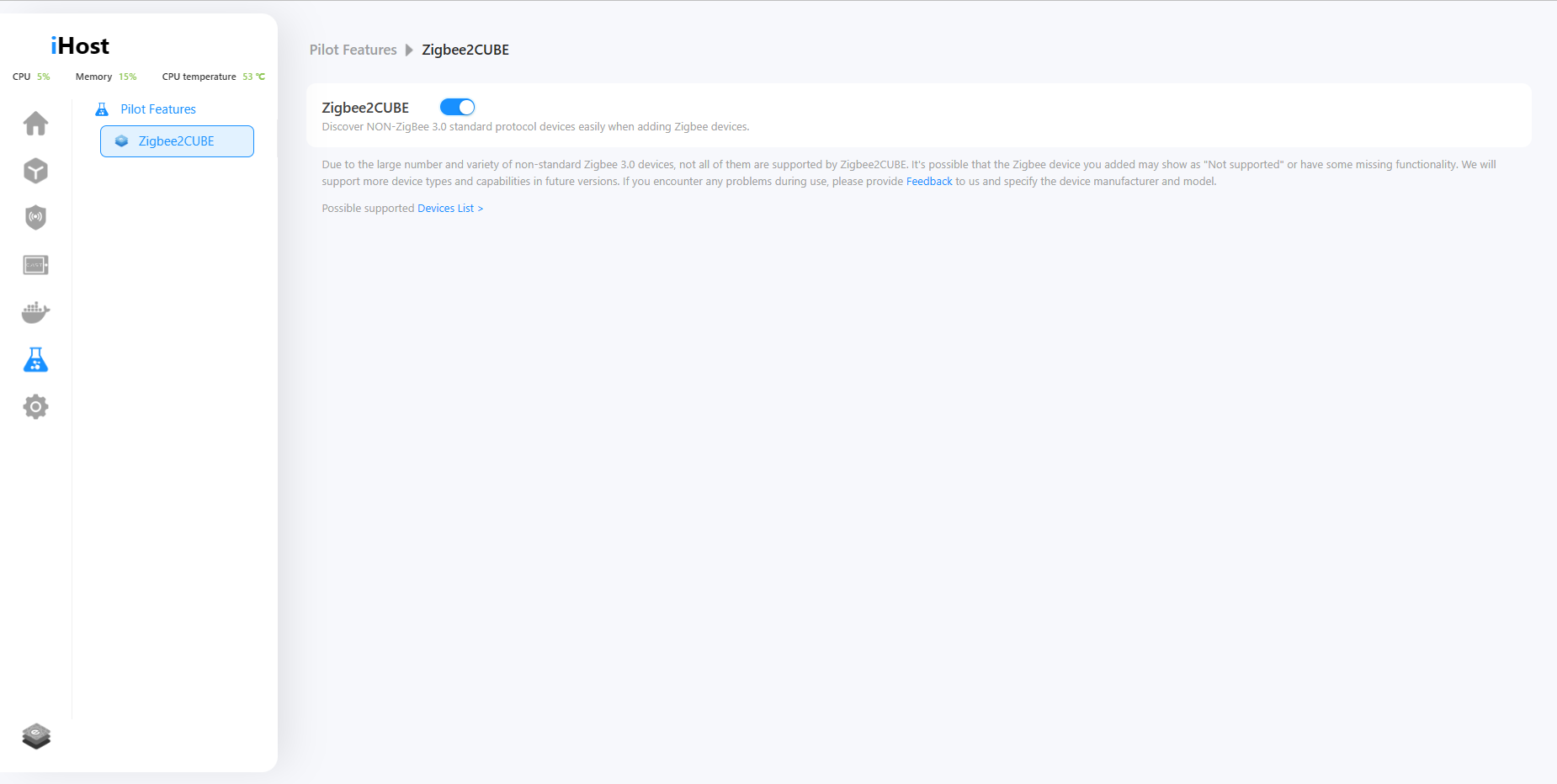
1. Added Pilot Features menu, in which a new feature Zigbee2CUBE is available, allowing you to add non-Zigbee 3.0 devices.
We will disclose some features that are still under development for users willing to get the preview, try it out, and shape it with us before it is available to the public in the Pilot Features menu.

In the current version, there is a new capability called "Zigbee2CUBE." Once enabled, iHost allows you to discover NON-ZigBee 3.0 standard protocol devices when adding Zigbee devices. It may help resolve the issue of being unable to pair NON-ZigBee 3.0 standard protocol devices that you currently have. We have compiled a list of Zigbee2CUBE possible supported devices, so you can check if your device is included: https://appcms.coolkit.cn/uncategorized/16355.html

*We will support more device types and capabilities in future versions. If you encounter any problems during use, please provide feedback to us.

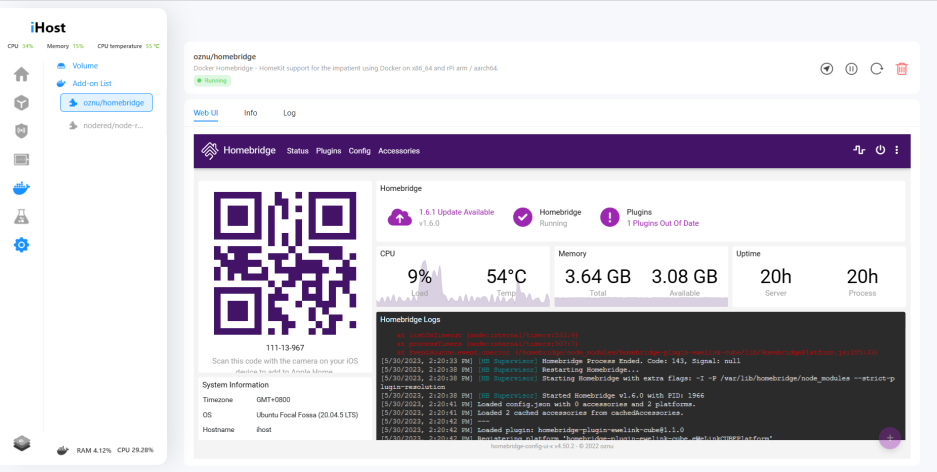
2. The webUI of HomeBridge and Node-RED is accessible on their detail pages.
No need to open a new tab anymore. After installing and running the Add-on, you can directly access the web user interfaces of Homebridge and Node-RED.
3. Uninstalled Add-ons can be removed from the Add-on list.
If you encounter an Add-on that you can't use or need to remove, you can simply click on "Delete" now.

4. Mute system volume with one press on the mute button.
Do not need a system prompt tone? Just press on the mute button!

5. The time on iHost will automatically switch between daylight saving time and standard time.
Is your country or region currently observing daylight saving time? In the new version, both scenes and system time in iHost support automatic daylight saving time adjustment. iHost will accompany you in transitioning to daylight saving time.

6. Enhanced volume management in Docker. Enable to create/delete volumes in the volume list, and support to select existing volumes to store Add-on data.
We've added a volume management feature on Docker, now you can create or delete volumes, as well as specify a volume for an add-on before running it.
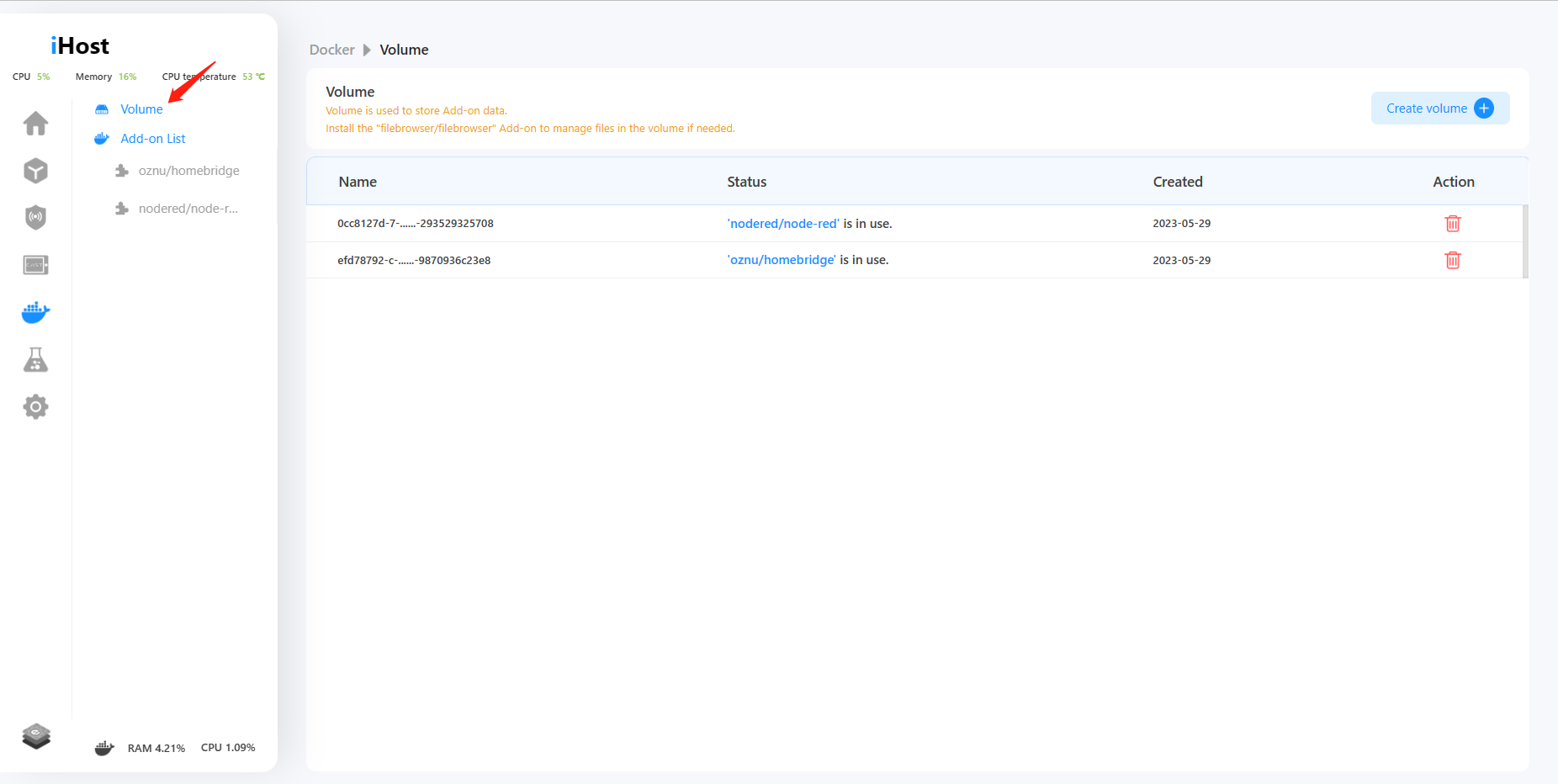
7. Configure parameters of environment variables, commands, and volumes during Add-on runtime.
Now you can configure environment variables, commands, and volume parameters for Add-on before running it.

We have prepared a tutorial to help you better understand how to manage the files of an add-on via the filebrowser/filebrowser add-on.
https://forum.ewelink.cc/t/add-on-guide-volume-management-filebrowser-add-on/18254

8. Login password is visible.
Now you can switch to display a password when you enter a password on the login, registration, and Forget password pages.

In addition to the above new features, we have fixed some bugs:
● Fixed known TF-card related issues.
● Resolved loading failure of eWeLink Smart Home Add-on WebUI.
● Fixed the length limitation for email address input on the feedback page.
● Fixed delay issues of smart scenes.
● Fix the problem that Zigbee map cannot be displayed after adding some third-party Zigbee devices.

Thank you all for your invaluable support and for choosing iHost. We sincerely appreciate your trust and decision to purchase our product. We are dedicated to enhancing your experience through ongoing updates and improvements. Stay tuned for the upcoming updates and exciting new features!

eWeLink Smart Home Add-on V1.2.0 Release!

Hello everyone, on April 24th, we released version 1.2.0 of the eWeLink Smart Home Add-on. Did everyone update it? Let's take a look at the new SONOFF devices that are supported after this version update.

WP Data Tables

We will continue to support more SONOFF devices. If you would like to learn more about the features of the eWeLink Smart Home Add-on, or want to see the list of supported devices, you can click on the link below for details:
https://sonoff.tech/ihost-user-guides/add-on/#eWeLink-Smart-Home-Add-on

iHost V1.5.0 Release! Zigbee Map is Coming!
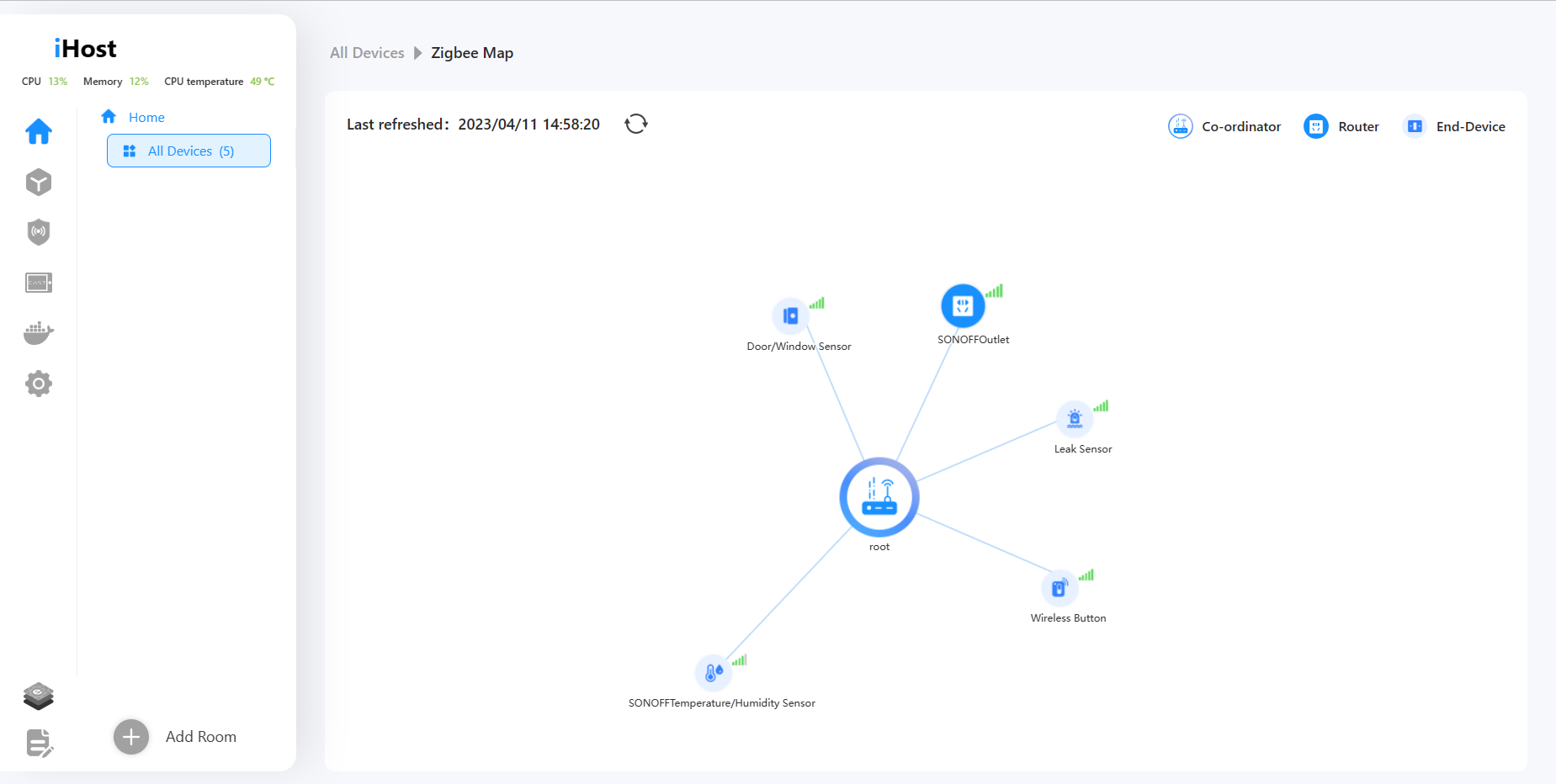
1. Support for viewing Zigbee Map. You can view the Zigbee topology of Zigbee devices and check their signal strength.

2. Added system running log. You can turn it on/off or download it in settings.

3. Added an entrance for eWeLink Cube. You can view related articles or introductions about eWeLink Cube.

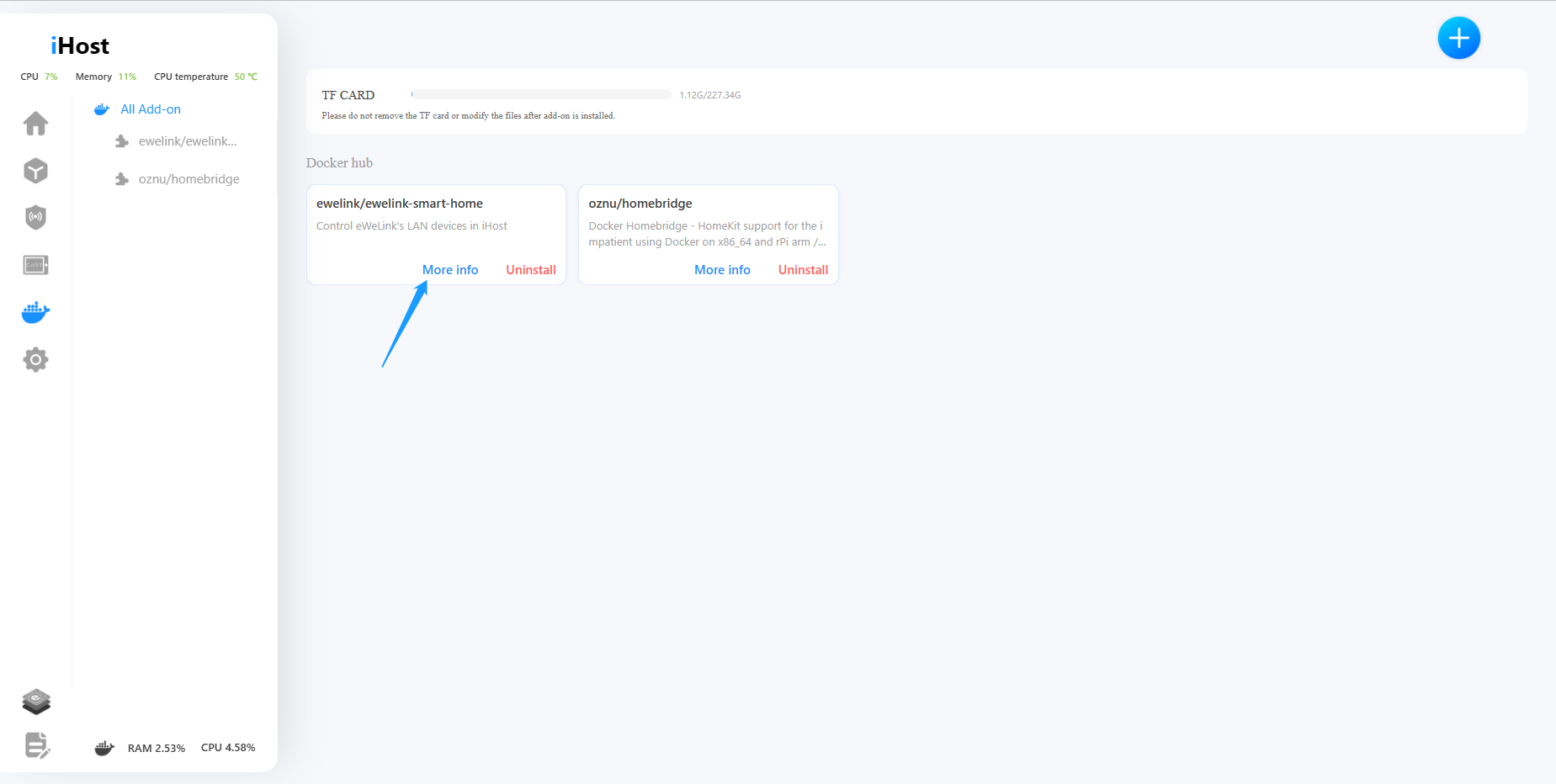
4. After the Add-on is running, you can click on the "More info" button on the Add-on card to view its information.

5. Adjusted and optimized some UI elements, such as the spacing of icons in the left sidebar and scene UI icons, to make it more convenient to use.

6. Add a guide when resetting the password.

Get a sneak peek at the iHost Zigbee Map!

iHost is a local Zigbee gateway to connect Zigbee devices. When there are too many Zigbee devices, how can we know about the connection methods between them to manage Zigbee devices better? To solve this problem, we are developing the Zigbee Map function. In the following video, you can learn about our development progress and see a demo of the Zigbee Map.

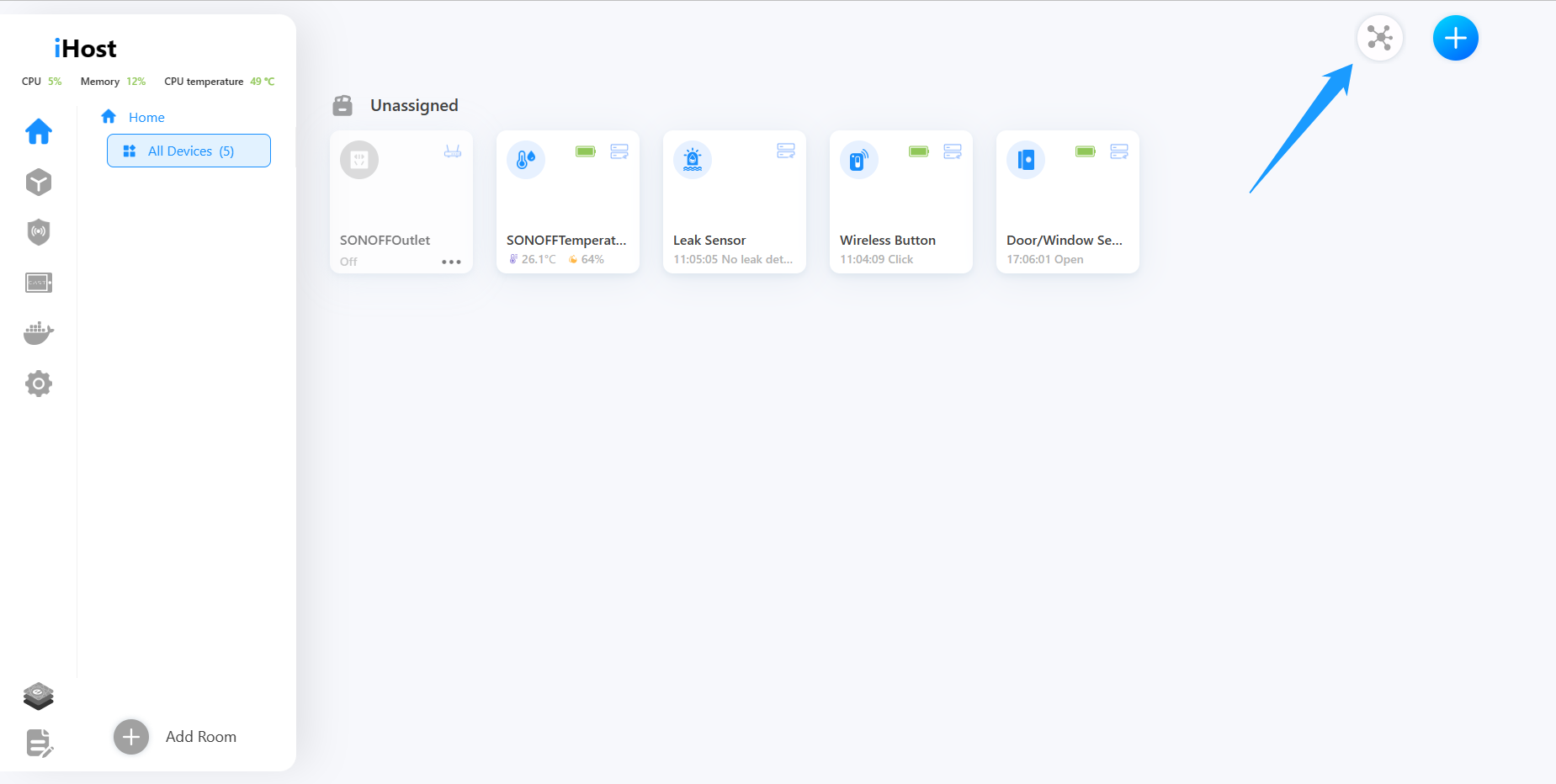
Users can access the iHost Zigbee Map page by clicking on the upper-right corner of the device list. In the Zigbee Map, you can zoom in, zoom out, or drag the map to view the Zigbee device status. We display the connection relationships between devices in the map based on their roles (Coordinator, Router, End-Device). As shown in the video, the Coordinator, which is iHost itself, is in the middle. You can see which devices are directly connected to iHost and which devices are connected through routers on the Zigbee Map. There is a signal value on each device's connection line. The higher the signal value, the better the communication status. You can optimize the device connections in your home based on the signal value and the connection relationships displayed on the Zigbee Map.

Zigbee Map is currently under development, please refer to the actual results after it is released. We will also continue to bring advance notices of more new features in the updates, so please stay tuned!

How to do low-code development in iHost?

We briefly covered iHost's API capabilities and referenced the open source project to show you how to connect devices to iHost and how to control devices in iHost. Of course, we understand that some developers don't want to read and learn complex API documents and reference source code, so we also provide a set of tools for developers who want to do low-code development.

Node-RED is a powerful tool for building IoT applications. It uses a visual programming approach. It allows developers to connect predefined blocks of code (called "nodes", nodes) to perform tasks, and when they are connected together, they form a "Flow". It connects hardware devices, APIs, and online services in a low-code development manner.

We encapsulated a variety of iHost APIs and provided nodes with various functions for users to use, facilitating users to call iHost's OPEN API in a WYSIWYG way. The project is also open source, and you can find it here :

node-red-contrib-ewelink-cube (Github)

In this way, you do not need to read and learn the API document, only need to learn how to use the node module, you can implement the device access to the iHost and control the device in the iHost function.


Currently, the following nodes are online:

  • Listening node for status change: monitor for the status change events of one or more devices
  • Listening node for online status: Monitor the online status of one or more devices
  • Listening node for adding device: Monitor the iHost for register device events
  • Listening node for deleting device: Monitor for one or more device deletion events
  • Listening node for device information modification: Monitor one or more device information modification events
  • Device control node: Controls the specified device
  • Device list and Device information Query Node: Obtains the full device list or specific device information
  • Gateway Status Query node: Obtain the running status of the iHost
  • JSON message node: sends a piece of JSON data to the iHost to control device
  • Device registration node: registers a new device into the iHost and controls it

If you have any problems with the nodes, please feel free to contact us and we will collect more suggestions and continue to optimize and iterate on these nodes.

For the latest iHost API documentation, please click here:

https://sonoff.tech/ihost-user-guides/api/

node-red-contrib-ewelink-cube Github:

https://github.com/CoolKit-Technologies/node-red-contrib-ewelink-cube

How to get device information and control them in iHost?

Devices that connect to iHost directly through Zigbee and devices that connect to iHost through Add-on can be displayed and controlled on the iHost console. It means that you can check these devices' state and subscribe to state changes via iHost's OPEN API, as well as support for manipulating these devices through APIs.

In order to have a further understanding of the status subscription and device management APIs, we provide an open-source project named "Homebridge eWeLink CUBE plugin" for your reference.

This Plugin takes devices in the iHost and synchronizes them to the Homebridge system for real-time display and control.

Its workflow begins with the discovery of hosts by searching the LAN network through mDNS, after the user selects the host to connect to, "Homebridge eWeLink CUBE plugin" will first call iHost's permission API to apply for an API access token. After manually confirming the authorization on iHost as prompted, the Add-on can successfully obtain the token for subsequent communication with iHost.

Plugin then calls the device query API to get a list of all the devices and will display the obtained list of devices in iHost, after the user selects the device that wants to synchronize to Homebridge, Plugin calls iHost's device status subscription API to monitor the status changes in real-time. Similarly, if the user controls these devices on Homebridge, the plugin will call the device control APIs to send commands to iHost for controlling these devices.

With the same process, any developer can develop an Add-on to get the device list of iHost, subscribe to the device status of iHost, and control the devices on iHost. All you need is this Add-on that also supports data communication with third-party systems, iHost, and its managed devices can be seamlessly integrated into any third-party system for monitoring and management, like Home Assistance, openHAB, iobroker, etc.

For the latest iHost API documentation, please click here:
https://sonoff.tech/ihost-user-guides/api/
Homebridge eWeLink CUBE Plug Github:
-Server: https://github.com/CoolKit-Technologies/cc.coolkit.it.ihost.homebridge.plugin.server.git
-Front end: https://github.com/CoolKit-Technologies/cc.coolkit.it.ihost.homebridge.web.git


How to connect devices to iHost for control and management?

iHost HTTP-based API provides the open capabilities of iHost to any third-party application development as well as third-party devices and system integration. With these APIs, a wide range of applications can be realized to meet various feature expansion needs.

Developers can use iHost as a local server and develop other branded device integration applications via device registration and status synchronization APIs. Register your devices to iHost and the devices would be shown in iHost console. The real-time status of the device is synchronized to iHost via the two-way status synchronization interface, thus, the features of the real-time device status, triggering scene linkage, and device control can be realized on the center console of iHost.


In order to have a further understanding of the registration and device management APIs, we provide an open-source Add-on named “eWeLink Smart Home (Github) ” for your reference.

The concept of the eWeLink Smart Home Add-on is WiFi device synchronization into iHost. The eWeLink Smart Home Add-on searches for "eWeLink Support" devices in the LAN, connect devices through LAN mode, and synchronizes them into iHost for management, control, and automation through iHost. The workflow involves searching for "eWeLink Support" devices that support LAN mode through mDNS, obtaining the LAN communication encryption key of the device through the cloud, and determining if the device type is currently supported by iHost. If supported, the Add-on will display the "Sync" button for device synchronization with iHost.

When the user selects the "Sync", eWeLink Smart Home Add-on will first call iHost's permission API to apply for an API access token. After manually confirming the authorization on iHost as prompted, the Add-on can successfully obtain the token for subsequent communication with iHost. The Add-on will sync the selected devices to iHost through the device registration API, and you can see the device cards on the center console. Afterward, Add-on will synchronize the status changes from the device to iHost through the Device status synchronization API, it will also forward the control commands from iHost to the device through the Device reverse control API so that the user can view the status of the device in real-time, control the device and configure various automations in the iHost center console.

In the future, we will provide open-source "Web API to MQTT" Add-on demo to facilitate the connection of various devices that use MQTT interfaces. Currently, iHost supports only a limited number of device types with simple capabilities. However, iHost will continue to update and support more device types and complex device capabilities in the future.

For the latest iHost API documentation, please click here:
https://sonoff.tech/ihost-user-guides/api/

eWeLink Smart Home Add-on Github:
https://github.com/CoolKit-Technologies/cc.ewelink.smart.home.addon

eWeLink Smart Home Add-on docker hub:
https://hub.docker.com/r/ewelink/ewelink-smart-home

iHost Schematic Block Diagram & External Interface Definition Sharing!

Dear customers,
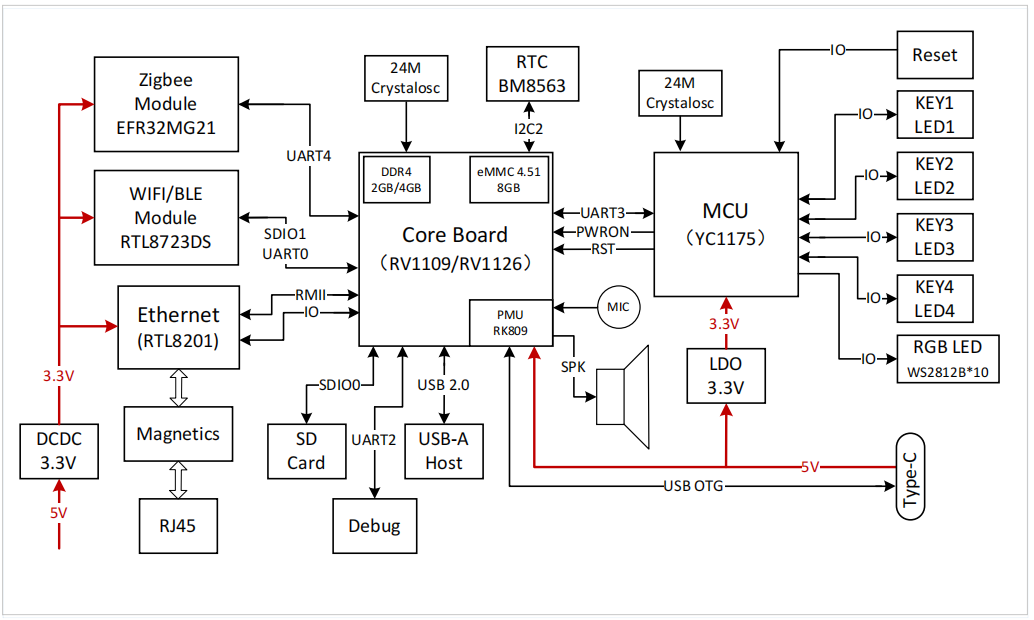
iHost has been on pre-sale for a week now. Thank you for your support and interest in iHost! To better serve our developer community, we are pleased to share iHost schematic block diagram and interface definition document here. We hope that this will provide you with the information you need to fully understand and utilize the device.
Schematic Block Diagram

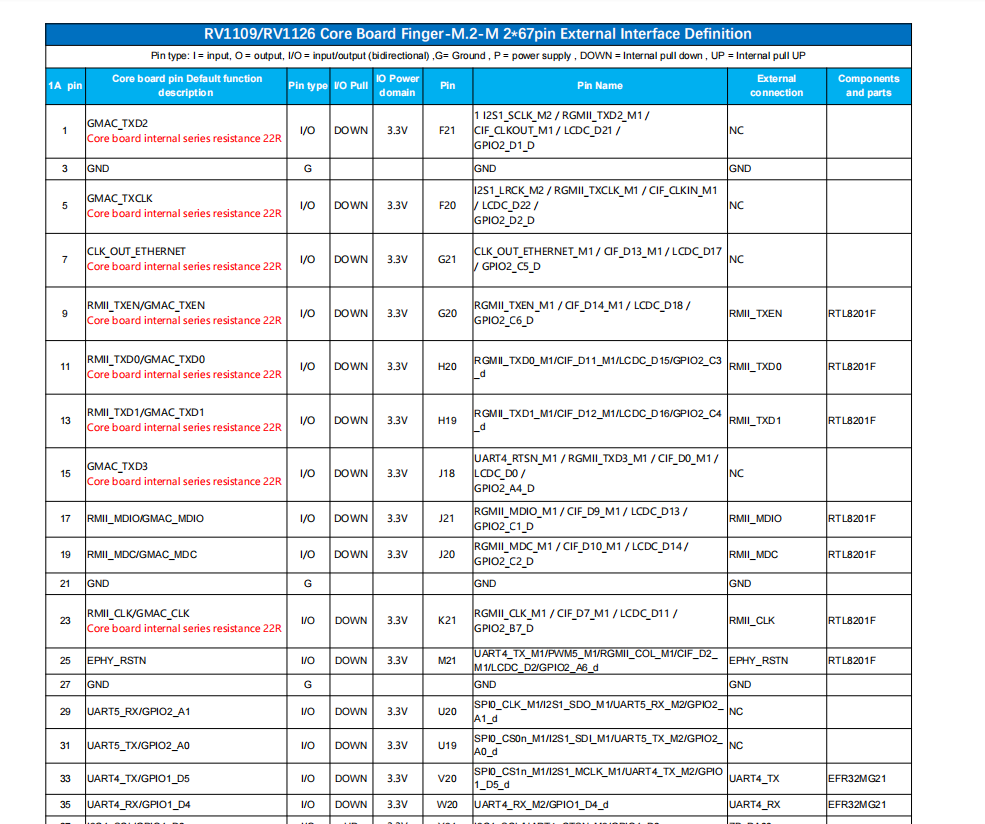
External Interface Definition
Click here to download the complete document:  https://itead.cc/wp-content/uploads/2023/03/Core-Board-Finger-M.2-M-267pin-External-Interface-Definition.pdf

CONTENT PREVIEW:

With love,

SONOFF Team

iHost Smart Home Hub Preorder Is Live Now
Hi There,

We're happy to announce that iHost smart home hub is now available to pre-order at GMT+8 17:00, March 8th. there are two versions available: RV1109 2G and RV1126 4G.

iHost smart home hub is a local smart home server that provides fast and reliable networking. You can control and manage the Zigbee 3.0 certified devices and set up local smart scenes in a local control console with LAN. Besides, it supports open API and Docker containerization. You can install or develop more Add-on to make your smart life more convenient.

Pre-Order now and get up to 40% off, From 8th March to 20th April, limited quantity, first come, first served. Shop Now

Tell Us What You Think
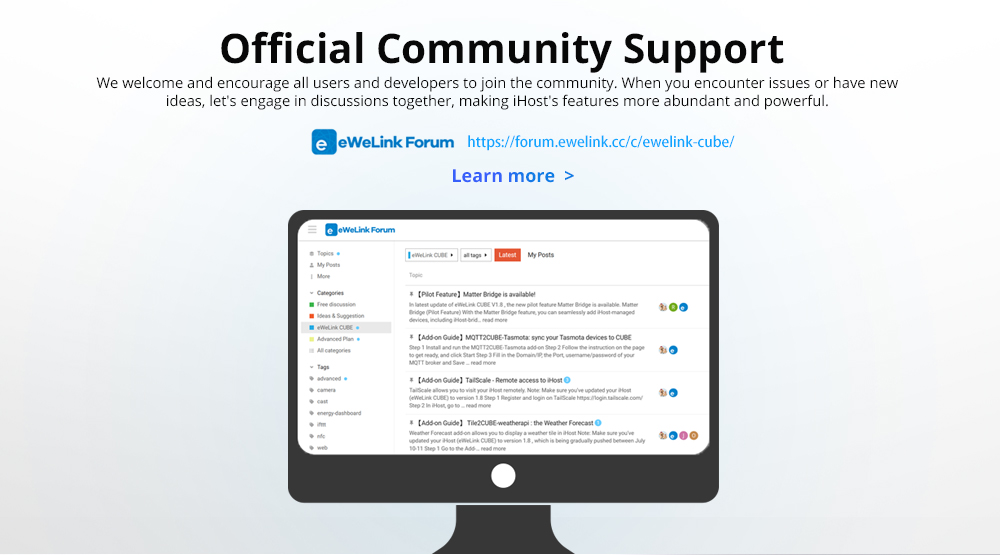
Do you have ideas for iHost that you want to share, questions you want to ask, or something you’d like to see more of? Please feel free to drop us a line in the discussions section

Shipping Plan
We will ship from china to worldwide at the end of March, You will receive your tracking number after the products are delivered

Help Us Share
We are extremely grateful for your support. One of the best ways you can continue to help the campaign grow and reach our stretch goals is by sharing the campaign with someone you think would love what SONOFF iHost smart home hub has to offer.

With love,

SONOFF Team

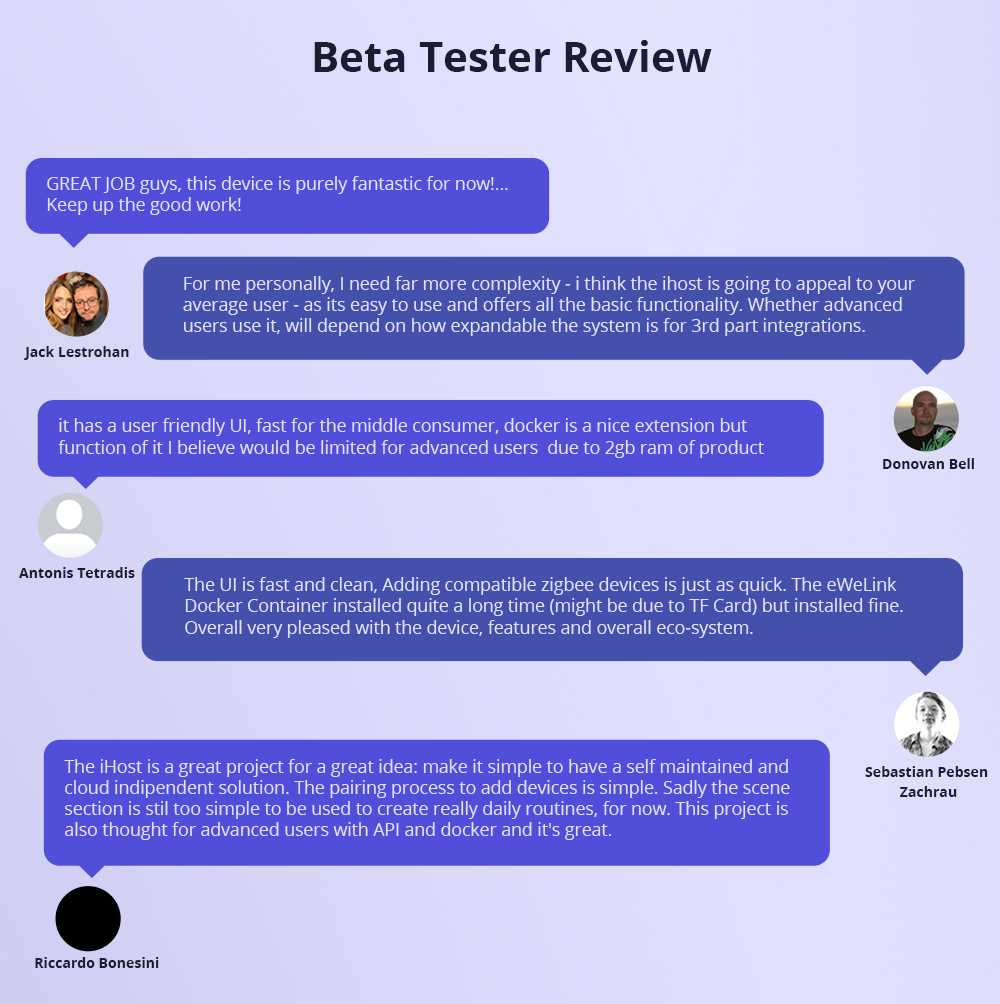
Customer Reviews

Based on 8 reviews
88%
(7)
0%
(0)
13%
(1)
0%
(0)
0%
(0)
o
omar bini
Omar Bini

ho appena completamente restaurato casa e lo resa smart completamente da interruttori tx a tutti i sensori in catalogo SONOFF e posso dire che è fantastico!!

Y
Yurii Katsan
Sonoff iHost

Congratulations!
Logistics was successful, within 2 weeks. I am satisfied with the quality of the product and functionality.
The installation is not yet fully completed (I use Sonoff equipment via cloud control), as soon as I switch to the local network, I will add an extended review of the iHost operation.
Thank you for your cooperation and high-quality logistics.

S
Simone Gioia
Ihost che sorpresa

Ho iniziato a lavorare con Ihost per ampliare le automazioni usando home assistant, e devo dire che mi sta piacendo molto.

M
Maximiliano Guillemain
its a hub with NO remote access by app

the first thing this hub must have to be successful its a way to access remotely with an app like ewelink or something like that, other wise its just a central control only in locally lan, wich its super restricted, its a shame

Please note the iHost Smart Home Hub is a private local server for your smart home system.
You can use the TailScale add on to get the remote access function.
https://forum.ewelink.cc/t/add-on-guide-tailscale-remote-access-to-ihost/19368

T
Tatyana Velichko

I liked this device. Very promising. Only notifications from the device to the smartphone are sorely lacking. Please add the ability to send notifications to Telegram to a personal chatbot so that you can receive messages when a smart device is turned on or off. Or a scenario is activated. Good luck.

T
Tatyana Velichko

I liked this device. Very promising. Only notifications from the device to the smartphone are sorely lacking. Please add the ability to send notifications to Telegram to a personal chatbot so that you can receive messages when a smart device is turned on or off. Or a scenario is activated. Good luck.

A
Aversano Francesco

I like local control, feels more secure, this device is easy to install and configue, the performance is good, responds quickly to commands.

A
Aversano Francesco

I like local control, feels more secure, this device is easy to install and configue, the performance is good, responds quickly to commands.

SONOFF iHost Smart Home Hub
Price range: USD$71.90 through USD$99.90